Totopia
อัปเดตเมื่อ
เวอร์ชันปัจจุบัน
ให้บริการโดย

เวลาคุณเล่น Totopia, คุณอาจรู้สึกว่ามือคุณอาจบังจอแล้วทำให้ไม่ได้เล่นแบบเต็มที่. เล่นแบบไร้ขีดจำกัดด้วยเม้าส์และคีย์บอร์ด. MEmu มีตัวเลือกหลายอย่างให้คุณใช้งานเกมที่คุณเล่นแบบที่คุณต้องการ. ดาวน์โหลดและเล่น Totopia บน PC. เล่นนานแค่ไหนก็ได้, ไม่ต้องชาร์จแบตเตอรี่, หรือเจอคนโทรเข้ามาระหว่างเล่น. MEmu 9 เป็นตัวเลือกสำหรับการเล่น Totopia บน PC. ทางทีมงานเราได้ปรับแต่งเกม, ปรับให้เล่นเกมบางเกมได้เหมือนเล่น Totopia เป็นเกม PC เช่นเล็งด้วยเม้าส์หรือใช้คีย์บอร์ด. ระบบของเรายังทำให้คุณสามารถเปิดเล่นได้มากกว่า 2 เกมพร้อมๆกันในคอมของคุณ. และที่สำคัญที่สุด, ระบบโปรแกรมของเราสามารถทำให้คุณใช้ระบบของ PC ทำให้เกมลื่นเหมือนกับใช้โทรศัพท์รุ่นล่าสุด. เราไม่ได้ดูแลเรื่องการเล่นเกม, แต่เราดูแลถึงความสนุกสนานที่คุณได้จากการเล่นด้วย.
แสดงเพิ่มเติม
ดาวน์โหลด Totopia บน PC ด้วย MEmu Android Emulator สนุกกับการเล่นบนหน้าจอขนาดใหญ่ Totopia is calling!
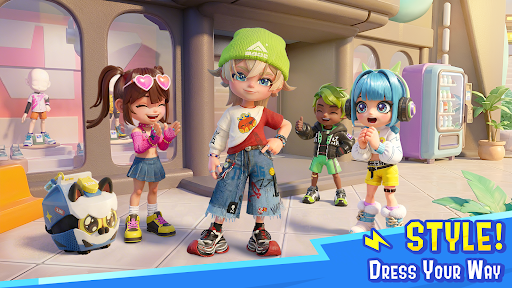
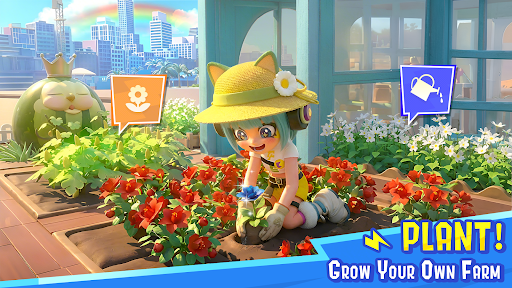
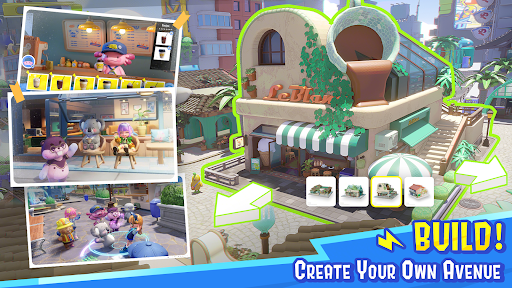
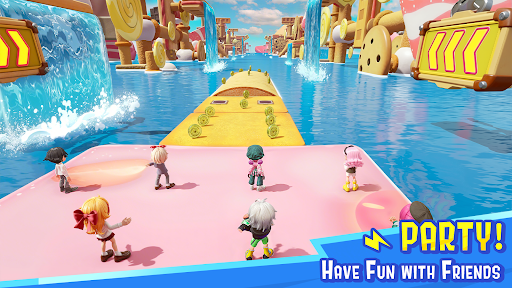
Totopia is calling! Drip in your style and crush 100+ chaotic maps, or smash the Bitrot crisis with Atomon skills! Need a recharge? Visit Pulse Avenue to build, plant, or run a cozy cafe. Cast your fishline, chill, and vibe with quirky Atomons. Your world, your way—join the squad and catch that W!
Grab your crew! Be whoever, do whatever!
Your do-it-all party hub has arrived! Whether you’re a party-game champ, a Bitrot-smashing hero, a master barista, or just a chill fisher, the stage is yours. Link up with the squad for chaotic game nights or rule the streets of Pulse Avenue—there are zero limits to your digital life!
Dress Up! Flex your style!
Main character energy only! From drip that hits different to wild, custom fits, express your unique aesthetic and show the whole world your signature look.
Pick your party! 100+ maps to play!
Rise to stardom and become the GOAT! Drop into chaotic brawls, epic races, or team up with the squad to catch that W. From solo trials to co-op madness, every map is a new chance to hit peak performance.
Tiny Kit, Big Trick!
Power up with a twist! Use the Soulsync mechanic to bond with your companions, unlocking cracked abilities and secret tricks to outplay the challenge levels and competitions in style.
Cozy Up with Atomons!
Live your best life on Pulse Avenue! Strike up a convo with quirky Atomons, go fishing, farm your heart out, or build a dream base that's 100% you. It’s all about the chill vibes!
แสดงเพิ่มเติม

1. ดาวน์โหลดตัวติดตั้ง MEmu และสิ้นสุดการติดตั้ง

2. เริ่ม MEmu จากนั้นเปิด Google Play บนหน้าแรก

3. ค้นหา Totopia ใน Google Play
Install
4. ดาวน์โหลดและติดตั้ง Totopia
5. เมื่อติดตั้งเสร็จให้คลิกที่ไอคอนเพื่อเริ่มใช้งาน

6. สนุกกับการเล่น Totopia บนพีซีด้วย MEmu
MEmu App Player เป็นอีมูเลเตอร์ Android ที่ดีที่สุดและผู้คนกว่า 50 ล้านคนเพลิดเพลินไปกับประสบการณ์การเล่นเกม Android ที่ยอดเยี่ยม เทคโนโลยีการจำลองเสมือนของ MEmu ช่วยให้คุณเล่นเกม Android หลายพันเกมได้อย่างราบรื่นบนพีซีของคุณแม้แต่เกมที่ต้องใช้กราฟิกมากที่สุด
จอใหญ่และกราฟฟิกสวยกว่า; เล่นได้นาน, ไม่ต้องใช้แบตเตอรี่โทรศัพท์หรือเน็ตโทรศัพท์.
ระบบปรับแต่งปุ่มคีย์บอร์ดและเม้าส์ตามที่คุณเลือก
เล่นมากกว่าหนึ่งเกมบน PC ในเวลาเดียวกันด้วยระบบหลายจอหรือ Multi-Instance manager.
Play Totopia on PC by following steps: