
Wobbly Life
อัปเดตเมื่อ
เวอร์ชันปัจจุบัน
1.1.0.9
ให้บริการโดย

เวลาคุณเล่น Wobbly Life, คุณอาจรู้สึกว่ามือคุณอาจบังจอแล้วทำให้ไม่ได้เล่นแบบเต็มที่. เล่นแบบไร้ขีดจำกัดด้วยเม้าส์และคีย์บอร์ด. MEmu มีตัวเลือกหลายอย่างให้คุณใช้งานเกมที่คุณเล่นแบบที่คุณต้องการ. ดาวน์โหลดและเล่น Wobbly Life บน PC. เล่นนานแค่ไหนก็ได้, ไม่ต้องชาร์จแบตเตอรี่, หรือเจอคนโทรเข้ามาระหว่างเล่น. MEmu 9 เป็นตัวเลือกสำหรับการเล่น Wobbly Life บน PC. ทางทีมงานเราได้ปรับแต่งเกม, ปรับให้เล่นเกมบางเกมได้เหมือนเล่น Wobbly Life เป็นเกม PC เช่นเล็งด้วยเม้าส์หรือใช้คีย์บอร์ด. ระบบของเรายังทำให้คุณสามารถเปิดเล่นได้มากกว่า 2 เกมพร้อมๆกันในคอมของคุณ. และที่สำคัญที่สุด, ระบบโปรแกรมของเราสามารถทำให้คุณใช้ระบบของ PC ทำให้เกมลื่นเหมือนกับใช้โทรศัพท์รุ่นล่าสุด. เราไม่ได้ดูแลเรื่องการเล่นเกม, แต่เราดูแลถึงความสนุกสนานที่คุณได้จากการเล่นด้วย.
แสดงเพิ่มเติม
ดาวน์โหลด Wobbly Life บน PC ด้วย MEmu Android Emulator สนุกกับการเล่นบนหน้าจอขนาดใหญ่ คุณยายไล่คุณออกไปเผชิญโลกกว้างใหญ่ที่แสนจะโกลาหล และสั่งให้คุณไปหางานทำ!
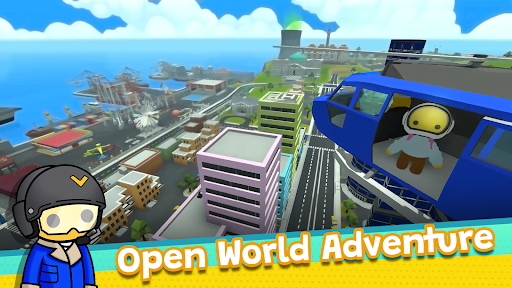
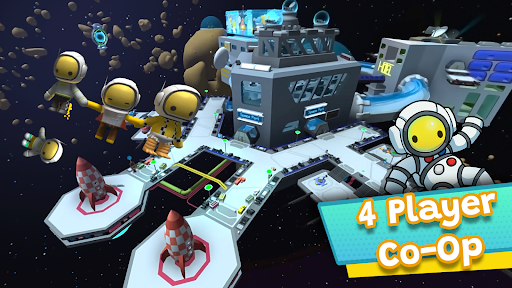
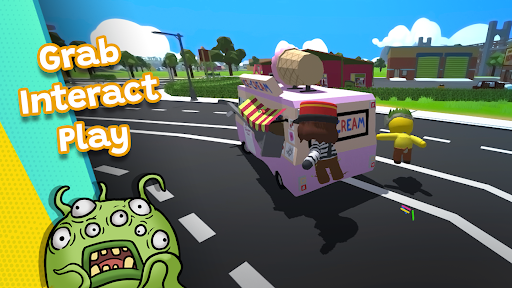
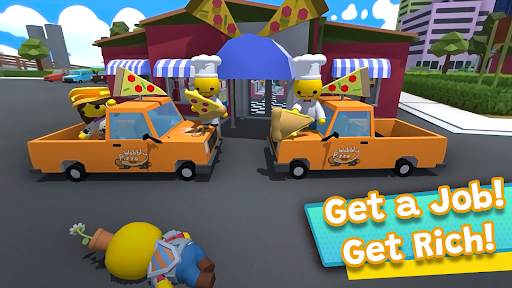
คุณยายไล่คุณออกไปเผชิญโลกกว้างใหญ่ที่แสนจะโกลาหล และสั่งให้คุณไปหางานทำ! คุณยายจะภูมิใจมากถ้าคุณหาเงินได้และมีบ้านเป็นของตัวเองสักวัน!
Wobbly Life เป็นเกมแซนด์บ็อกซ์แบบผู้เล่นหลายคนในโลกเปิดกว้างที่ใช้หลักฟิสิกส์ คุณสามารถสำรวจ ทำงาน หาเงิน ขับยานพาหนะ มีบ้านเป็นของตัวเอง เลี้ยงสัตว์ และร่วมผจญภัยสุดฮาไปด้วยกัน
เล่นกับเพื่อนๆ ทุกคนบนแพลตฟอร์มมือถือใดก็ได้ และสำรวจโลกที่เต็มไปด้วยความลับ ภารกิจ มินิเกม ยานพาหนะ และเซอร์ไพรส์มากมาย หากคุณชื่นชอบเกมแซนด์บ็อกซ์สำหรับครอบครัว เกมผจญภัยแบบผู้เล่นหลายคน เกมจำลองชีวิต และการสำรวจโลกเปิดกว้าง คุณจะหลงรัก Wobbly Life
สำรวจโลกเปิดกว้างขนาดใหญ่
• สำรวจเมือง ภูเขา เกาะ ถ้ำ และสถานที่ลับต่างๆ
• ทำภารกิจเนื้อเรื่องให้สำเร็จเพื่อปลดล็อกรางวัลสุดพิเศษ
• ไขปริศนาและค้นพบความลับทั่วเกาะ Wobbly
• ฝึกฝนเพื่อเป็นนักบินอวกาศ Wobbly และออกเดินทางสู่อวกาศ
เกือบทุกอย่างใน Wobbly Life เป็นแบบอินเทอร์แอ็กทีฟ สร้างโอกาสไม่รู้จบสำหรับการสำรวจ การทดลอง และความสนุกสนาน
ทำงานให้สำเร็จและรับเงิน
คุณยายอยากให้คุณหางานทำ! เลือกจากงานกว่า 20 งานและรับเงินเพื่อปลดล็อกเนื้อหาใหม่ๆ ทุกงานมอบความท้าทาย รางวัล และโอกาสในการสร้างความร่ำรวยใน Wobbly ของคุณ
ปรับแต่งตัวละคร บ้าน และยานพาหนะของคุณ
ใช้เงินที่คุณหามาได้เพื่ออัปเกรดและปลดล็อกสิ่งต่างๆ ที่น่าตื่นเต้น
• เลือกซื้อเสื้อผ้าได้มากกว่า 500 แบบ
• สะสมและดูแลสัตว์เลี้ยง
• ซื้อบ้านได้ตั้งแต่กระท่อมเล็กๆ ไปจนถึงคฤหาสน์หรู
• ปลดล็อกและขับยานพาหนะได้มากกว่า 90 คัน
• ปรับแต่งตัวละครและไลฟ์สไตล์ Wobbly ของคุณ
ท้าทายเพื่อนและไต่ขึ้นอันดับบนกระดานผู้นำ
แข่งขันกับผู้เล่นทั่วโลกหรือท้าทายเพื่อนโดยตรงเพื่อดูว่าใครจะได้คะแนนสูงสุด ทำงานให้เสร็จมากที่สุด และทำเวลาแข่งได้เร็วที่สุด เลือกจากกระดานผู้นำ Richest Wobbler, Job Master, Race King และ Wobble Run Champion ทั้งหมดนี้มีอยู่ในกระดานผู้นำของ Google Play Games
เข้าร่วมชุมชน Wobbly ของเรา
เข้าร่วมกับเราบน Discord และดูชุมชน Wobbly ที่น่าทึ่ง!
ดาวน์โหลด Wobbly Life วันนี้และค้นพบหนึ่งในเกมแซนด์บ็อกซ์แบบผู้เล่นหลายคนที่สนุก สร้างสรรค์ และเต็มไปด้วยการผจญภัยที่สุด
แสดงเพิ่มเติม

1. ดาวน์โหลดตัวติดตั้ง MEmu และสิ้นสุดการติดตั้ง

2. เริ่ม MEmu จากนั้นเปิด Google Play บนหน้าแรก

3. ค้นหา Wobbly Life ใน Google Play
Install
4. ดาวน์โหลดและติดตั้ง Wobbly Life
5. เมื่อติดตั้งเสร็จให้คลิกที่ไอคอนเพื่อเริ่มใช้งาน

6. สนุกกับการเล่น Wobbly Life บนพีซีด้วย MEmu
MEmu App Player เป็นอีมูเลเตอร์ Android ที่ดีที่สุดและผู้คนกว่า 50 ล้านคนเพลิดเพลินไปกับประสบการณ์การเล่นเกม Android ที่ยอดเยี่ยม เทคโนโลยีการจำลองเสมือนของ MEmu ช่วยให้คุณเล่นเกม Android หลายพันเกมได้อย่างราบรื่นบนพีซีของคุณแม้แต่เกมที่ต้องใช้กราฟิกมากที่สุด
จอใหญ่และกราฟฟิกสวยกว่า; เล่นได้นาน, ไม่ต้องใช้แบตเตอรี่โทรศัพท์หรือเน็ตโทรศัพท์.
ระบบปรับแต่งปุ่มคีย์บอร์ดและเม้าส์ตามที่คุณเลือก
เล่นมากกว่าหนึ่งเกมบน PC ในเวลาเดียวกันด้วยระบบหลายจอหรือ Multi-Instance manager.
Play Wobbly Life on PC by following steps:
























![[ไกด์เกม] CookieRun Classic แนะนำ 5 คุกกี้น่าปั้น น่าลงทุน ที่มือใหม่ห้ามพลาด! (เล่นบน PC ผ่าน MEmu ให้ลื่นสุด ๆ) PC](https://www.memuplay.com/blog/wp-content/uploads/2026/08/579c01ab-a953-45b3-8115-9b6279b7d6f9.png)
















