Word Game 2
อัปเดตเมื่อ
เวอร์ชันปัจจุบัน
1.7.2
ให้บริการโดย

เวลาคุณเล่น Word Game 2, คุณอาจรู้สึกว่ามือคุณอาจบังจอแล้วทำให้ไม่ได้เล่นแบบเต็มที่. เล่นแบบไร้ขีดจำกัดด้วยเม้าส์และคีย์บอร์ด. MEmu มีตัวเลือกหลายอย่างให้คุณใช้งานเกมที่คุณเล่นแบบที่คุณต้องการ. ดาวน์โหลดและเล่น Word Game 2 บน PC. เล่นนานแค่ไหนก็ได้, ไม่ต้องชาร์จแบตเตอรี่, หรือเจอคนโทรเข้ามาระหว่างเล่น. MEmu 9 เป็นตัวเลือกสำหรับการเล่น Word Game 2 บน PC. ทางทีมงานเราได้ปรับแต่งเกม, ปรับให้เล่นเกมบางเกมได้เหมือนเล่น Word Game 2 เป็นเกม PC เช่นเล็งด้วยเม้าส์หรือใช้คีย์บอร์ด. ระบบของเรายังทำให้คุณสามารถเปิดเล่นได้มากกว่า 2 เกมพร้อมๆกันในคอมของคุณ. และที่สำคัญที่สุด, ระบบโปรแกรมของเราสามารถทำให้คุณใช้ระบบของ PC ทำให้เกมลื่นเหมือนกับใช้โทรศัพท์รุ่นล่าสุด. เราไม่ได้ดูแลเรื่องการเล่นเกม, แต่เราดูแลถึงความสนุกสนานที่คุณได้จากการเล่นด้วย.
แสดงเพิ่มเติม
ดาวน์โหลด Word Game 2 บน PC ด้วย MEmu Android Emulator สนุกกับการเล่นบนหน้าจอขนาดใหญ่ Sequel to the original Word Game.
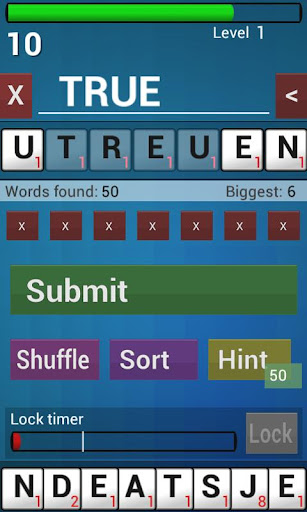
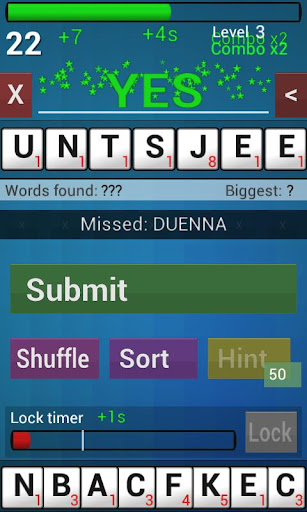
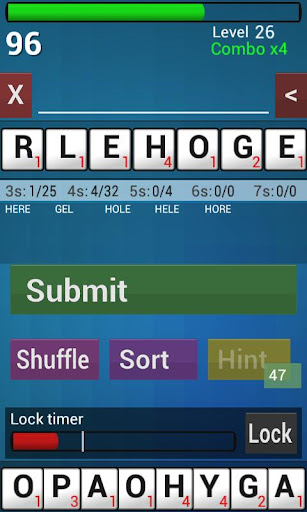
Sequel to the original Word Game. Rebuilt for modern phones and tablets, with many of the most requested new features, including 'Rack Lock' and hints.
Make words from a pile of 7 random letters against the clock for high score. Many game play twists make this highly addictive and unique.
Uses professional tournament word lists (CSW21 / NWL 20), US and UK spellings.
** Ad Supported
** Buy Pro version in-app to remove ads and more
** Scores and achievements with Google Play Game Services
** Local high score list to track your progress
** http://funqai.com/and_wordgame2.html
----------
Part of the Funqai Word family of apps. Search 'funqai' to find:
** Word Game - The original Android word game!
** Word Game 2 - Sequel to Word Game, with many requested features
** Word Square - Like a word search in reverse
** Word App - Professional word generator helps you explore the word lists
All use official word lists from WESPA and NASPA.
----------
FAQ
These words aren't really words / A common word is not included.
There are a great many words in use in the English language and I cannot hope to please everyone as to their definition of what is a word or not. The 2 dictionaries offered to use are official word lists.
แสดงเพิ่มเติม

1. ดาวน์โหลดตัวติดตั้ง MEmu และสิ้นสุดการติดตั้ง

2. เริ่ม MEmu จากนั้นเปิด Google Play บนหน้าแรก

3. ค้นหา Word Game 2 ใน Google Play
Install
4. ดาวน์โหลดและติดตั้ง Word Game 2
5. เมื่อติดตั้งเสร็จให้คลิกที่ไอคอนเพื่อเริ่มใช้งาน

6. สนุกกับการเล่น Word Game 2 บนพีซีด้วย MEmu
MEmu App Player เป็นอีมูเลเตอร์ Android ที่ดีที่สุดและผู้คนกว่า 50 ล้านคนเพลิดเพลินไปกับประสบการณ์การเล่นเกม Android ที่ยอดเยี่ยม เทคโนโลยีการจำลองเสมือนของ MEmu ช่วยให้คุณเล่นเกม Android หลายพันเกมได้อย่างราบรื่นบนพีซีของคุณแม้แต่เกมที่ต้องใช้กราฟิกมากที่สุด
จอใหญ่และกราฟฟิกสวยกว่า; เล่นได้นาน, ไม่ต้องใช้แบตเตอรี่โทรศัพท์หรือเน็ตโทรศัพท์.
ระบบปรับแต่งปุ่มคีย์บอร์ดและเม้าส์ตามที่คุณเลือก
เล่นมากกว่าหนึ่งเกมบน PC ในเวลาเดียวกันด้วยระบบหลายจอหรือ Multi-Instance manager.
Play Word Game 2 on PC by following steps: