0.5 camera
อัปเดตเมื่อ
เวอร์ชันปัจจุบัน
36
ให้บริการโดย

เมื่อใช้ 0.5 camera บนโทรศัพท์ของคุณไม่ต้องกังวลกับการชาร์จไฟมากเกินไปปลดปล่อยตัวคุณเองจากหน้าจอขนาดเล็กและสนุกกับการใช้แอพนี้บนหน้าจอขนาดใหญ่ จากนี้ไปรับประสบการณ์เต็มหน้าจอของแอปพลิเคชันของคุณด้วยคีย์บอร์ดและเมาส์ MEmu มีคุณสมบัติที่น่าแปลกใจที่คุณคาดหวัง: การติดตั้งที่รวดเร็วและการตั้งค่าที่ง่ายควบคุมได้ง่ายไม่ จำกัด แบตเตอรี่ข้อมูลมือถือและการโทรที่รบกวน MEmu 9 ใหม่ล่าสุดเป็นตัวเลือกที่ดีที่สุดสำหรับการใช้ Meitu – โปรแกรมแก้ไขภาพแนวธรรมชาติ บนคอมพิวเตอร์ของคุณ ด้วยรหัสการดูดซึมของเราผู้จัดการหลายอินสแตนซ์ทำให้สามารถเปิดบัญชี 2 บัญชีขึ้นไปในเวลาเดียวกันได้ และที่สำคัญที่สุดเอ็นจิ้นจำลองพิเศษของเราสามารถปลดปล่อยศักยภาพของPCของคุณและทำให้ทุกอย่างราบรื่นและสนุกสนาน
แสดงเพิ่มเติม
สัมผัสประสบการณ์สุดยอดการใช้งาน 0.5 camera บนพีซีด้วย MEmu Play นี่คือโปรแกรมจำลอง Android ฟรีที่ทรงพลัง ให้คุณใช้งานแอป Android นับพันบนเดสก์ท็อป สนุกกับการเชื่อมต่อกับเพื่อนๆ และขัดเกลาผลงานของคุณอย่างมีประสิทธิภาพยิ่งขึ้น! Capture stunning wide-angle shots with the 0.
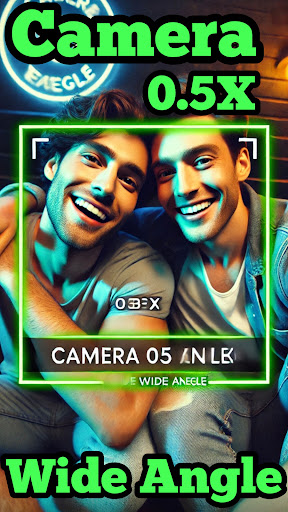
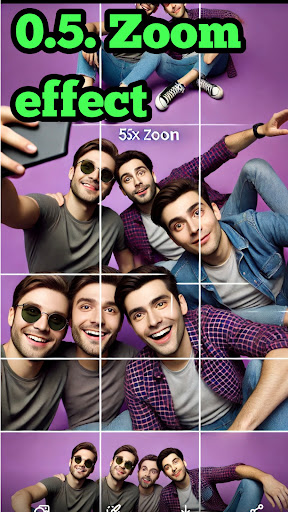
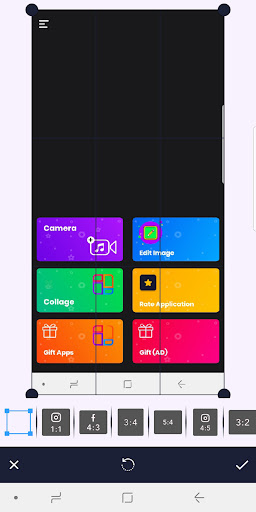
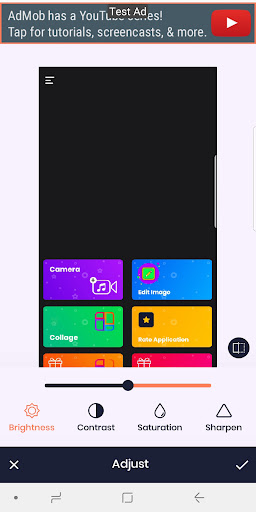
Capture stunning wide-angle shots with the 0.5 Camera app for Android. Featuring a 0.5x camera zoom, this app allows you to easily enhance your photos and explore a new perspective. Perfect for phone 16 and other Android devices, the 0.5x camera offers crystal-clear wide shots with ease. Download now for an enhanced photography experience!
Features:
● Combine up to 18 photos to create pic collage 0.5x camera.
● 100+ Layouts of frames or grids to choose from!
● Large number of Background, Sticker, Font, and doodle to choose from!
● Change ratio of collage and edit border of collage.
● Make photo collage with Free style or Grid style.
● Crop pictures and edit photo with Filter, Text.
● Insta square photo with blur background for Instagram.
● Save photo in high resolution and share pictures to social apps.
Grid
Create photo collage with hundreds of layouts in seconds. Custom photo grid size, border and background, you can design layout on your own! So easy to make a beautiful photo collage.
Edit
All-in-one photo editor provides a bunch of editing tools: crop picture, apply filter to picture, add sticker and text to image, draw on image with doodle tool, flip, rotate...
Freestyle
Select beautiful background with full screen ratio to create a scrapbook. You can decorate with pictures, stickers, texts, doodles, and share your scrapbook to Instagram Stories and Snapchat Stories.
Story Template
100+ Stylized templates including Film, Magazine, Ripped Paper… Have fun with this Insta story maker, share your most memorable moments with friends.
Multi-fit
Insta square photo in a blur background or white to fit for Instagram. You can choose multiple ratios, 1:1, 4:5, 3:2 ratios, etc. Easily post entire photo with no crop. You can even square up to 10 photos at one time.
แสดงเพิ่มเติม

1. ดาวน์โหลดตัวติดตั้ง MEmu และสิ้นสุดการติดตั้ง

2. เริ่ม MEmu จากนั้นเปิด Google Play บนหน้าแรก

3. ค้นหา 0.5 camera ใน Google Play
Install
4. ดาวน์โหลดและติดตั้ง 0.5 camera
5. เมื่อติดตั้งเสร็จให้คลิกที่ไอคอนเพื่อเริ่มใช้งาน

6. ใช้ MEmu เพื่อสัมผัสประสบการณ์ 0.5 camera บนคอมพิวเตอร์ของคุณ
MEmu Play คือโปรแกรมจำลอง Android ที่ดีที่สุด มีผู้ใช้มากกว่า 50 ล้านคน มอบประสบการณ์การใช้งานแอป Android ขั้นสุดยอดให้กับคุณ เทคโนโลยีจำลองเสมือนของ MEmu ช่วยให้คุณรันแอป Android หลายพันแอปบนคอมพิวเตอร์ได้อย่างราบรื่น แม้แอปที่กินทรัพยากรเครื่องสูงที่สุด
จอใหญ่และกราฟฟิกสวยกว่า; เล่นได้นาน, ไม่ต้องใช้แบตเตอรี่โทรศัพท์หรือเน็ตโทรศัพท์.
ระบบปรับแต่งปุ่มคีย์บอร์ดและเม้าส์ตามที่คุณเลือก
เล่นมากกว่าหนึ่งเกมบน PC ในเวลาเดียวกันด้วยระบบหลายจอหรือ Multi-Instance manager.
Use 0.5 camera on PC by following steps: