Anymoji - Emoji Face Recorder
อัปเดตเมื่อ
เวอร์ชันปัจจุบัน
1.2.1
ให้บริการโดย

เมื่อใช้ Anymoji - Emoji Face Recorder บนโทรศัพท์ของคุณไม่ต้องกังวลกับการชาร์จไฟมากเกินไปปลดปล่อยตัวคุณเองจากหน้าจอขนาดเล็กและสนุกกับการใช้แอพนี้บนหน้าจอขนาดใหญ่ จากนี้ไปรับประสบการณ์เต็มหน้าจอของแอปพลิเคชันของคุณด้วยคีย์บอร์ดและเมาส์ MEmu มีคุณสมบัติที่น่าแปลกใจที่คุณคาดหวัง: การติดตั้งที่รวดเร็วและการตั้งค่าที่ง่ายควบคุมได้ง่ายไม่ จำกัด แบตเตอรี่ข้อมูลมือถือและการโทรที่รบกวน MEmu 9 ใหม่ล่าสุดเป็นตัวเลือกที่ดีที่สุดสำหรับการใช้ Meitu – โปรแกรมแก้ไขภาพแนวธรรมชาติ บนคอมพิวเตอร์ของคุณ ด้วยรหัสการดูดซึมของเราผู้จัดการหลายอินสแตนซ์ทำให้สามารถเปิดบัญชี 2 บัญชีขึ้นไปในเวลาเดียวกันได้ และที่สำคัญที่สุดเอ็นจิ้นจำลองพิเศษของเราสามารถปลดปล่อยศักยภาพของPCของคุณและทำให้ทุกอย่างราบรื่นและสนุกสนาน
แสดงเพิ่มเติม
ดาวน์โหลด Anymoji - Emoji Face Recorder บน PC ด้วย MEmu Android Emulator สนุกกับการเล่นบนหน้าจอขนาดใหญ่ Anymoji is the animoji maker for Android.
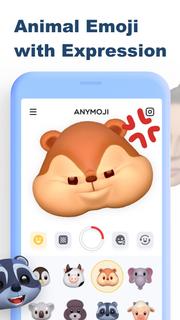
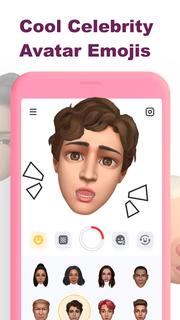
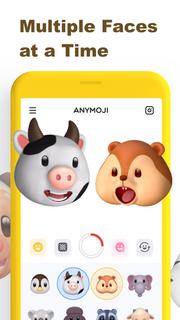
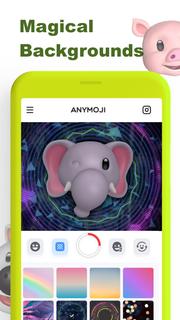
Anymoji is the animoji maker for Android. It has tons of 3D animal emoji and celebrity avatar emoji that can follow your facial expression. You can use Anymoji to create cool post or story for social media like TikTok, Instagram, Snapchat and YouTube. Let it get you more likes for your posts and stories, and get more fans & followers on Instagram, Tik Tok, Snapchat, YouTube, etc.Key Features:• Cute Animal Emoji (Animoji)• Celebrity Avatar Emojis• Multiple Faces at a Time• Magical Backgrounds* Animal Emoji (Animoji)Great variety of cute 3D animal emoji including monkey, pig, lion and so on. It rings emoji to life in a fun new way by combining your own expressions with your favorite emoji. It uses the TrueDepth camera to capture and analyze over 50 different facial muscle movements, including smiles, frowns, and more to make those animoji follow your expression.* Celebrity Avatar EmojiBesides animal emoji (animoji), Anymoji also got 3D avatar emoji of celebrities. You can use those celebrity emojis to do the lip sync of famous songs or famous scenes. That’ll be trending or viral on social media.* Multiple Faces at a TimeAnymoji can capture and analyze more than one face at a time. You can use it with your friends together to create wonderful videos. * Magical BackgroundsYou can choose to change the background when you record the video to match your style and preference or just add some edge to your video.———————————————————————————————————————Upgrade to Anymoji Premium for more awesome features:* Unlimited Cute Animal Emojis* Multiple Faces to Play Together* Huge Library of Magic Backgrounds* Remove Watermark Only For PremiumIf you want to cancel subscriptions, please go to Google Play Store and follow the related guidelines.More details can be found here:Privacy Policy: https://get.anymoji.app/support/privacy.htm Terms of Use: https://get.anymoji.app/support/terms.htmNote: If you have any questions, please feel free to contact us: Email: [email protected]
แสดงเพิ่มเติม

1. ดาวน์โหลดตัวติดตั้ง MEmu และสิ้นสุดการติดตั้ง

2. เริ่ม MEmu จากนั้นเปิด Google Play บนหน้าแรก

3. ค้นหา Anymoji - Emoji Face Recorder ใน Google Play
Install
4. ดาวน์โหลดและติดตั้ง Anymoji - Emoji Face Recorder
5. เมื่อติดตั้งเสร็จให้คลิกที่ไอคอนเพื่อเริ่มใช้งาน

6. ใช้ MEmu เพื่อสัมผัสประสบการณ์ Anymoji - Emoji Face Recorder บนคอมพิวเตอร์ของคุณ
MEmu Play คือโปรแกรมจำลอง Android ที่ดีที่สุด มีผู้ใช้มากกว่า 50 ล้านคน มอบประสบการณ์การใช้งานแอป Android ขั้นสุดยอดให้กับคุณ เทคโนโลยีจำลองเสมือนของ MEmu ช่วยให้คุณรันแอป Android หลายพันแอปบนคอมพิวเตอร์ได้อย่างราบรื่น แม้แอปที่กินทรัพยากรเครื่องสูงที่สุด
จอใหญ่และกราฟฟิกสวยกว่า; เล่นได้นาน, ไม่ต้องใช้แบตเตอรี่โทรศัพท์หรือเน็ตโทรศัพท์.
ระบบปรับแต่งปุ่มคีย์บอร์ดและเม้าส์ตามที่คุณเลือก
เล่นมากกว่าหนึ่งเกมบน PC ในเวลาเดียวกันด้วยระบบหลายจอหรือ Multi-Instance manager.
Use Anymoji - Emoji Face Recorder on PC by following steps: