
Bookcaze
อัปเดตเมื่อ
เวอร์ชันปัจจุบัน
1.2.41.01
ให้บริการโดย

เมื่อใช้ Bookcaze บนโทรศัพท์ของคุณไม่ต้องกังวลกับการชาร์จไฟมากเกินไปปลดปล่อยตัวคุณเองจากหน้าจอขนาดเล็กและสนุกกับการใช้แอพนี้บนหน้าจอขนาดใหญ่ จากนี้ไปรับประสบการณ์เต็มหน้าจอของแอปพลิเคชันของคุณด้วยคีย์บอร์ดและเมาส์ MEmu มีคุณสมบัติที่น่าแปลกใจที่คุณคาดหวัง: การติดตั้งที่รวดเร็วและการตั้งค่าที่ง่ายควบคุมได้ง่ายไม่ จำกัด แบตเตอรี่ข้อมูลมือถือและการโทรที่รบกวน MEmu 9 ใหม่ล่าสุดเป็นตัวเลือกที่ดีที่สุดสำหรับการใช้ Meitu – โปรแกรมแก้ไขภาพแนวธรรมชาติ บนคอมพิวเตอร์ของคุณ ด้วยรหัสการดูดซึมของเราผู้จัดการหลายอินสแตนซ์ทำให้สามารถเปิดบัญชี 2 บัญชีขึ้นไปในเวลาเดียวกันได้ และที่สำคัญที่สุดเอ็นจิ้นจำลองพิเศษของเราสามารถปลดปล่อยศักยภาพของPCของคุณและทำให้ทุกอย่างราบรื่นและสนุกสนาน
แสดงเพิ่มเติม
ดาวน์โหลด Bookcaze บน PC ด้วย MEmu Android Emulator สนุกกับการเล่นบนหน้าจอขนาดใหญ่ Bookcaze.
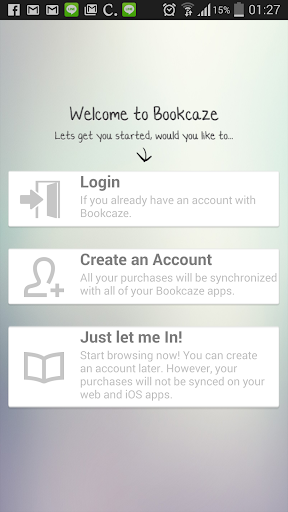
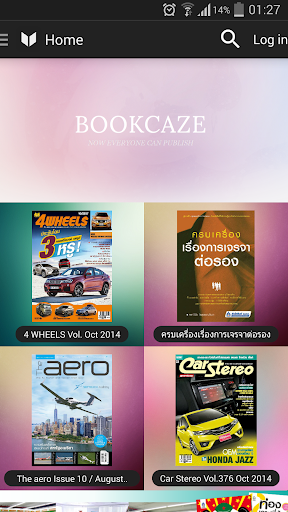
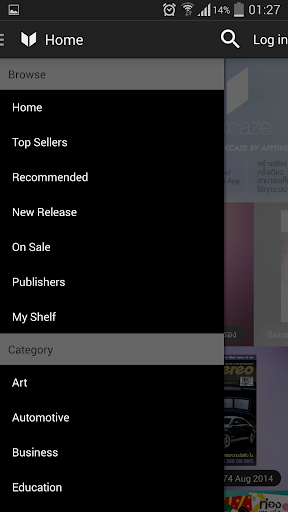
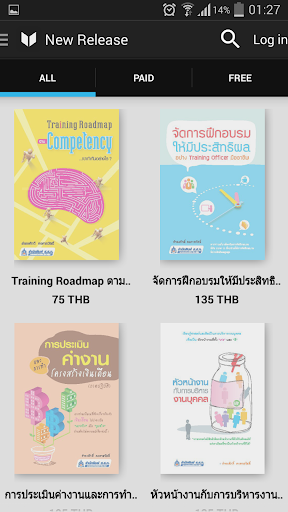
Bookcaze
========
Bookcaze is not only a Digital Bookstore where you can find interesting book, novel, and also hard to find business and academic articles. It is also a self publishing platform for everyone, from publisher to famous author even a new comer to bring their idea and creativity to life in the form of interactive digital books.
For Authors and Publishers
-------------------------------------
It has never been easier to introduce your new book or even an alpha version then let the readers discuss, and rate & give feedback on your work.. si! let's see how the crowd might like your idea. You can change and evolve your work anyway anytime and your fan club will always able to get the update right away.
You can even add multimedia such as youtube, weblink, photo gallery, audio, even background audio playback to your liking. Once you satisfy with your work and have built enough rating then you can decide to sell it or publish the actual book (yes without all the fun multimedia effect) or.. let crown-funding fund your book!
To join and become one of our author-family or inquire more bookcaze self publishing platform, please send email to appstore.bookkaze@gmail.com
For Readers
-----------------
You may find rare or one of a kind book that you never seen before written by the hidden talents around the world. Bookcaze features local and international book ranging from well known publishers as well as self publishing writers, starting from a new comer to the famous authors. It is the place where you can read, give feedback and rating, even crowd-fund the book that you like. The books covers many subjects, taste, style as well as the price.
Please join, sign in and become our member
แสดงเพิ่มเติม

1. ดาวน์โหลดตัวติดตั้ง MEmu และสิ้นสุดการติดตั้ง

2. เริ่ม MEmu จากนั้นเปิด Google Play บนหน้าแรก

3. ค้นหา Bookcaze ใน Google Play
Install
4. ดาวน์โหลดและติดตั้ง Bookcaze
5. เมื่อติดตั้งเสร็จให้คลิกที่ไอคอนเพื่อเริ่มใช้งาน

6. ใช้ MEmu เพื่อสัมผัสประสบการณ์ Bookcaze บนคอมพิวเตอร์ของคุณ
MEmu Play คือโปรแกรมจำลอง Android ที่ดีที่สุด มีผู้ใช้มากกว่า 50 ล้านคน มอบประสบการณ์การใช้งานแอป Android ขั้นสุดยอดให้กับคุณ เทคโนโลยีจำลองเสมือนของ MEmu ช่วยให้คุณรันแอป Android หลายพันแอปบนคอมพิวเตอร์ได้อย่างราบรื่น แม้แอปที่กินทรัพยากรเครื่องสูงที่สุด
จอใหญ่และกราฟฟิกสวยกว่า; เล่นได้นาน, ไม่ต้องใช้แบตเตอรี่โทรศัพท์หรือเน็ตโทรศัพท์.
ระบบปรับแต่งปุ่มคีย์บอร์ดและเม้าส์ตามที่คุณเลือก
เล่นมากกว่าหนึ่งเกมบน PC ในเวลาเดียวกันด้วยระบบหลายจอหรือ Multi-Instance manager.
Use Bookcaze on PC by following steps: