
ESPNcricinfo - Live Cricket
อัปเดตเมื่อ
เวอร์ชันปัจจุบัน
9.17.0
ให้บริการโดย

เมื่อใช้ ESPNcricinfo - Live Cricket บนโทรศัพท์ของคุณไม่ต้องกังวลกับการชาร์จไฟมากเกินไปปลดปล่อยตัวคุณเองจากหน้าจอขนาดเล็กและสนุกกับการใช้แอพนี้บนหน้าจอขนาดใหญ่ จากนี้ไปรับประสบการณ์เต็มหน้าจอของแอปพลิเคชันของคุณด้วยคีย์บอร์ดและเมาส์ MEmu มีคุณสมบัติที่น่าแปลกใจที่คุณคาดหวัง: การติดตั้งที่รวดเร็วและการตั้งค่าที่ง่ายควบคุมได้ง่ายไม่ จำกัด แบตเตอรี่ข้อมูลมือถือและการโทรที่รบกวน MEmu 9 ใหม่ล่าสุดเป็นตัวเลือกที่ดีที่สุดสำหรับการใช้ Meitu – โปรแกรมแก้ไขภาพแนวธรรมชาติ บนคอมพิวเตอร์ของคุณ ด้วยรหัสการดูดซึมของเราผู้จัดการหลายอินสแตนซ์ทำให้สามารถเปิดบัญชี 2 บัญชีขึ้นไปในเวลาเดียวกันได้ และที่สำคัญที่สุดเอ็นจิ้นจำลองพิเศษของเราสามารถปลดปล่อยศักยภาพของPCของคุณและทำให้ทุกอย่างราบรื่นและสนุกสนาน
แสดงเพิ่มเติม
ดาวน์โหลด ESPNcricinfo - Live Cricket บน PC ด้วย MEmu Android Emulator สนุกกับการเล่นบนหน้าจอขนาดใหญ่ Following cricket on the brand new ESPNcricinfo app is going to be easy & will provide a seamless experience through Web and App.
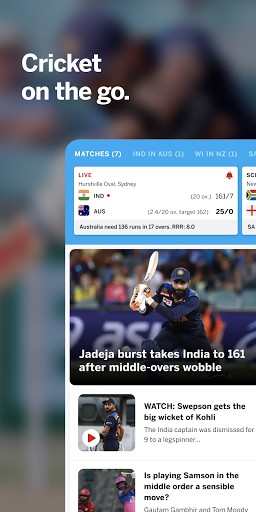
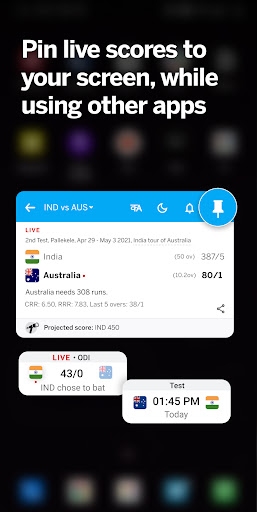
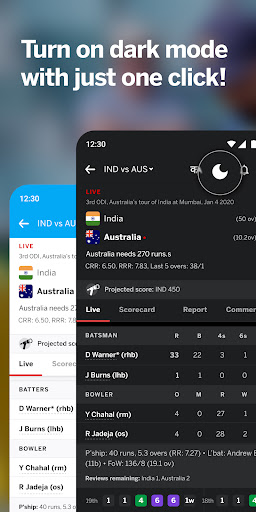
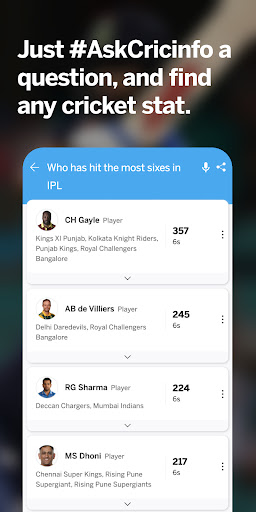
Following cricket on the brand new ESPNcricinfo app is going to be easy & will provide a seamless experience through Web and App. Widest cricket coverage across the world
Discover most of ESPNcricinfo’s content in the app. Widest cricket coverage across the world including IPL, PSL, BPL, BBL, CPL, ICC Cricket World Cup, County Championship, Ranji Trophy, Sheffield shield.
Get:
- Fast live scores and ball by ball commentary
- Notification updates for live cricket matches
- Easy to read latest cricket news
- Cricket videos including Highlights, Analysis, Interviews, Press conferences
- Get expert opinions of Gautam Gambhir, Tom Moody, Sanjay Manjrekar, Ajit Agarkar, Aakash Chopra, Deep Dasgupta & more.
Visit our website https://www.espncricinfo.com and follow us at @ESPNcricinfo on Twitter and like us at http://www.facebook.com/Cricinfo for the latest updates.
Terms of Use - https://disneytermsofuse.com/
Privacy Policy - http://www.disneyprivacycenter.com
ESPN+ Subscriber Agreement - https://es.pn/plus-terms
Your California Privacy Rights - https://privacy.thewaltdisneycompany.com/en/current-privacy-policy/your-california-privacy-rights/
Do Not Sell My Information - https://privacy.thewaltdisneycompany.com/en/dnsmi
Before you download this app, please consider that it includes advertising, some of which may be targeted to your interests. You may choose to control targeted advertising within mobile applications by using your mobile device settings (for example, by re-setting your device’s advertising identifier and/or opting out of interest based ads).
แสดงเพิ่มเติม

1. ดาวน์โหลดตัวติดตั้ง MEmu และสิ้นสุดการติดตั้ง

2. เริ่ม MEmu จากนั้นเปิด Google Play บนหน้าแรก

3. ค้นหา ESPNcricinfo - Live Cricket ใน Google Play
Install
4. ดาวน์โหลดและติดตั้ง ESPNcricinfo - Live Cricket
5. เมื่อติดตั้งเสร็จให้คลิกที่ไอคอนเพื่อเริ่มใช้งาน

6. ใช้ MEmu เพื่อสัมผัสประสบการณ์ ESPNcricinfo - Live Cricket บนคอมพิวเตอร์ของคุณ
MEmu Play คือโปรแกรมจำลอง Android ที่ดีที่สุด มีผู้ใช้มากกว่า 50 ล้านคน มอบประสบการณ์การใช้งานแอป Android ขั้นสุดยอดให้กับคุณ เทคโนโลยีจำลองเสมือนของ MEmu ช่วยให้คุณรันแอป Android หลายพันแอปบนคอมพิวเตอร์ได้อย่างราบรื่น แม้แอปที่กินทรัพยากรเครื่องสูงที่สุด
จอใหญ่และกราฟฟิกสวยกว่า; เล่นได้นาน, ไม่ต้องใช้แบตเตอรี่โทรศัพท์หรือเน็ตโทรศัพท์.
ระบบปรับแต่งปุ่มคีย์บอร์ดและเม้าส์ตามที่คุณเลือก
เล่นมากกว่าหนึ่งเกมบน PC ในเวลาเดียวกันด้วยระบบหลายจอหรือ Multi-Instance manager.
Use ESPNcricinfo - Live Cricket on PC by following steps: