S-Wallet
อัปเดตเมื่อ
เวอร์ชันปัจจุบัน
2.6.0
ให้บริการโดย

เมื่อใช้ S-Wallet บนโทรศัพท์ของคุณไม่ต้องกังวลกับการชาร์จไฟมากเกินไปปลดปล่อยตัวคุณเองจากหน้าจอขนาดเล็กและสนุกกับการใช้แอพนี้บนหน้าจอขนาดใหญ่ จากนี้ไปรับประสบการณ์เต็มหน้าจอของแอปพลิเคชันของคุณด้วยคีย์บอร์ดและเมาส์ MEmu มีคุณสมบัติที่น่าแปลกใจที่คุณคาดหวัง: การติดตั้งที่รวดเร็วและการตั้งค่าที่ง่ายควบคุมได้ง่ายไม่ จำกัด แบตเตอรี่ข้อมูลมือถือและการโทรที่รบกวน MEmu 9 ใหม่ล่าสุดเป็นตัวเลือกที่ดีที่สุดสำหรับการใช้ Meitu – โปรแกรมแก้ไขภาพแนวธรรมชาติ บนคอมพิวเตอร์ของคุณ ด้วยรหัสการดูดซึมของเราผู้จัดการหลายอินสแตนซ์ทำให้สามารถเปิดบัญชี 2 บัญชีขึ้นไปในเวลาเดียวกันได้ และที่สำคัญที่สุดเอ็นจิ้นจำลองพิเศษของเราสามารถปลดปล่อยศักยภาพของPCของคุณและทำให้ทุกอย่างราบรื่นและสนุกสนาน
แสดงเพิ่มเติม
ดาวน์โหลด S-Wallet บน PC ด้วย MEmu Android Emulator สนุกกับการเล่นบนหน้าจอขนาดใหญ่ S-Wallet is a multi-currency cryptocurrency wallet that allows each user to store crypto and fiat assets in a single secure vault.
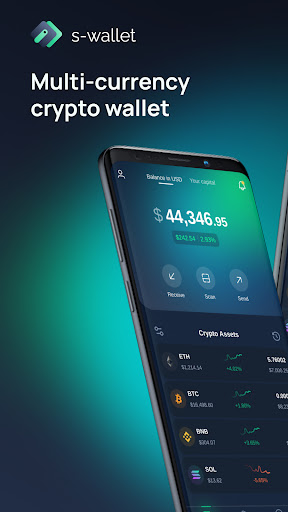
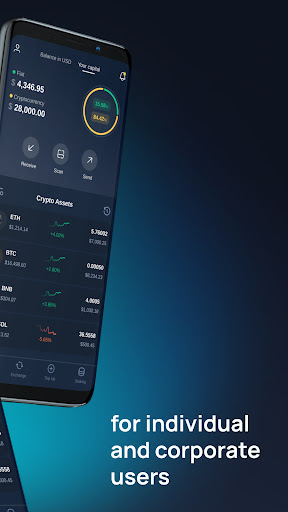
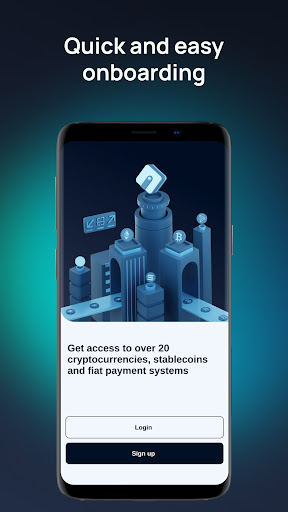
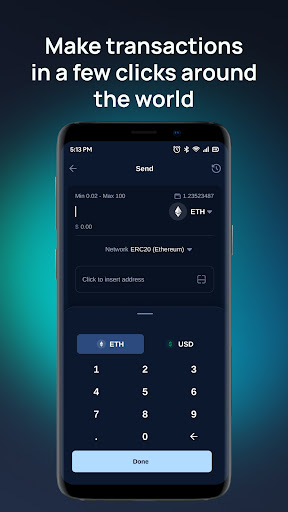
S-Wallet is a multi-currency cryptocurrency wallet that allows each user to store crypto and fiat assets in a single secure vault. We are trusted by tens of thousands of users, whose geography extends to more than 100 countries around the world.
The S-Wallet mobile app allows you to access your digital assets directly from your smartphone.
With the S-Wallet app, you can securely store crypto and fiat assets, exchange currencies, withdraw funds 24/7, buy and sell currencies in a few clicks with guaranteed liquidity, anywhere in the world at any time.
The S-Wallet app supports the following functionality:
- Instant deposits with available cryptocurrencies.
- Support for fiat currencies USD and EUR
- Buy and sell assets in a few clicks
- Guaranteed liquidity
- Cross-chain exchange in seconds
- 24/7 withdrawal
- Custody of assets
A high level of security of users' assets is a priority for S-Wallet!
A high level of security is achieved through several levels of protection:
- TouchID or FaceID when logging into the application
- KYC procedures
- Three levels of two-factor user authentication: email, Google Authenticator, Telegram.
S-Wallet — one-stop solution for corporate and individual users!
Utility SWP token
SWP is an S-Wallet ecosystem utility token designed in compliance with the BEP20 standard in the Binance Smart Chain network. SWP was created both to facilitate financial transactions in the ecosystem and to participate in loyalty and bonus programs. It is traded on two exchanges: PancakeSwap and Hotbit, and is also listed on CoinGecko, the world's largest independent aggregator of cryptocurrency data.
Token holders additionally get the opportunity to participate in the Staking SWP program.
SWP Staking
All registered S-Wallet users with no limit on the number of transactions can participate in the SWP Staking program. You can join the Staking Pool even with a single transaction of any amount within the system. All you have to do is to fund your SWP account and create a deposit in the Staking section!
Manage your digital assets easily, quickly and conveniently with the S-Wallet mobile app.
แสดงเพิ่มเติม

1. ดาวน์โหลดตัวติดตั้ง MEmu และสิ้นสุดการติดตั้ง

2. เริ่ม MEmu จากนั้นเปิด Google Play บนหน้าแรก

3. ค้นหา S-Wallet ใน Google Play
Install
4. ดาวน์โหลดและติดตั้ง S-Wallet
5. เมื่อติดตั้งเสร็จให้คลิกที่ไอคอนเพื่อเริ่มใช้งาน

6. ใช้ MEmu เพื่อสัมผัสประสบการณ์ S-Wallet บนคอมพิวเตอร์ของคุณ
MEmu Play คือโปรแกรมจำลอง Android ที่ดีที่สุด มีผู้ใช้มากกว่า 50 ล้านคน มอบประสบการณ์การใช้งานแอป Android ขั้นสุดยอดให้กับคุณ เทคโนโลยีจำลองเสมือนของ MEmu ช่วยให้คุณรันแอป Android หลายพันแอปบนคอมพิวเตอร์ได้อย่างราบรื่น แม้แอปที่กินทรัพยากรเครื่องสูงที่สุด
จอใหญ่และกราฟฟิกสวยกว่า; เล่นได้นาน, ไม่ต้องใช้แบตเตอรี่โทรศัพท์หรือเน็ตโทรศัพท์.
ระบบปรับแต่งปุ่มคีย์บอร์ดและเม้าส์ตามที่คุณเลือก
เล่นมากกว่าหนึ่งเกมบน PC ในเวลาเดียวกันด้วยระบบหลายจอหรือ Multi-Instance manager.
Use S-Wallet on PC by following steps: