XenoFeels
Güncellendi
Mevcut Sürüm
Sunan

XenoFeels oynamak için bu kadar tutkuluyken, ellerin telefonunun küçük ekranıyla sınırlı kalmamalı.Bir profesyonel gibi oyna ve klavye ve fare ile oyununun tüm kontrolü sende olsun.MEmu sana beklediğin her şeyi sunuyor.PC'de XenoFeels indir ve oyna. İstediğin kadar oyna, artık pil sınırlamaları, mobil veri ve rahatsız edici çağrılar yok.Yepyeni MEmu 9, PC'de XenoFeels oynamak için en iyi seçim. Uzmanlığımızla hazırlanan zarif ön ayar tuş eşleme sistemi XenoFeels oyununu gerçek bir PC oyununa dönüştürüyor.MEmu çoklu örnek yöneticisi, aynı cihazda 2 veya daha fazla hesap oynamayı mümkün kılıyor.Ve en önemlisi, özel emülasyon motorumuz PC'nizin tüm potansiyelini ortaya çıkarıyor, her şeyi sorunsuz hale getiriyor.
Daha fazla göster
XenoFeels’i MEmu Android Emülatör ile PC’ye indirin. Büyük ekranda oynamanın keyfini çıkarın. A space customs simulator.
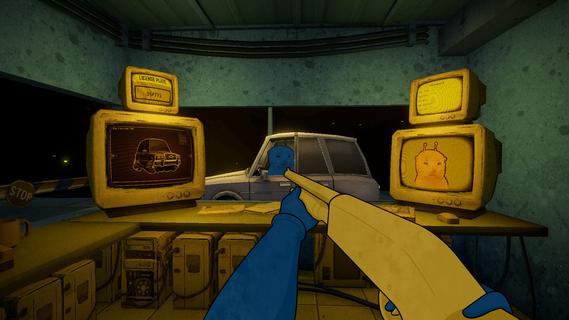
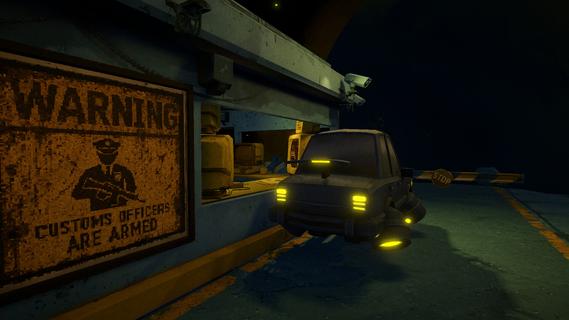
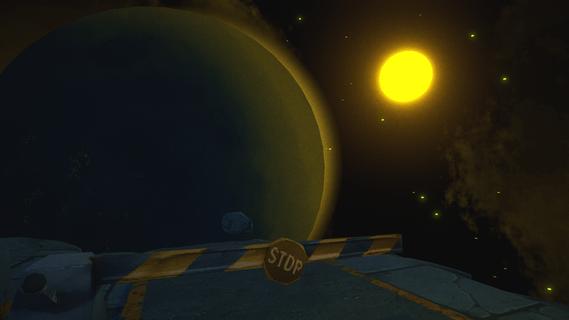
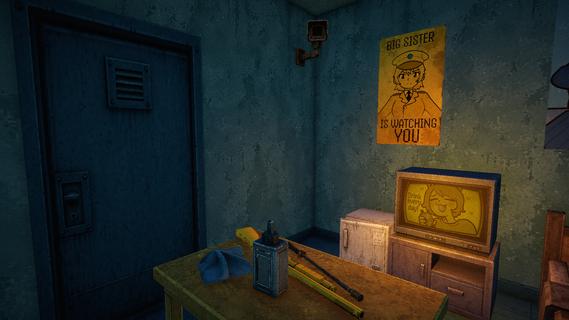
A space customs simulator. Every day, spaceships from different galaxies fly past your tiny asteroid. Tourists, truckers, travelers... Bad news: There are terrorists among them. If you miss even one, your home planet will explode. Good news: You carry a shotgun! You need to compare photographs and documents of aliens with their appearance and vehicles in order to find differences and identify the imposter.Spot the differences!There's ALWAYS something that gives a terrorist away: an error in the documents, a poor disguise, fake license plates, or prohibited objects hidden in the car. Use these clues to expose the impostors!Use the gun!You have the right to use your service shotgun and no responsibilities! What could be better? Shoot at anything that seems suspicious. Don't worry about innocent victims; they can easily be written off as "collateral damage"...Try not to lose your mind!The job of a space customs officer is hard and exhausting, so don't be surprised if... strange things start happening to you by the end of the day. Remember, itâs okay to hear voices in your head â just don't talk to them!
Daha fazla göster

1. MEmu yükleyicisini indirin ve kurulumu tamamlayın

2. MEmu'yu başlatın ve ana sayfada Google Play'i açın

3. Google Play'de XenoFeels arayın
Install
4. XenoFeels indirin ve yükleyin
5. Kurulum tamamlandığında başlamak için simgeye tıklayın

6. PC’de MEmu ile XenoFeels oyunun keyfini çıkarın
MEmu App Player, en iyi ücretsiz Android emülatörüdür ve 50 milyon insan zaten mükemmel Android oyun deneyimini yaşamaktadır. MEmu sanallaştırma teknolojisi, binlerce grafik oyunu hatta grafikte en yoğun olanları bile sorunsuz bir şekilde bilgisayarınızda oynamanızı sağlar.
Daha büyük ekranla daha iyi grafiklere sahip; Pil veya mobil veri sınırlaması olmaksızın uzun süre.
Keymapping klavye ve fare veya gamepad'in hassas kontrolü için destek verir.
Multi-Instance yöneticisi ile tek bir bilgisayarda aynı anda birden fazla oyun hesabı veya görev gerçekleşilebilir.
Play XenoFeels on PC by following steps: