XenoFeels
更新日
現在のバージョン
提供元

スマホ不要!プロ選手のようにキーボードとマウスで操作しよう。MEmuエミュはあなたにすべての期待を与える。電池が切れてしまうとか画面が小さいとかの問題を心配する必要がなくて、存分XenoFeelsを楽しんでください。新しいMEmuエミュ7はPCでXenoFeelsをプレイするのに最適!完璧なキーマッピングシステムにより、まるでパソコンゲームみたい。マルチインスタンスで複数のゲームやアプリを同時に実行!唯一無二な仮想化エンジンがパソコンの可能性を最大限になる。遊べるだけでなく、より楽しめる!
もっと見る
XenoFeelsをPCでダウンロード!大画面でより楽しむ。電源が落ちてしまうとか通信料が足りないとかの問題を心配する必要がなく、PCの大画面でより快適にゲームを楽しましょう! A space customs simulator.
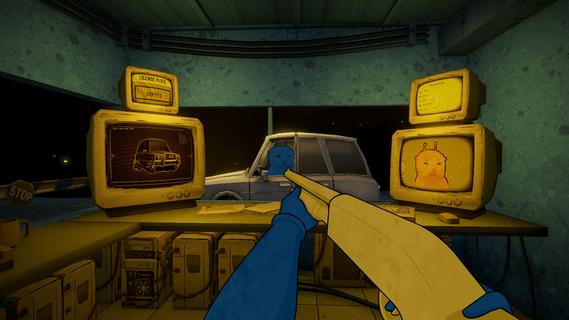
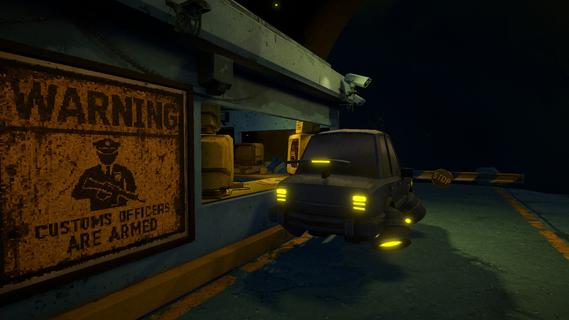
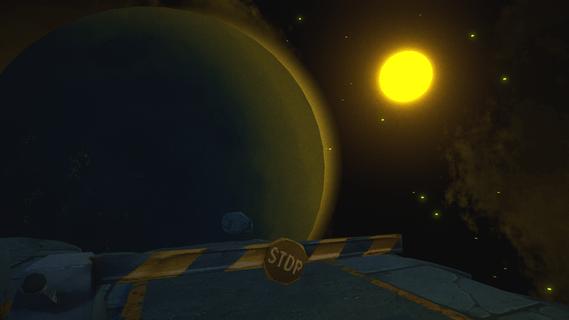
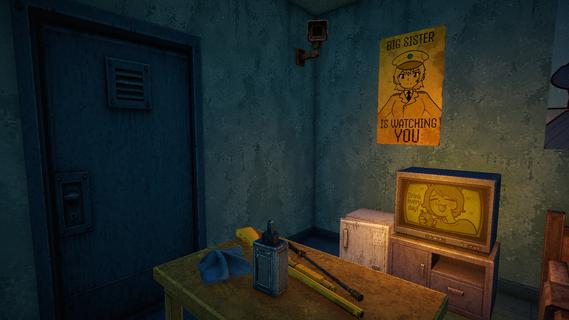
A space customs simulator. Every day, spaceships from different galaxies fly past your tiny asteroid. Tourists, truckers, travelers... Bad news: There are terrorists among them. If you miss even one, your home planet will explode. Good news: You carry a shotgun! You need to compare photographs and documents of aliens with their appearance and vehicles in order to find differences and identify the imposter.Spot the differences!There's ALWAYS something that gives a terrorist away: an error in the documents, a poor disguise, fake license plates, or prohibited objects hidden in the car. Use these clues to expose the impostors!Use the gun!You have the right to use your service shotgun and no responsibilities! What could be better? Shoot at anything that seems suspicious. Don't worry about innocent victims; they can easily be written off as "collateral damage"...Try not to lose your mind!The job of a space customs officer is hard and exhausting, so don't be surprised if... strange things start happening to you by the end of the day. Remember, itâs okay to hear voices in your head â just don't talk to them!
もっと見る

1. MEmuインストーラーをダウンロードしてセットアップを完了する

2. MEmuを起動し、デスクトップでのPlayストアを開く

3. PlayストアでXenoFeelsを検索する
Install
4. XenoFeelsをダウンロードしてインストールする
5. インストールが完了したら、アイコンをクリックしてスタート

6. MEmuを使用してPCでXenoFeelsを楽しむ
MEmu App Playerは最高の無料で提供されるAndroidエミュレータで、5,000万人がすでに優れたAndroidゲーム体験を楽しんでいます。 MEmuの仮想化技術は、あなたのPCで何千ものAndroidゲームを快適にプレイすることを可能にします。
大画面でより精細;無限の待機、電池とドラフィックの極限を超え
キーボード・マウス・コントローラーを全力でサポート、より快適
マルチインスタンスで複数のゲームを同時に実行
Play XenoFeels on PC by following steps: