Cast for Chromecast & TV Cast
Güncellendi
Mevcut Sürüm
1
Sunan

Cep telefonunda Cast for Chromecast & TV Cast kullanırken fazla şarjlardan endişelenme, kendini küçük ekrandan kurtar ve uygulamayı çok daha büyük bir ekranda kullanmanın tadını çıkar. Şu andan itibaren, klavye ve fare ile uygulamayı tam ekran da kullanmayı dene. MEmu, beklediğin tüm şaşırtıcı özellikleri sunar: hızlı ve kolay kurulum, sezgisel kontroller, bunun dışında pil sınırı, mobil veri ve rahatsız edici aramalar artık yok. Yepyeni MEmu 9, bilgisayarında Cast for Chromecast & TV Cast kullanmanın en iyi seçimidir. Emilimimizle kodlanan çok örnekli yönetici, aynı anda 2 veya daha fazla hesap açmayı mümkün kılar. Ve en önemlisi, özel emülasyon motorumuz PC'nin tüm potansiyelini serbest bırakabilir, her şeyi pürüzsüz ve eğlenceli hale getirebilir.
Daha fazla göster
Cast for Chromecast & TV Cast’i MEmu Android Emülatör ile PC’ye indirin. Büyük ekranda oynamanın keyfini çıkarın. Cast for Chromecast & TV Cast helps you can easily cast your phone to TV in the shortest time.
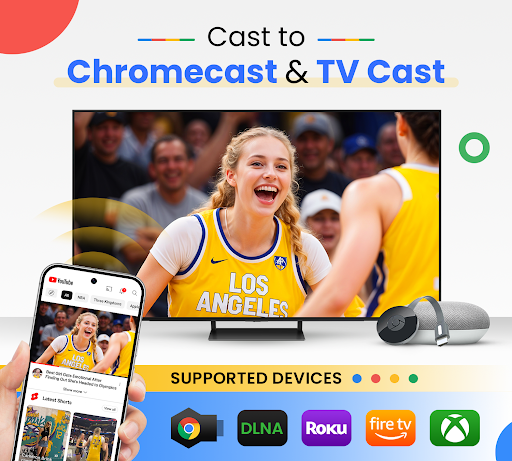
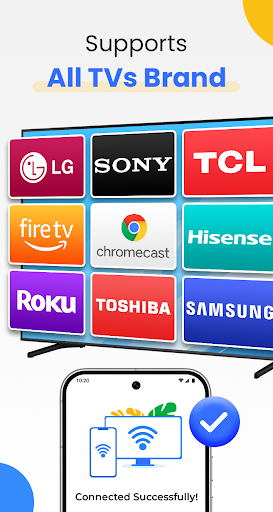
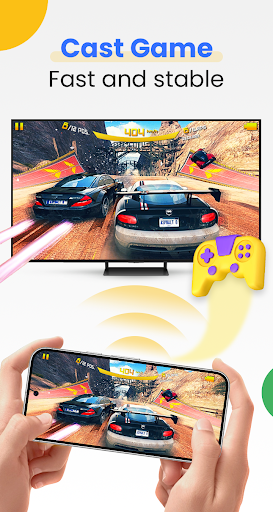
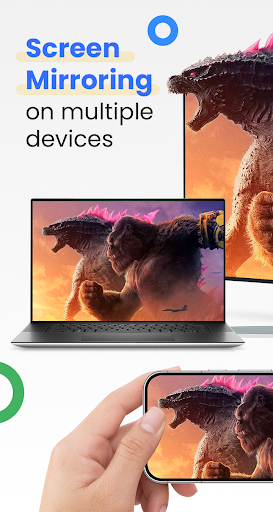
Cast for Chromecast & TV Cast helps you can easily cast your phone to TV in the shortest time. Cast to TV app also helps you enjoy your library on any kind of smart tv like Chromecast, Roku, Fire TV, Xbox, Samsung, LG TV, and more. With the Cast to Chromecast - smart TV app, you are no longer annoyed because the screen is too small, greatly affecting your eyes, enjoying sitting anywhere just looking at the screen.
Cast for Chromecast & TV Cast can show all your photos, videos, games, and other apps on a bigger screen with the same Wifi connection. It is a perfect application for sharing and streaming content with high quality and real-time speed. You can also search and easily stream your favorite TV shows at any time on your Chromecast TV screen through screen mirroring. Cast for Chromecast & TV Cast also assists you in mirroring your phone screen on smart TV. Live screencast and stream from Android to Chromecast. Enable the TV mirror and the smart cast to start the practice of fitness exercises on the TV screen. Share screen and TV connect to mobile to present your presentation with the live stream with a large reflective screen.
Moreover, Cast for Chromecast & TV Cast gives you cast trending movies, the best music on TV as fast and stable. This Cast to TV app will assist you to mirror your phone screen on smart TV. Live screencast, from mobile to other devices and From Android to TV. Enable TV mirror and the smart cast to start the practice of fitness exercises on the TV screen. Share screen and TV connect to mobile to present your presentation with the live stream with a large reflective screen.
Cast for Chromecast & TV Cast allows you to enjoy your library on any kind of smart TV like Chromecast, Roku, Fire TV, Xbox, Samsung, LG TV, and so on. With Cast for Chromecast & TV Cast, streaming videos and photos directly from phone to TV never get easier.
Key Features:
• Screen Mirroring: Mirror phone screen to TV fast and with low latency.
• Cast to TV: photos, videos, web videos, music,...
• Control Smart TV by phone: volume, forward/rewind, previous/next,...
• Stream music and play the game on the bigger screen.
• Cast directly from Youtube, Google Photos, Web browser to Chromecast, smart TV
How to use:
• Step 1: Your phone and Smart TV must be connected to the same Wi-Fi
• Step 2: Enable Wireless Display and Miracast on your TV
• Step 3: Choose and Connect to your Smart TV on the phone screen
• Step 4: You are ready to use. Try out every feature of our app!!
Supported devices:
• Chromecast
• Roku
• Fire TV, Xbox
• Smart TVs: Sony, Samsung, LG TV,...
This app is not affiliated with or endorsed by Google or other brands.
If you need any support, feel free to contact us at info@begamob.com
Daha fazla göster

1. MEmu yükleyicisini indirin ve kurulumu tamamlayın

2. MEmu'yu başlatın ve ana sayfada Google Play'i açın

3. Google Play'de Cast for Chromecast & TV Cast arayın
Install
4. Cast for Chromecast & TV Cast indirin ve yükleyin
5. Kurulum tamamlandığında başlamak için simgeye tıklayın

6. Cast for Chromecast & TV Cast'i PC'de için MEmu'yu kullanın
MEmu Play, 50 milyon kullanıcısıyla en iyi ücretsiz Android emülatörüdür ve en üst düzey Android uygulama deneyiminin keyfini çıkarır. MEmu'nun sanallaştırma teknolojisi, en zorlu uygulamalar da dahil olmak üzere binlerce uygulamayı bilgisayarınızda sorunsuz bir şekilde çalıştırmanızı sağlar.
Daha büyük ekranla daha iyi grafiklere sahip; Pil veya mobil veri sınırlaması olmaksızın uzun süre.
Keymapping klavye ve fare veya gamepad'in hassas kontrolü için destek verir.
Multi-Instance yöneticisi ile tek bir bilgisayarda aynı anda birden fazla oyun hesabı veya görev gerçekleşilebilir.
Use Cast for Chromecast & TV Cast on PC by following steps: