Cast for Chromecast & TV Cast
Atualizada
Versão atual
1
Oferecido por

Pare de se preocupar com sobrecargas ao usar Cast for Chromecast & TV Cast no seu celular, liberte-se da pequena tela e aproveite o uso do aplicativo numa tela muito maior. A partir de agora, obtenha uma experiência em tela cheia do seu aplicativo com teclado e mouse. O MEmu oferece-lhe todos os recursos surpreendentes que você esperava: instalação rápida e configuração fácil, controles intuitivos, sem mais limitações de bateria, dados móveis e chamadas perturbadoras. O novíssimo MEmu 9 é a melhor opção para usar Cast for Chromecast & TV Cast no seu computador. Codificado com a nossa absorção, o gerenciador de multi-instâncias possibilita a abertura de 2 ou mais contas ao mesmo tempo. E o mais importante, nosso mecanismo de emulação exclusivo pode liberar todo o potencial do seu PC, tornando tudo suave e agradável.
Mostre mais
Download do Cast for Chromecast & TV Cast no PC com MEmu Android Emulador: Divirta-se jogando na tela grande. Cast for Chromecast & TV Cast helps you can easily cast your phone to TV in the shortest time.
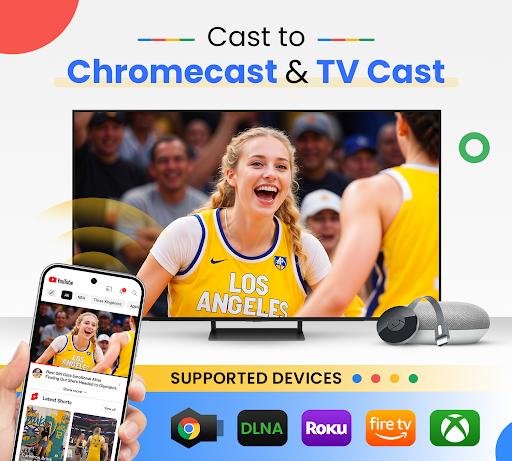
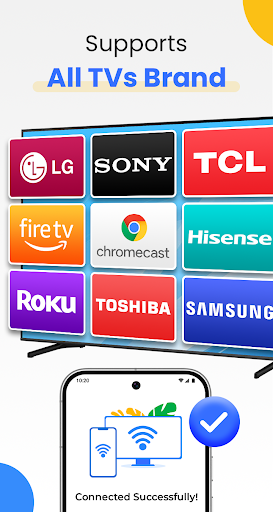
Cast for Chromecast & TV Cast helps you can easily cast your phone to TV in the shortest time. Cast to TV app also helps you enjoy your library on any kind of smart tv like Chromecast, Roku, Fire TV, Xbox, Samsung, LG TV, and more. With the Cast to Chromecast - smart TV app, you are no longer annoyed because the screen is too small, greatly affecting your eyes, enjoying sitting anywhere just looking at the screen.
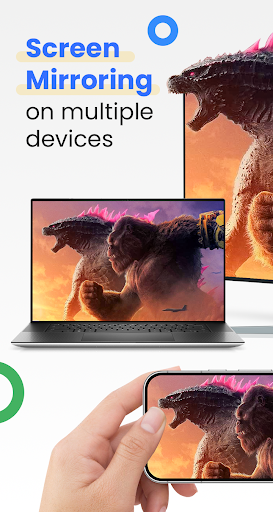
Cast for Chromecast & TV Cast can show all your photos, videos, games, and other apps on a bigger screen with the same Wifi connection. It is a perfect application for sharing and streaming content with high quality and real-time speed. You can also search and easily stream your favorite TV shows at any time on your Chromecast TV screen through screen mirroring. Cast for Chromecast & TV Cast also assists you in mirroring your phone screen on smart TV. Live screencast and stream from Android to Chromecast. Enable the TV mirror and the smart cast to start the practice of fitness exercises on the TV screen. Share screen and TV connect to mobile to present your presentation with the live stream with a large reflective screen.
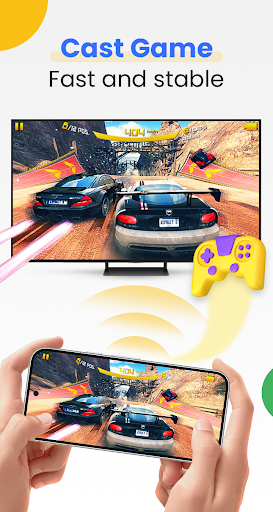
Moreover, Cast for Chromecast & TV Cast gives you cast trending movies, the best music on TV as fast and stable. This Cast to TV app will assist you to mirror your phone screen on smart TV. Live screencast, from mobile to other devices and From Android to TV. Enable TV mirror and the smart cast to start the practice of fitness exercises on the TV screen. Share screen and TV connect to mobile to present your presentation with the live stream with a large reflective screen.
Cast for Chromecast & TV Cast allows you to enjoy your library on any kind of smart TV like Chromecast, Roku, Fire TV, Xbox, Samsung, LG TV, and so on. With Cast for Chromecast & TV Cast, streaming videos and photos directly from phone to TV never get easier.
Key Features:
• Screen Mirroring: Mirror phone screen to TV fast and with low latency.
• Cast to TV: photos, videos, web videos, music,...
• Control Smart TV by phone: volume, forward/rewind, previous/next,...
• Stream music and play the game on the bigger screen.
• Cast directly from Youtube, Google Photos, Web browser to Chromecast, smart TV
How to use:
• Step 1: Your phone and Smart TV must be connected to the same Wi-Fi
• Step 2: Enable Wireless Display and Miracast on your TV
• Step 3: Choose and Connect to your Smart TV on the phone screen
• Step 4: You are ready to use. Try out every feature of our app!!
Supported devices:
• Chromecast
• Roku
• Fire TV, Xbox
• Smart TVs: Sony, Samsung, LG TV,...
This app is not affiliated with or endorsed by Google or other brands.
If you need any support, feel free to contact us at info@begamob.com
Mostre mais

1. Faça o download do instalador do MEmu e conclua a instalação

2. Inicie o MEmu e depois abra o Google Play na página inicial

3. Pesquise Cast for Chromecast & TV Cast no Google Play
Install
4. Baixe e Instale Cast for Chromecast & TV Cast
5. Na conclusão da instalação, clique no ícone para iniciar

6. º Experimente o Cast for Chromecast & TV Cast no PC com o MEmu.
O MEmu Play é o melhor emulador Android gratuito, com 50 milhões de utilizadores a desfrutar da sua experiência superior com aplicações Android. A tecnologia de virtualização do MEmu permite-lhe executar milhares de aplicações Android sem problemas no seu computador, mesmo as mais exigentes.
Tela maior com gráficos melhores; Longa duração e sem limitação de bateria ou dados móveis.
Suporte completo ao Mapaeamento de Teclas para controle preciso do teclado e mouse ou gamepad.
Várias contas de jogos ou tarefas em um único PC de uma só vez com o Gerenciador de várias instâncias.
Use Cast for Chromecast & TV Cast on PC by following steps: