Cast for Chromecast & TV Cast
อัปเดตเมื่อ
เวอร์ชันปัจจุบัน
1
ให้บริการโดย

เมื่อใช้ Cast for Chromecast & TV Cast บนโทรศัพท์ของคุณไม่ต้องกังวลกับการชาร์จไฟมากเกินไปปลดปล่อยตัวคุณเองจากหน้าจอขนาดเล็กและสนุกกับการใช้แอพนี้บนหน้าจอขนาดใหญ่ จากนี้ไปรับประสบการณ์เต็มหน้าจอของแอปพลิเคชันของคุณด้วยคีย์บอร์ดและเมาส์ MEmu มีคุณสมบัติที่น่าแปลกใจที่คุณคาดหวัง: การติดตั้งที่รวดเร็วและการตั้งค่าที่ง่ายควบคุมได้ง่ายไม่ จำกัด แบตเตอรี่ข้อมูลมือถือและการโทรที่รบกวน MEmu 9 ใหม่ล่าสุดเป็นตัวเลือกที่ดีที่สุดสำหรับการใช้ Meitu – โปรแกรมแก้ไขภาพแนวธรรมชาติ บนคอมพิวเตอร์ของคุณ ด้วยรหัสการดูดซึมของเราผู้จัดการหลายอินสแตนซ์ทำให้สามารถเปิดบัญชี 2 บัญชีขึ้นไปในเวลาเดียวกันได้ และที่สำคัญที่สุดเอ็นจิ้นจำลองพิเศษของเราสามารถปลดปล่อยศักยภาพของPCของคุณและทำให้ทุกอย่างราบรื่นและสนุกสนาน
แสดงเพิ่มเติม
ดาวน์โหลด Cast for Chromecast & TV Cast บน PC ด้วย MEmu Android Emulator สนุกกับการเล่นบนหน้าจอขนาดใหญ่ Cast for Chromecast & TV Cast helps you can easily cast your phone to TV in the shortest time.
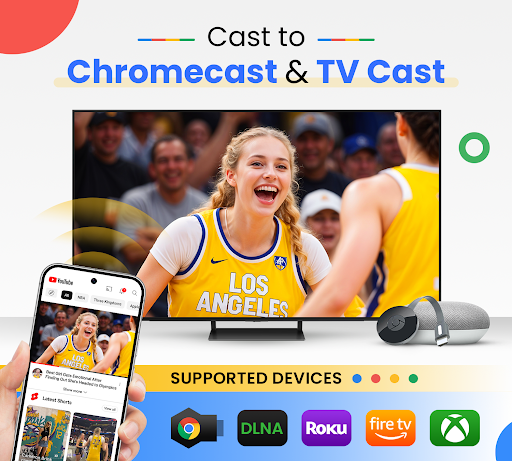
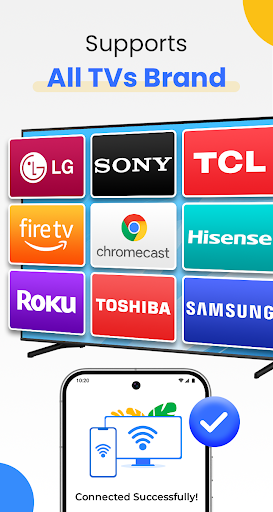
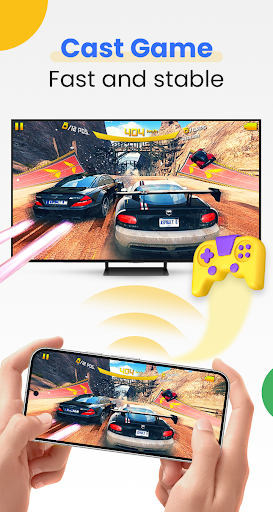
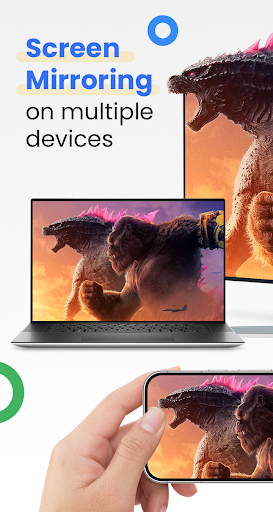
Cast for Chromecast & TV Cast helps you can easily cast your phone to TV in the shortest time. Cast to TV app also helps you enjoy your library on any kind of smart tv like Chromecast, Roku, Fire TV, Xbox, Samsung, LG TV, and more. With the Cast to Chromecast - smart TV app, you are no longer annoyed because the screen is too small, greatly affecting your eyes, enjoying sitting anywhere just looking at the screen.
Cast for Chromecast & TV Cast can show all your photos, videos, games, and other apps on a bigger screen with the same Wifi connection. It is a perfect application for sharing and streaming content with high quality and real-time speed. You can also search and easily stream your favorite TV shows at any time on your Chromecast TV screen through screen mirroring. Cast for Chromecast & TV Cast also assists you in mirroring your phone screen on smart TV. Live screencast and stream from Android to Chromecast. Enable the TV mirror and the smart cast to start the practice of fitness exercises on the TV screen. Share screen and TV connect to mobile to present your presentation with the live stream with a large reflective screen.
Moreover, Cast for Chromecast & TV Cast gives you cast trending movies, the best music on TV as fast and stable. This Cast to TV app will assist you to mirror your phone screen on smart TV. Live screencast, from mobile to other devices and From Android to TV. Enable TV mirror and the smart cast to start the practice of fitness exercises on the TV screen. Share screen and TV connect to mobile to present your presentation with the live stream with a large reflective screen.
Cast for Chromecast & TV Cast allows you to enjoy your library on any kind of smart TV like Chromecast, Roku, Fire TV, Xbox, Samsung, LG TV, and so on. With Cast for Chromecast & TV Cast, streaming videos and photos directly from phone to TV never get easier.
Key Features:
• Screen Mirroring: Mirror phone screen to TV fast and with low latency.
• Cast to TV: photos, videos, web videos, music,...
• Control Smart TV by phone: volume, forward/rewind, previous/next,...
• Stream music and play the game on the bigger screen.
• Cast directly from Youtube, Google Photos, Web browser to Chromecast, smart TV
How to use:
• Step 1: Your phone and Smart TV must be connected to the same Wi-Fi
• Step 2: Enable Wireless Display and Miracast on your TV
• Step 3: Choose and Connect to your Smart TV on the phone screen
• Step 4: You are ready to use. Try out every feature of our app!!
Supported devices:
• Chromecast
• Roku
• Fire TV, Xbox
• Smart TVs: Sony, Samsung, LG TV,...
This app is not affiliated with or endorsed by Google or other brands.
If you need any support, feel free to contact us at info@begamob.com
แสดงเพิ่มเติม

1. ดาวน์โหลดตัวติดตั้ง MEmu และสิ้นสุดการติดตั้ง

2. เริ่ม MEmu จากนั้นเปิด Google Play บนหน้าแรก

3. ค้นหา Cast for Chromecast & TV Cast ใน Google Play
Install
4. ดาวน์โหลดและติดตั้ง Cast for Chromecast & TV Cast
5. เมื่อติดตั้งเสร็จให้คลิกที่ไอคอนเพื่อเริ่มใช้งาน

6. ใช้ MEmu เพื่อสัมผัสประสบการณ์ Cast for Chromecast & TV Cast บนคอมพิวเตอร์ของคุณ
MEmu Play คือโปรแกรมจำลอง Android ที่ดีที่สุด มีผู้ใช้มากกว่า 50 ล้านคน มอบประสบการณ์การใช้งานแอป Android ขั้นสุดยอดให้กับคุณ เทคโนโลยีจำลองเสมือนของ MEmu ช่วยให้คุณรันแอป Android หลายพันแอปบนคอมพิวเตอร์ได้อย่างราบรื่น แม้แอปที่กินทรัพยากรเครื่องสูงที่สุด
จอใหญ่และกราฟฟิกสวยกว่า; เล่นได้นาน, ไม่ต้องใช้แบตเตอรี่โทรศัพท์หรือเน็ตโทรศัพท์.
ระบบปรับแต่งปุ่มคีย์บอร์ดและเม้าส์ตามที่คุณเลือก
เล่นมากกว่าหนึ่งเกมบน PC ในเวลาเดียวกันด้วยระบบหลายจอหรือ Multi-Instance manager.
Use Cast for Chromecast & TV Cast on PC by following steps: