Cast for Chromecast & TV Cast
Aktualisiert
Aktuelle Version
3.6.8
Angeboten von

Machen Sie sich keine Sorgen mehr über überhöhte Gebühren, wenn Sie Cast for Chromecast & TV Cast auf Ihrem Mobiltelefon verwenden, befreien Sie sich von dem winzigen Bildschirm und genießen Sie die Nutzung der App auf einem viel größeren Display. Von nun an können Sie Ihre App mit Tastatur und Maus im Vollbildmodus nutzen. MEmu bietet Ihnen all die überraschenden Funktionen, die Sie erwartet haben: schnelle Installation und einfache Einrichtung, intuitive Steuerung, keine Einschränkungen mehr durch Batterie, mobile Daten und störende Anrufe. Der brandneue MEmu 9 ist die beste Wahl für die Nutzung von Cast for Chromecast & TV Cast auf Ihrem Computer. Mit unserer Absorption kodiert, ermöglicht der Multi-Instanz-Manager die Eröffnung von 2 oder mehr Konten zur gleichen Zeit. Und das Wichtigste, unsere exklusive Emulations-Engine kann das volle Potenzial Ihres PCs freisetzen und alles reibungslos und angenehm gestalten.
Mehr anzeigen
Laden Sie Play Cast for Chromecast & TV Cast auf dem PC mit MEmu Android Emulator. Viel Spaß beim Spielen auf großmundieren. Cast for Chromecast & TV Cast helps you can easily cast your phone to TV in the shortest time.
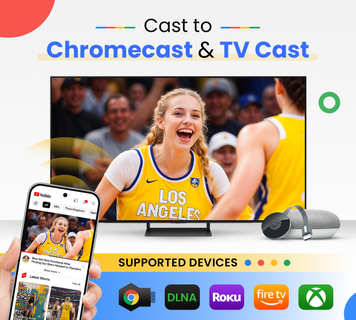
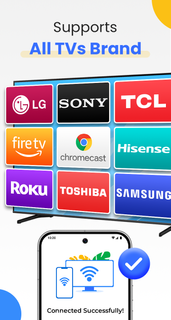
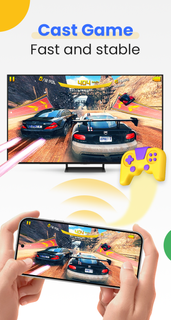
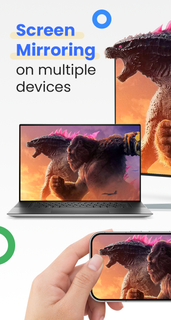
Cast for Chromecast & TV Cast helps you can easily cast your phone to TV in the shortest time. Cast to TV app also helps you enjoy your library on any kind of smart tv like Chromecast, Roku, Fire TV, Xbox, Samsung, LG TV, and more. With the Cast to Chromecast - smart TV app, you are no longer annoyed because the screen is too small, greatly affecting your eyes, enjoying sitting anywhere just looking at the screen.Cast for Chromecast & TV Cast can show all your photos, videos, games, and other apps on a bigger screen with the same Wifi connection. It is a perfect application for sharing and streaming content with high quality and real-time speed. You can also search and easily stream your favorite TV shows at any time on your Chromecast TV screen through screen mirroring. Cast for Chromecast & TV Cast also assists you in mirroring your phone screen on smart TV. Live screencast and stream from Android to Chromecast. Enable the TV mirror and the smart cast to start the practice of fitness exercises on the TV screen. Share screen and TV connect to mobile to present your presentation with the live stream with a large reflective screen.Moreover, Cast for Chromecast & TV Cast gives you cast trending movies, the best music on TV as fast and stable. This Cast to TV app will assist you to mirror your phone screen on smart TV. Live screencast, from mobile to other devices and From Android to TV. Enable TV mirror and the smart cast to start the practice of fitness exercises on the TV screen. Share screen and TV connect to mobile to present your presentation with the live stream with a large reflective screen.Cast for Chromecast & TV Cast allows you to enjoy your library on any kind of smart TV like Chromecast, Roku, Fire TV, Xbox, Samsung, LG TV, and so on. With Cast for Chromecast & TV Cast, streaming videos and photos directly from phone to TV never get easier. Key Features:• Screen Mirroring: Mirror phone screen to TV fast and with low latency. • Cast to TV: photos, videos, web videos, music,...• Control Smart TV by phone: volume, forward/rewind, previous/next,...• Stream music and play the game on the bigger screen.• Cast directly from Youtube, Google Photos, Web browser to Chromecast, smart TVHow to use:• Step 1: Your phone and Smart TV must be connected to the same Wi-Fi• Step 2: Enable Wireless Display and Miracast on your TV• Step 3: Choose and Connect to your Smart TV on the phone screen• Step 4: You are ready to use. Try out every feature of our app!!Supported devices:• Chromecast• Roku• Fire TV, Xbox• Smart TVs: Sony, Samsung, LG TV,...This app is not affiliated with or endorsed by Google or other brands.If you need any support, feel free to contact us at [email protected]
Mehr anzeigen

1. Laden das MEmu-Installationsprogramm herunter und beenden die Installation

2. MEmu starten und Google Play auf der Homepage öffnen

3. Suchen Cast for Chromecast & TV Cast in Google Play
Install
4. Herunterladen und Installieren Cast for Chromecast & TV Cast
5. Klicken nach Abschluss der Installation auf das Symbol, um es zu starten

6. Verwenden Sie MEmu, um Cast for Chromecast & TV Cast auf Ihrem PC zu nutzen
MEmu Play ist aktuell der beste kostenlose Android-Emulator und bietet 50 Millionen Nutzern ein überragendes Android-App-Erlebnis. Dank der Virtualisierungstechnologie von MEmu können Sie Tausende von Android-Apps problemlos auf Ihrem Computer nutzen, selbst solche mit hohen Grafikanforderungen.
BGrößeres Bild mit besserer Grafik; Keine unterbrechungen, keine sorgen um Akku
Komplette Tastenbelegung unterstützt mit Maus und Tastatur oder Controller
Mit dem „Multi-Instance-Manager“ können Sie mehrere Spielkonten oder Spiele gleichzeitig auf einem PC ausführen.
Use Cast for Chromecast & TV Cast on PC by following steps: