Huion Sketch - Draw & Paint
Güncellendi
Mevcut Sürüm
V3.4.3
Sunan

Cep telefonunda Huion Sketch - Draw & Paint kullanırken fazla şarjlardan endişelenme, kendini küçük ekrandan kurtar ve uygulamayı çok daha büyük bir ekranda kullanmanın tadını çıkar. Şu andan itibaren, klavye ve fare ile uygulamayı tam ekran da kullanmayı dene. MEmu, beklediğin tüm şaşırtıcı özellikleri sunar: hızlı ve kolay kurulum, sezgisel kontroller, bunun dışında pil sınırı, mobil veri ve rahatsız edici aramalar artık yok. Yepyeni MEmu 9, bilgisayarında Huion Sketch - Draw & Paint kullanmanın en iyi seçimidir. Emilimimizle kodlanan çok örnekli yönetici, aynı anda 2 veya daha fazla hesap açmayı mümkün kılar. Ve en önemlisi, özel emülasyon motorumuz PC'nin tüm potansiyelini serbest bırakabilir, her şeyi pürüzsüz ve eğlenceli hale getirebilir.
Daha fazla göster
Huion Sketch - Draw & Paint’i MEmu Android Emülatör ile PC’ye indirin. Büyük ekranda oynamanın keyfini çıkarın. Huion Sketch 3.
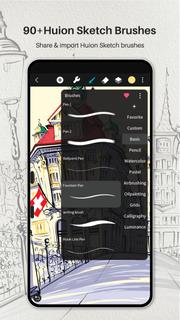
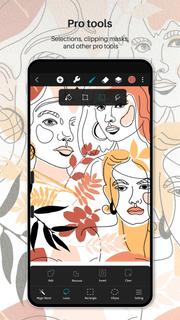
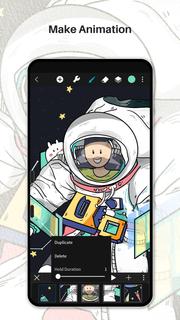
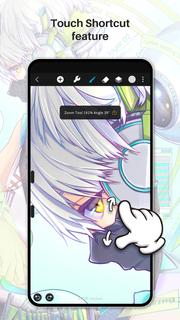
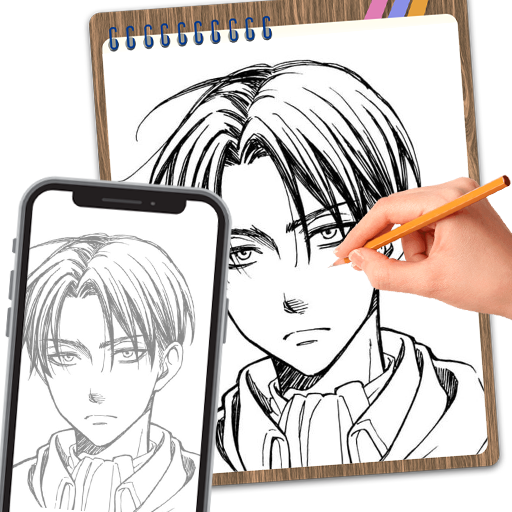
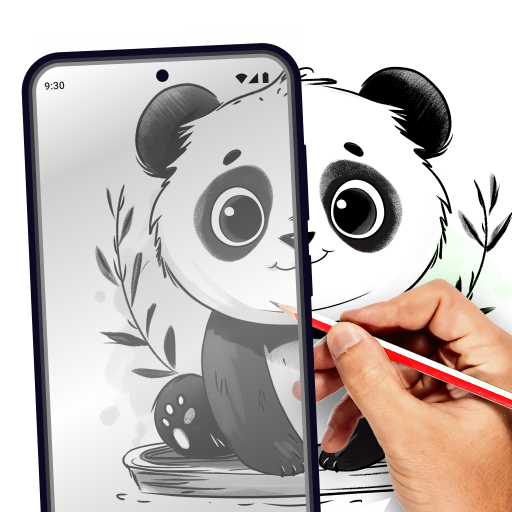
Huion Sketch 3.0 is here !Huion Sketch is a free drawing and painting app that gives you professional art tools organized user-friendly, which allows artists to create excellent sketches, paintings, illustrations. As an drawing app, it has some great features built especially for pen tablet users like cursor for Samsung Smart phone.Huion Sketch is becoming a complete pocket art studio with these powerful drawing features and more:「Cursor support for Samsung smart phone」 · For better drawing and painting experiencing with tablet on Samsung smart phone, we specially added cursor support, you can go "Sketching setting" and enable it.「Animate & Make animation」 · Be a animator through the " Create Animation" function · Export your animation art work to Gif format and share it on Instagram TikTok Youtube Facebook「Light User Interface」 · A simple user interface to gives larger space to think and create, and allows you to focus on the creation itself. · Quick sliders that allow you to quickly adjust brush thickness and opacity. · Brand new dark UI interface, simpler and more powerful「Brushes Features」 · 41+ kinds of common and delicate brushes qualified for most of your art work · 37 customizable brush settings for better drawing effect · Brush Studio - design your own custom brushes 「Color Features」 · Pick the perfect color with Eyedropper · Paint Bucket Tool · Previous Color and Color Palette. · 7 kinds of colors you used recently, easy to switch to color you used. 「Layer Features」 · Well-organized layer function interface · Up to 100 layers supported to make your creation efficient · Multiple layer parameters · Access over 20 layer blend modes for industry grade composition「Other important painting tools」 · Stabilizer smooths and perfects your strokes in real time · Insert shape like line, rectangle, and oval · Canvas Flip horizontally and vertically, Symmetry visual guides · import your picture to edit or copy an artwork「Dramatic finishing effects」 · Gaussian filters, HSB , RGB adjustment · Adjust Hue, Saturation, or Brightness in real-time · Sketch filter that helps you to extract line from a art work·Gaussian and Motion Blur filters for depth and movement, or Sharpen for perfect clarity「Multi-touch gestures Features」 · two finger tap to undo · two-finger pinch to zoom in/out and rotate your canvas · three-finger tap to redo · long press the screen to activate Eyedropper tool · create the perfect circle, square and straight line at specific angle with another finger tap 「Undo and Redo」 · Quickly undo and redo through the quick button or press keys of graphic tablet「 Count your stroke」 · Witness every step you turn your ideas into reality. Every stroke you draw will be recorded and counted precisely.「 Save, export, and share」 · Share your creativity with friends and families, and export your art work to continue creating on computer. · Multiple file format availale, such as JPG/PNG GIF PSD and HuionSketch · Export to PSD formate and continue your art creation on PC Photoshop Sai Clip Studio Paint(CSP)program · Export your animation/cartoon work to Gif「 Support for Huion pen tablets and digital pens perfectly」 · Considering many of you may love to draw on Huion pen tablets, we added support for Huion pen tablets and digital pens. · 19 kinds of features available for you to program the press keys on Huion digital pens and pen tablets.
Daha fazla göster

1. MEmu yükleyicisini indirin ve kurulumu tamamlayın

2. MEmu'yu başlatın ve ana sayfada Google Play'i açın

3. Google Play'de Huion Sketch - Draw & Paint arayın
Install
4. Huion Sketch - Draw & Paint indirin ve yükleyin
5. Kurulum tamamlandığında başlamak için simgeye tıklayın

6. Huion Sketch - Draw & Paint'i PC'de için MEmu'yu kullanın
MEmu Play, 50 milyon kullanıcısıyla en iyi ücretsiz Android emülatörüdür ve en üst düzey Android uygulama deneyiminin keyfini çıkarır. MEmu'nun sanallaştırma teknolojisi, en zorlu uygulamalar da dahil olmak üzere binlerce uygulamayı bilgisayarınızda sorunsuz bir şekilde çalıştırmanızı sağlar.
Daha büyük ekranla daha iyi grafiklere sahip; Pil veya mobil veri sınırlaması olmaksızın uzun süre.
Keymapping klavye ve fare veya gamepad'in hassas kontrolü için destek verir.
Multi-Instance yöneticisi ile tek bir bilgisayarda aynı anda birden fazla oyun hesabı veya görev gerçekleşilebilir.
Use Huion Sketch - Draw & Paint on PC by following steps: