Huion Sketch - Draw & Paint
تم التحديث
الإصدار الحالي
V3.4.3
تقديم

لا داعي للقلق بشأن الشحن الزائد عند استخدام Huion Sketch - Draw & Paint على هاتفك. تحرر من قيود الشاشة الصغيرة واستمتع به على شاشة أكبر باستخدام لوحة المفاتيح والفأرة. يوفر MEmu جميع الميزات الرائعة التي تتوقعها: تثبيت سريع، إعداد سهل، أدوات تحكم بديهية، ودون قيود على عمر البطارية، أو استخدام البيانات، أو المكالمات الواردة. يُعد MEmu 9 الجديد الخيار الأمثل لتجربة Huion Sketch - Draw & Paint على جهاز الكمبيوتر. بفضل تقنية التشفير الفريدة، يتيح لك مدير الحسابات المتعددة تشغيل حسابين أو أكثر في وقت واحد. والأهم من ذلك، أن محرك المحاكاة الفريد يستغل أداء جهاز الكمبيوتر بالكامل، مما يُحسّن تجربة التطبيق ويجعل كل شيء سلسًا للغاية.
أظهر المزيد
قم بتنزيل Huion Sketch - Draw & Paint على الكمبيوتر بإستخدام جهاز مقلد أندروز MEmu.استمتع بمتعة اللعب على الشاشة الكبيرة. Huion Sketch 3.
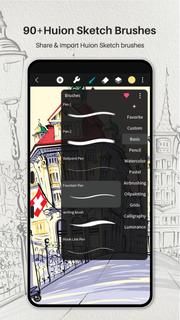
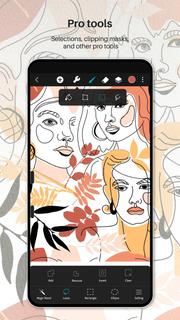
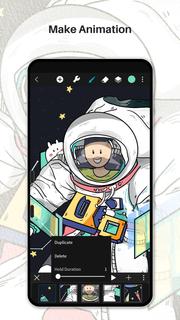
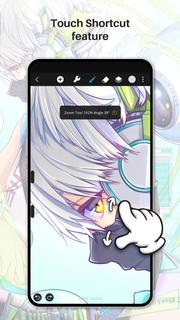
Huion Sketch 3.0 is here !Huion Sketch is a free drawing and painting app that gives you professional art tools organized user-friendly, which allows artists to create excellent sketches, paintings, illustrations. As an drawing app, it has some great features built especially for pen tablet users like cursor for Samsung Smart phone.Huion Sketch is becoming a complete pocket art studio with these powerful drawing features and more:「Cursor support for Samsung smart phone」 · For better drawing and painting experiencing with tablet on Samsung smart phone, we specially added cursor support, you can go "Sketching setting" and enable it.「Animate & Make animation」 · Be a animator through the " Create Animation" function · Export your animation art work to Gif format and share it on Instagram TikTok Youtube Facebook「Light User Interface」 · A simple user interface to gives larger space to think and create, and allows you to focus on the creation itself. · Quick sliders that allow you to quickly adjust brush thickness and opacity. · Brand new dark UI interface, simpler and more powerful「Brushes Features」 · 41+ kinds of common and delicate brushes qualified for most of your art work · 37 customizable brush settings for better drawing effect · Brush Studio - design your own custom brushes 「Color Features」 · Pick the perfect color with Eyedropper · Paint Bucket Tool · Previous Color and Color Palette. · 7 kinds of colors you used recently, easy to switch to color you used. 「Layer Features」 · Well-organized layer function interface · Up to 100 layers supported to make your creation efficient · Multiple layer parameters · Access over 20 layer blend modes for industry grade composition「Other important painting tools」 · Stabilizer smooths and perfects your strokes in real time · Insert shape like line, rectangle, and oval · Canvas Flip horizontally and vertically, Symmetry visual guides · import your picture to edit or copy an artwork「Dramatic finishing effects」 · Gaussian filters, HSB , RGB adjustment · Adjust Hue, Saturation, or Brightness in real-time · Sketch filter that helps you to extract line from a art work·Gaussian and Motion Blur filters for depth and movement, or Sharpen for perfect clarity「Multi-touch gestures Features」 · two finger tap to undo · two-finger pinch to zoom in/out and rotate your canvas · three-finger tap to redo · long press the screen to activate Eyedropper tool · create the perfect circle, square and straight line at specific angle with another finger tap 「Undo and Redo」 · Quickly undo and redo through the quick button or press keys of graphic tablet「 Count your stroke」 · Witness every step you turn your ideas into reality. Every stroke you draw will be recorded and counted precisely.「 Save, export, and share」 · Share your creativity with friends and families, and export your art work to continue creating on computer. · Multiple file format availale, such as JPG/PNG GIF PSD and HuionSketch · Export to PSD formate and continue your art creation on PC Photoshop Sai Clip Studio Paint(CSP)program · Export your animation/cartoon work to Gif「 Support for Huion pen tablets and digital pens perfectly」 · Considering many of you may love to draw on Huion pen tablets, we added support for Huion pen tablets and digital pens. · 19 kinds of features available for you to program the press keys on Huion digital pens and pen tablets.
أظهر المزيد

1. قم بتنزيل برنامج MEmu واكمال تثبيته

2. قم بتشغيل برنامج MEmu وفتح Google Play على الصفحة الرئيسية

3. ابح Huion Sketch - Draw & Paint في Google Play
Install
4. تنزيل وتثبيت Huion Sketch - Draw & Paint
5. انقر على الرمز للتشغيل بعد اكتمال التثبيت

6. استخدم MEmu لتجربة Huion Sketch - Draw & Paint على جهاز الكمبيوتر الخاص بك.
تطبيق MEmuهو افضل محاكى اندرويد مجانى وبالفعل 50 مليون شخص يستمتعون حاليا بتجربه اللعب عليه. تمكّنك تقنية MEmu الافتراضية من تشغيل آلاف ألعاب Android بسلاسة على الكمبيوتر الشخصي ، حتى أكثرها استخدامًا للرسومات.
شاشة أكبر وجرافيك افضل ووقت أطول بدون حدود البطارية وباقة التليفون
لوحة مفاتيح كاملة تدعم تحكم كامل عن طريق لوحة المفاتيح و الفأره وجيم باد
عدة العاب وحسابات ومهمات علي جهاز الكمبيوتر في وقت معين عن طريق Memu متعدد النوافذ
Use Huion Sketch - Draw & Paint on PC by following steps: