QT777
Оновлено
Поточна версія
11.63.1
Постачальник

Перестаньте турбуватися про надмірні витрати, використовуючи ххх на своєму мобільному телефоні, звільніться від крихітного екрану і насолоджуйтеся використанням програми на набагато більшому дисплеї. Відтепер отримуйте повний екран свого додатка за допомогою клавіатури та миші. MEmu пропонує вам усі дивовижні функції, які ви очікували: швидка установка та просте налаштування, інтуїтивно зрозумілі елементи керування, більше обмежень від акумулятора, мобільних даних та тривожних дзвінків. Новий MEmu 9 - найкращий вибір використання QT777 на вашому комп’ютері. За допомогою нашого поглинання менеджер із кількома примірниками одночасно дозволяє відкрити 2 або більше рахунків. І найголовніше, наш ексклюзивний емуляційний двигун може вивільнити весь потенціал вашого ПК, зробити все гладким і приємним.
Show more
Насолоджуйтесь чудовим досвідом QT777 гри на ПК за допомогою програми MEMU App Player. Це потужний безкоштовний емулятор Android, який дозволяє вам грати в тисячі ігор Android. QT777 fits quick breaks and short play sessions when you want a focused puzzle without long setup.
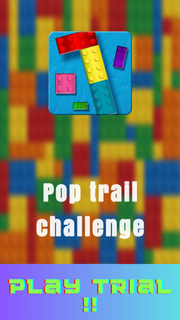
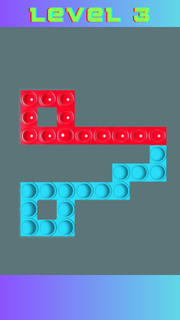
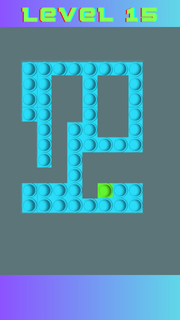
QT777 fits quick breaks and short play sessions when you want a focused puzzle without long setup. It centers on clearing a board with simple, tactile actions and clear goals, so you can start fast and stay engaged at your own pace. As the stages progress, the challenge increases in a steady way, while the look and feel stay bright and readable. For users looking for the QT777 APK, this title delivers a straightforward puzzle loop with no complex rules and a clean visual style.QT777 featuresSwipe to pop gameplayQT777 asks you to swipe left or right to pop every item on the board. Each swipe affects the entire row or column, so your choices matter. You aim to clear everything with deliberate moves, then finish the level once nothing is left. The mechanic is easy to learn and stays consistent from stage to stage.Progressive difficulty curveAs you advance, the game introduces tougher layouts and more demanding patterns. Early levels teach the basics, then later ones require more planning to clear efficiently. This gradual curve helps you improve without abrupt jumps, making each success feel earned and preparing you for the next set of puzzles.Clear visual and audio feedbackQT777 uses colorful boards and crisp popping effects that make each swipe feel responsive. Visual cues help you see what changed after a move, so you understand results at a glance. Light sound feedback supports the action and keeps the pace steady, which is useful during repeated attempts.Simple controls for quick playYou interact through snap, drag, and swipe inputs that respond quickly on touch screens. There are no nested menus or complicated rule sheets to learn first. This setup keeps your attention on the puzzle in front of you, so you can jump in whenever you have a minute.Short, replayable levelsLevels are designed to be completed in brief sessions, which suits daily downtime. If a plan does not work, you can retry in seconds and test a different sequence. This pick up and play approach supports both casual attempts and longer practice streaks when you want to refine your strategy.QT777 identity and developer detailsTo avoid confusion with unrelated genres, note that QT777 is the Pop Trail swipe to pop puzzle, not a casino or card product. The QT777 app is published by CayohuntApps under the package name com.cayohuntapps.PopTrailChallengeGame. If search results show mixed content, verify the package and developer to confirm you have the correct QT777 Android title.Version availability for QT777Users sometimes look for different builds of this game, including recent updates and earlier releases. Check the version name and release date shown on this page to match what you need. This helps you confirm whether you are grabbing a newer build or an older revision that your device already supports.How to play QT777Getting started takes just a moment, and the flow is the same across levels. If you plan to download QT777, these steps outline what to expect during your first run. Open QT777, then wait for the main menu to load and choose a level to begin. Review the board for a second so you see how many pops are present and where they sit. Swipe left or right to pop items, then watch the feedback to understand what changed after your move. If the board is not clear, adjust your plan and swipe again, using drag or snap as needed for precise input. Once everything is cleared, proceed to the next level and repeat the same process with the new layout.Start playing nowQT777 focuses on a clear swipe to pop loop with rising challenge and concise levels. It suits short breaks and repeat attempts when you want a direct puzzle task. To keep up with improvements, look for the QT777 latest version when updating.Official details Developer: CayohuntApps Package name: com.cayohuntapps.PopTrailChallengeGame Also known as: Pop Trail
Show more

1. Download MEmu installer and finish the setup

2. Start MEmu then open Google Play on the desktop

3. Search QT777 in Google Play
Install
4. Download and Install QT777
5. On install completion click the icon to start

6. Enjoy playing QT777 on PC with MEmu
MEmu App Player є кращим безкоштовним емулятором Android, і 50 мільйонів людей вже користуються його чудовим ігровим досвідом Android. Технологія віртуалізації MEmu дає вам змогу відтворювати тисячі ігор Android на вашому комп'ютері, навіть найбільш насичених графікою.
Bigger screen with better graphics; Long duration, without limitation of battery or mobile data.
Full Keymapping support for precise control of keyboard and mouse or gamepad.
Multiple game accounts or tasks on single PC at one time with Multi-Instance manager.
Play QT777 on PC by following steps: