QT777
更新日
現在のバージョン
11.63.1
提供元

スマホ不要!プロ選手のようにキーボードとマウスで操作しよう。MEmuエミュはあなたにすべての期待を与える。電池が切れてしまうとか画面が小さいとかの問題を心配する必要がなくて、存分QT777を楽しんでください。新しいMEmuエミュ7はPCでQT777をプレイするのに最適!完璧なキーマッピングシステムにより、まるでパソコンゲームみたい。マルチインスタンスで複数のゲームやアプリを同時に実行!唯一無二な仮想化エンジンがパソコンの可能性を最大限になる。遊べるだけでなく、より楽しめる!
もっと見る
QT777をPCでダウンロード!大画面でより楽しむ。電源が落ちてしまうとか通信料が足りないとかの問題を心配する必要がなく、PCの大画面でより快適にゲームを楽しましょう! A fun and captivating game called "Pop Trail: Swipe Left and Right to Pop All Pops and Complete the Level" can be found on the Play Store.

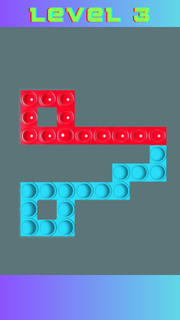
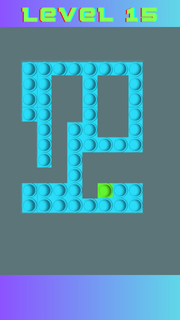
A fun and captivating game called "Pop Trail: Swipe Left and Right to Pop All Pops and Complete the Level" can be found on the Play Store. Your goal in this entertaining puzzle game is to carefully swipe left and right in order to pop every pop on the screen and advance through a variety of difficult stages. Pop Trail will captivate you for hours with its fascinating gameplay and striking graphics.Keywords: Trail of PopPlay Store: Swipe the gameMomsConundrum gameDegreesCompulsiveDemandingthrillingTechniqueAmusementsVisualsEnjoyableHandy GameSnap and DragCasual Video GamesPuzzles PopThe PopsPop Crazy
もっと見る

1. MEmuインストーラーをダウンロードしてセットアップを完了する

2. MEmuを起動し、デスクトップでのPlayストアを開く

3. PlayストアでQT777を検索する
Install
4. QT777をダウンロードしてインストールする
5. インストールが完了したら、アイコンをクリックしてスタート

6. MEmuを使用してPCでQT777を楽しむ
MEmu App Playerは最高の無料で提供されるAndroidエミュレータで、5,000万人がすでに優れたAndroidゲーム体験を楽しんでいます。 MEmuの仮想化技術は、あなたのPCで何千ものAndroidゲームを快適にプレイすることを可能にします。
大画面でより精細;無限の待機、電池とドラフィックの極限を超え
キーボード・マウス・コントローラーを全力でサポート、より快適
マルチインスタンスで複数のゲームを同時に実行
Play QT777 on PC by following steps: