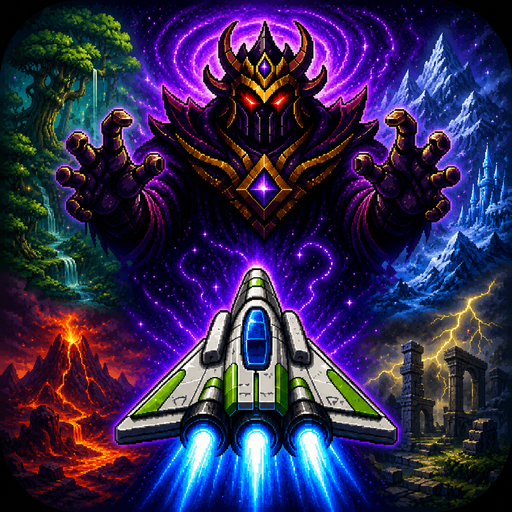
Frutz
تازہ کاری
موجودہ ورژن
1.0.2
پیشکش بذریعہ

Frutz کھیلنے کے اپنے پورے جنون کے دوران آپ کے ہاتھ آپ کے فون کی ایک چھوٹی سی اسکرین تک محدود نہیں ہونے چاہئیں۔ پرو کی طرح کھیلیں اور کی بورڈ اور ماؤس کے سہارے اپنے گیم پر مکمل کنٹرول حاصل کریں۔ MEmu آپ کو وہ تمام چیزیں پیش کرتا ہے جس کی آپ امید کرتے ہیں۔ پی سی پر Frutz ڈاؤن لوڈ کریں اور کھیلیں۔ جتنی دیر تک آپ چاہیں کھیلیں، بیٹری، موبائل ڈیٹا کی کوئی حد نہیں ہے اور پریشان کن کالز نہیں ہیں۔ نئے برانڈ کا MEmu 9 پی سی پر Frutz کھیلنے کا بہترین اختیار ہے۔ ہماری مہارت کی مدد سے تیار کردہ، شاندار پری سیٹ کی میپنگ سسٹم Frutz کو ایک ریئل پی سی گیم بناتا ہے۔ MEmu کثیر نظیری منیجرایک ہی ڈیوائس پر 2 یا زیادہ اکاؤنٹس پلے کرنا ممکن بناتا ہے۔ اور سب سے اہم بات یہ ہے کہ، ہمارا خصوصی ایمولیشن انجن آپ کے پی سی کی مکمل طاقت ریلیز کرتے ہوئے ہر چیز ہموار بنا سکتا ہے۔
مزید دکھائیں
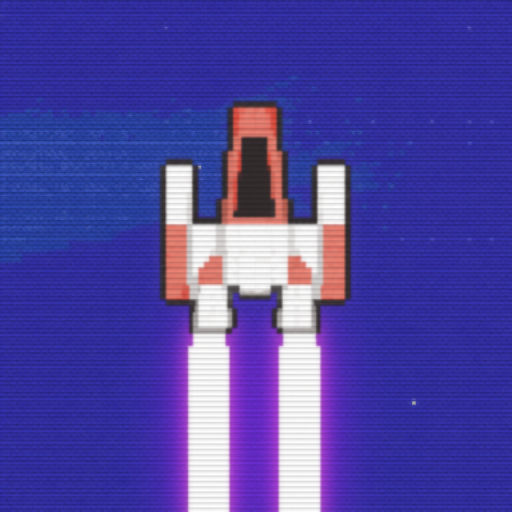
MEmu Play کے ساتھ PC پر Frutz ڈاؤن لوڈ کریں۔ بڑی اسکرین پر کھیلنے کا لطف اٹھائیں۔ Blast through five cosmic worlds, defeat powerful guardians, and claim the Cosmic Gems in Frutz — a fast, replayable arcade shooter built for skill, score chasing, and perfect runs.
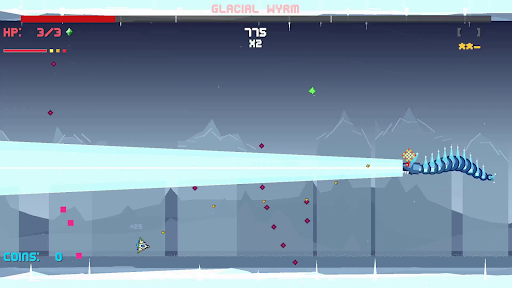
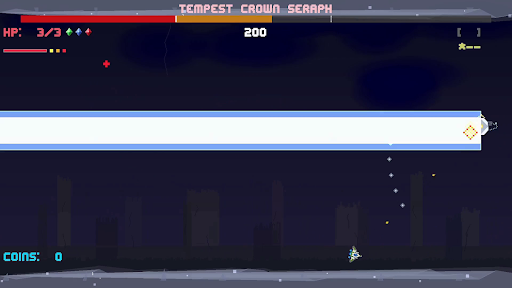
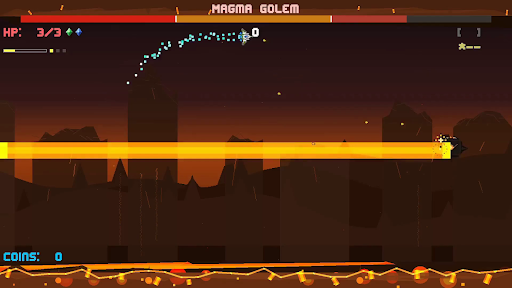
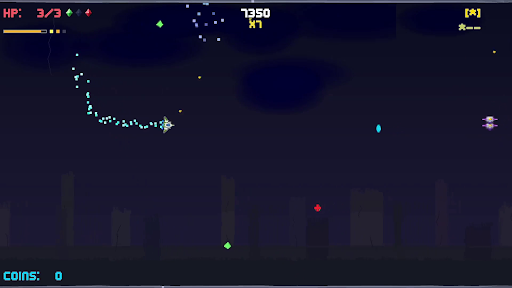
Blast through five cosmic worlds, defeat powerful guardians, and claim the Cosmic Gems in Frutz — a fast, replayable arcade shooter built for skill, score chasing, and perfect runs.
The evil Lord Zorkannan rules the cosmos through the power of the five Cosmic Gems. Each gem has been entrusted to one of his strongest guardians, who now command dangerous worlds filled with enemies, hazards, and high-speed arcade action. To stop Zorkannan, you’ll pilot a nimble retro-inspired ship across the galaxy, defeat each guardian, unlock their gem’s power, and prepare for the final battle in the Cosmic Rift.
Frutz is designed around readable intensity: fast, exciting action that stays fair, learnable, and replayable. Shoot constantly, dodge enemy waves, graze close to danger, chain combos, collect gems, unleash power weapons, and use your dash to slip through impossible-looking patterns. Every level is short, handcrafted, and built for improvement, making each run another chance to push your score higher.
Each world introduces a new challenge. Fight through overgrown forest chaos, icy movement control, volcanic pressure, stormy ruins, and reality-warping cosmic distortion. At the end of every world, face a unique boss battle that tests the skills you learned along the way.
Clear the campaign, unlock permanent Cosmic Gem abilities, chase S ranks, earn crowns, master no-hit clears, and prove you can defeat Lord Zorkannan at the heart of the cosmic rift.
Key Features
- Fast side-scrolling arcade shooting with responsive movement, constant action, and quick replayable stages.
- Five distinct worlds: Forest Planet, Ice World, Volcanic, Storm Ruins, and Cosmic Rift.
- Story-driven progression: defeat each guardian, claim their Cosmic Gem, and gain the power to confront Lord Zorkannan.
- Permanent Cosmic Gem abilities that unlock after boss defeats and can be used once per level.
- Unique world mechanics including ice drift, magma pressure, storm flow, warp distortion, and cosmic convergence.
- Memorable boss battles.
- Score, stars, crowns, and grades for layered mastery and replay goals.
- Combo, graze, dash, and super move systems that reward aggressive, precise play.
- Power weapons including spread shots, lasers, missiles, shields, and bombs.
- Golden ship!
مزید دکھائیں

1. MEmu انسٹالر ڈاؤن لوڈ کریں اور سیٹ اپ مکمل کریں

2. MEmu شروع کریں اسکے بعد ڈیسکٹاپ پر Google Play کھولیں

3. Google Play میں Frutz تلاش کریں
Install
4. Frutz ڈاؤن لوڈ کریں اور انسٹال کریں
5. انسٹال مکمل ہونے کے بعد سٹارٹ کرنے کے لیے آئیکن پر کلک کریں

6. MEmu کے ساتھ پی سی پر Frutz کھیلنے کا لطف لیں
MEmu پلے بہترین اینڈرائڈ ایمولیٹر ہے اور 100 ملین لوگ اس کے زبردست اینڈرائڈ گیمنگ تجربہ سے لطف اندوز ہو رہے ہیں۔ MEmu کی ورچولائزیشن ٹیکنالوجی آپ کو اپنے PC پر ہزاروں اینڈرائڈ گیمز یہاں تک کہ انتہائی گرافک والے گیمز باسہولت کھیلنے کی طاقت دیتی ہے۔
بہتر گرافکس کے ساتھ بڑی اسکرین؛ طویل دورانیہ، بیٹری یا لامحدود موبائل ڈیٹا کے بغیر۔
کی بورڈ اور ماؤس یا گیم پیڈ کے عین مطابق کنٹرول کے لیے کی میپنگ کا پورا سپورٹ۔
کثیر مثالی منیجر کے ساتھ بیک وقت ایک پی سی پر متعدد گیم اکاؤنٹس یا ٹاسکس۔
پی سی پر درج ذیل مراحل پر عمل کرتے ہوئے Frutz کھیلیں: