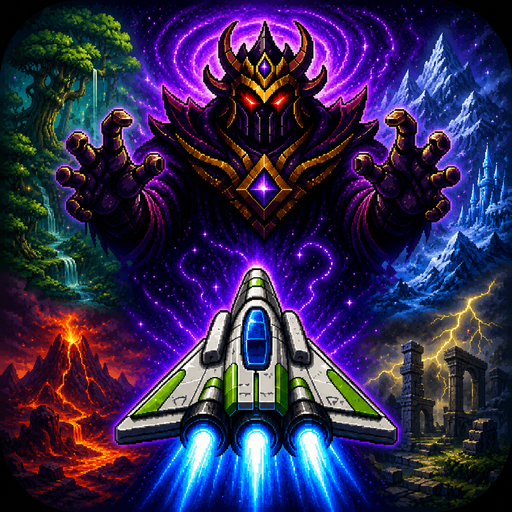
Frutz
อัปเดตเมื่อ
เวอร์ชันปัจจุบัน
1.0.2
ให้บริการโดย

เวลาคุณเล่น Frutz, คุณอาจรู้สึกว่ามือคุณอาจบังจอแล้วทำให้ไม่ได้เล่นแบบเต็มที่. เล่นแบบไร้ขีดจำกัดด้วยเม้าส์และคีย์บอร์ด. MEmu มีตัวเลือกหลายอย่างให้คุณใช้งานเกมที่คุณเล่นแบบที่คุณต้องการ. ดาวน์โหลดและเล่น Frutz บน PC. เล่นนานแค่ไหนก็ได้, ไม่ต้องชาร์จแบตเตอรี่, หรือเจอคนโทรเข้ามาระหว่างเล่น. MEmu 9 เป็นตัวเลือกสำหรับการเล่น Frutz บน PC. ทางทีมงานเราได้ปรับแต่งเกม, ปรับให้เล่นเกมบางเกมได้เหมือนเล่น Frutz เป็นเกม PC เช่นเล็งด้วยเม้าส์หรือใช้คีย์บอร์ด. ระบบของเรายังทำให้คุณสามารถเปิดเล่นได้มากกว่า 2 เกมพร้อมๆกันในคอมของคุณ. และที่สำคัญที่สุด, ระบบโปรแกรมของเราสามารถทำให้คุณใช้ระบบของ PC ทำให้เกมลื่นเหมือนกับใช้โทรศัพท์รุ่นล่าสุด. เราไม่ได้ดูแลเรื่องการเล่นเกม, แต่เราดูแลถึงความสนุกสนานที่คุณได้จากการเล่นด้วย.
แสดงเพิ่มเติม
ดาวน์โหลด Frutz บน PC ด้วย MEmu Android Emulator สนุกกับการเล่นบนหน้าจอขนาดใหญ่ Blast through five cosmic worlds, defeat powerful guardians, and claim the Cosmic Gems in Frutz — a fast, replayable arcade shooter built for skill, score chasing, and perfect runs.
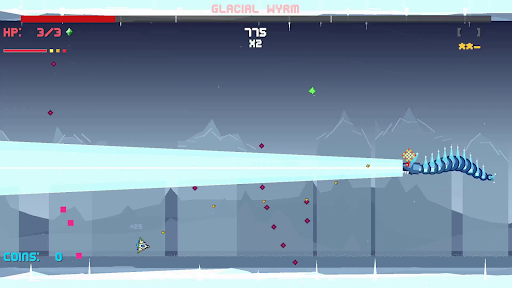
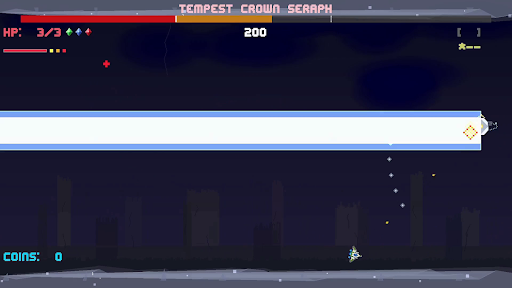
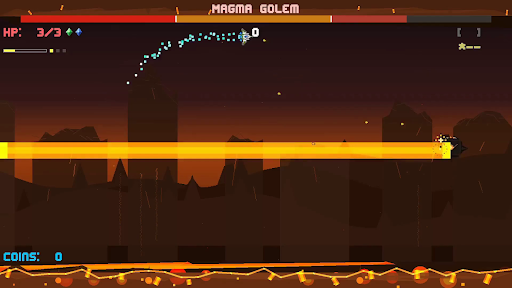
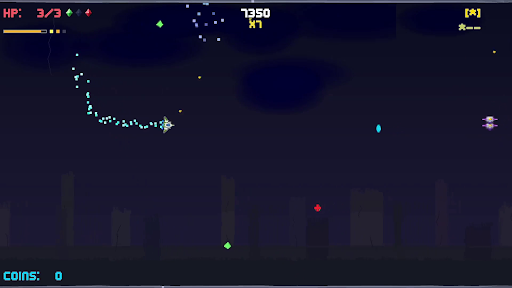
Blast through five cosmic worlds, defeat powerful guardians, and claim the Cosmic Gems in Frutz — a fast, replayable arcade shooter built for skill, score chasing, and perfect runs.
The evil Lord Zorkannan rules the cosmos through the power of the five Cosmic Gems. Each gem has been entrusted to one of his strongest guardians, who now command dangerous worlds filled with enemies, hazards, and high-speed arcade action. To stop Zorkannan, you’ll pilot a nimble retro-inspired ship across the galaxy, defeat each guardian, unlock their gem’s power, and prepare for the final battle in the Cosmic Rift.
Frutz is designed around readable intensity: fast, exciting action that stays fair, learnable, and replayable. Shoot constantly, dodge enemy waves, graze close to danger, chain combos, collect gems, unleash power weapons, and use your dash to slip through impossible-looking patterns. Every level is short, handcrafted, and built for improvement, making each run another chance to push your score higher.
Each world introduces a new challenge. Fight through overgrown forest chaos, icy movement control, volcanic pressure, stormy ruins, and reality-warping cosmic distortion. At the end of every world, face a unique boss battle that tests the skills you learned along the way.
Clear the campaign, unlock permanent Cosmic Gem abilities, chase S ranks, earn crowns, master no-hit clears, and prove you can defeat Lord Zorkannan at the heart of the cosmic rift.
Key Features
- Fast side-scrolling arcade shooting with responsive movement, constant action, and quick replayable stages.
- Five distinct worlds: Forest Planet, Ice World, Volcanic, Storm Ruins, and Cosmic Rift.
- Story-driven progression: defeat each guardian, claim their Cosmic Gem, and gain the power to confront Lord Zorkannan.
- Permanent Cosmic Gem abilities that unlock after boss defeats and can be used once per level.
- Unique world mechanics including ice drift, magma pressure, storm flow, warp distortion, and cosmic convergence.
- Memorable boss battles.
- Score, stars, crowns, and grades for layered mastery and replay goals.
- Combo, graze, dash, and super move systems that reward aggressive, precise play.
- Power weapons including spread shots, lasers, missiles, shields, and bombs.
- Golden ship!
แสดงเพิ่มเติม

1. ดาวน์โหลดตัวติดตั้ง MEmu และสิ้นสุดการติดตั้ง

2. เริ่ม MEmu จากนั้นเปิด Google Play บนหน้าแรก

3. ค้นหา Frutz ใน Google Play
Install
4. ดาวน์โหลดและติดตั้ง Frutz
5. เมื่อติดตั้งเสร็จให้คลิกที่ไอคอนเพื่อเริ่มใช้งาน

6. สนุกกับการเล่น Frutz บนพีซีด้วย MEmu
MEmu App Player เป็นอีมูเลเตอร์ Android ที่ดีที่สุดและผู้คนกว่า 50 ล้านคนเพลิดเพลินไปกับประสบการณ์การเล่นเกม Android ที่ยอดเยี่ยม เทคโนโลยีการจำลองเสมือนของ MEmu ช่วยให้คุณเล่นเกม Android หลายพันเกมได้อย่างราบรื่นบนพีซีของคุณแม้แต่เกมที่ต้องใช้กราฟิกมากที่สุด
จอใหญ่และกราฟฟิกสวยกว่า; เล่นได้นาน, ไม่ต้องใช้แบตเตอรี่โทรศัพท์หรือเน็ตโทรศัพท์.
ระบบปรับแต่งปุ่มคีย์บอร์ดและเม้าส์ตามที่คุณเลือก
เล่นมากกว่าหนึ่งเกมบน PC ในเวลาเดียวกันด้วยระบบหลายจอหรือ Multi-Instance manager.
Play Frutz on PC by following steps: