Frutz
Aktualizováno
Aktuální verze
1.0.2
Od vývojáře

With all your passion for playing Frutz, you hands are not supposed to be limited on a tiny screen of your phone. Play like a pro and get full control of your game with keyboard and mouse. MEmu offers you all the things that you are expecting. Download and play Frutz on PC. Play as long as you want, no more limitations of battery, mobile data and disturbing calls. The brand new MEmu 9 is the best choice of playing Frutz on PC. Prepared with our expertise, the exquisite preset keymapping system makes Frutz a real PC game. MEmu multi-instance manager makes playing 2 or more accounts on the same device possible. And the most important, our exclusive emulation engine can release full potential of your PC, make everything smooth.
Show more
Vychutnejte si vynikající zážitek z přehrávání Frutz na PC s MEMU App Player. Je to silný bezplatný emulátor pro Android, který vám umožní hrát tisíce her v systému Android. Blast through five cosmic worlds, defeat powerful guardians, and claim the Cosmic Gems in Frutz — a fast, replayable arcade shooter built for skill, score chasing, and perfect runs.
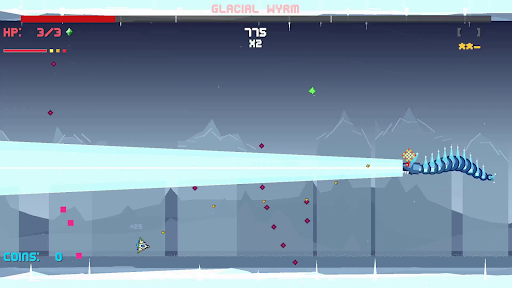
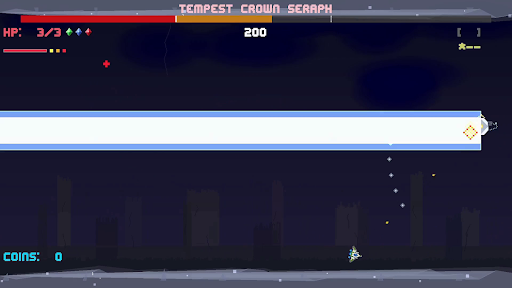
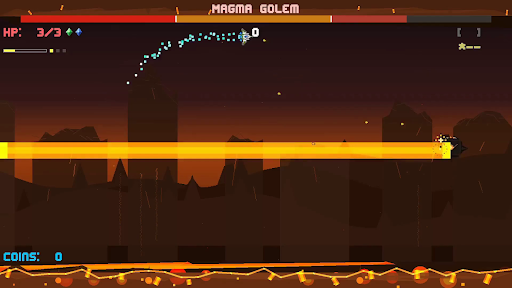
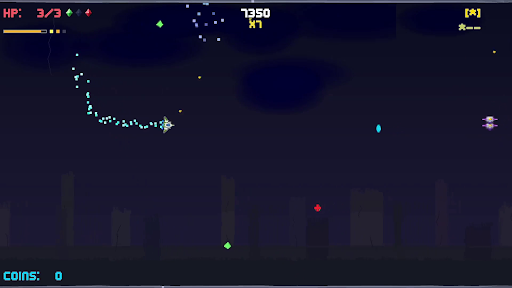
Blast through five cosmic worlds, defeat powerful guardians, and claim the Cosmic Gems in Frutz — a fast, replayable arcade shooter built for skill, score chasing, and perfect runs.
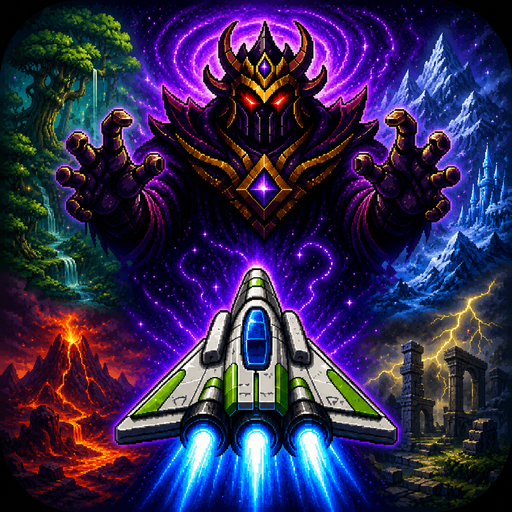
The evil Lord Zorkannan rules the cosmos through the power of the five Cosmic Gems. Each gem has been entrusted to one of his strongest guardians, who now command dangerous worlds filled with enemies, hazards, and high-speed arcade action. To stop Zorkannan, you’ll pilot a nimble retro-inspired ship across the galaxy, defeat each guardian, unlock their gem’s power, and prepare for the final battle in the Cosmic Rift.
Frutz is designed around readable intensity: fast, exciting action that stays fair, learnable, and replayable. Shoot constantly, dodge enemy waves, graze close to danger, chain combos, collect gems, unleash power weapons, and use your dash to slip through impossible-looking patterns. Every level is short, handcrafted, and built for improvement, making each run another chance to push your score higher.
Each world introduces a new challenge. Fight through overgrown forest chaos, icy movement control, volcanic pressure, stormy ruins, and reality-warping cosmic distortion. At the end of every world, face a unique boss battle that tests the skills you learned along the way.
Clear the campaign, unlock permanent Cosmic Gem abilities, chase S ranks, earn crowns, master no-hit clears, and prove you can defeat Lord Zorkannan at the heart of the cosmic rift.
Key Features
- Fast side-scrolling arcade shooting with responsive movement, constant action, and quick replayable stages.
- Five distinct worlds: Forest Planet, Ice World, Volcanic, Storm Ruins, and Cosmic Rift.
- Story-driven progression: defeat each guardian, claim their Cosmic Gem, and gain the power to confront Lord Zorkannan.
- Permanent Cosmic Gem abilities that unlock after boss defeats and can be used once per level.
- Unique world mechanics including ice drift, magma pressure, storm flow, warp distortion, and cosmic convergence.
- Memorable boss battles.
- Score, stars, crowns, and grades for layered mastery and replay goals.
- Combo, graze, dash, and super move systems that reward aggressive, precise play.
- Power weapons including spread shots, lasers, missiles, shields, and bombs.
- Golden ship!
Show more

1. Stáhněte si instalační program MEmu a dokončete instalaci

2. Spusťte MEmu a poté otevřete Google Play na ploše

3. Vyhledejte Frutz v Google Play
Install
4. Stáhněte a nainstalujte Frutz
5. Po dokončení instalace klikněte na ikonu pro spuštění

6. Užijte si hraní Frutz na PC s MEmu
MEmu je zdarma a ten nejlepší Android emulátor. 50 milionů lidí si užívá jeho nejlepší herní zážitky. Technologie virtualizace MEmu ti dovolí plynule hrát Android hry na PC a to i ty nejnáročnější.
Větší obrazovka s lepší grafikou; Dlouhá výdrž bez omezení baterie nebo mobilních dat.
Plná podpora mapování kláves pro přesné ovládání klávesnice a myši nebo gamepadu.
Více herních účtů nebo úkolů na jednom počítači najednou s Multi-Instance Managerem.
Play Frutz on PC by following steps: