Frutz
تاریخ بهروزرسانی
نسخه کنونی
1.0.2
ارائهکننده

با تمام اشتیاق شما به بازی Frutz، قرار نیست دست های شما روی صفحه نمایش کوچک گوشی شما محدود شود. مانند یک حرفه ای بازی کنید و کنترل کامل بازی خود را با صفحه کلید و ماوس بدست آورید.MEmu همه ی انتظاراتی که دارید را برآورده می کند.Frutz را بر روی رایانه شخصی دانلود و بازی کنید. تا زمانی که می خواهید بازی کنید، دیگر محدودیتی در باتری، داده تلفن همراه و تماس های مزاحم وجود ندارد.MEmu 9 کاملاً جدید و بهترین انتخاب برای بازی Frutz روی رایانه شخصی است. با تخصص ما، سیستم keymapping از پیش تعیین شده عالی،Frutz را به یک بازی رایانه شخصی واقعی تبدیل می کند.مدیریت چند موردی MEmu امکان اجرای 2 یا چندین حساب در یک دستگاه را فراهم می کند.و مهمتر از همه، موتور شبیهسازی انحصاری ما میتواند پتانسیل کامل رایانه شما را آزاد کند و همه چیز را روان کند.
بیشتر نشان بده
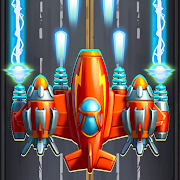
دانلود بازی Frutz برای کامپیوتر با MEmu Play. از بازی روی صفحه نمایش بزرگ لذت ببرید. Blast through five cosmic worlds, defeat powerful guardians, and claim the Cosmic Gems in Frutz — a fast, replayable arcade shooter built for skill, score chasing, and perfect runs.
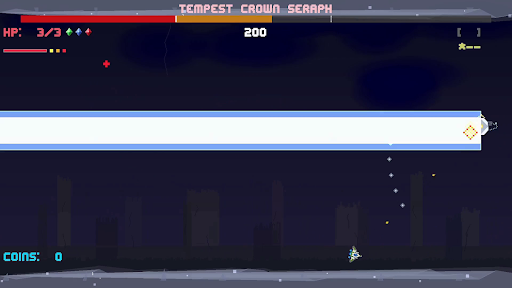
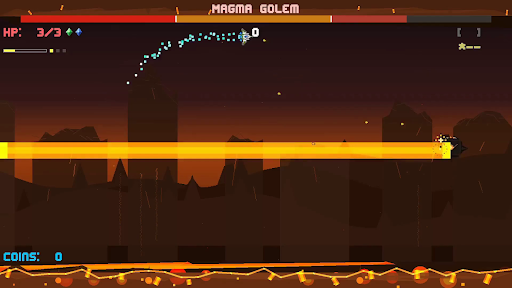
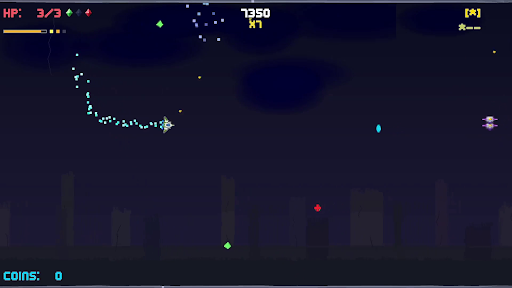
Blast through five cosmic worlds, defeat powerful guardians, and claim the Cosmic Gems in Frutz — a fast, replayable arcade shooter built for skill, score chasing, and perfect runs.
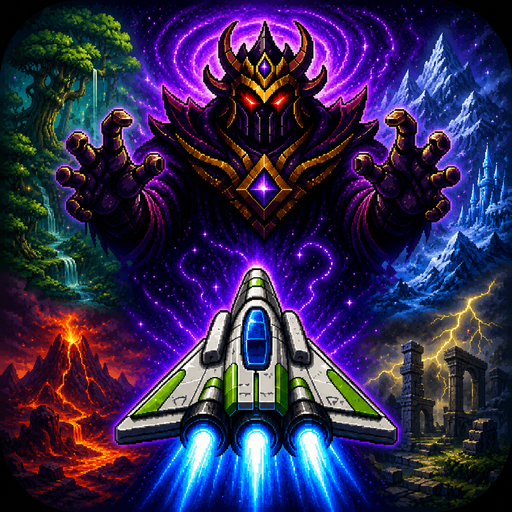
The evil Lord Zorkannan rules the cosmos through the power of the five Cosmic Gems. Each gem has been entrusted to one of his strongest guardians, who now command dangerous worlds filled with enemies, hazards, and high-speed arcade action. To stop Zorkannan, you’ll pilot a nimble retro-inspired ship across the galaxy, defeat each guardian, unlock their gem’s power, and prepare for the final battle in the Cosmic Rift.
Frutz is designed around readable intensity: fast, exciting action that stays fair, learnable, and replayable. Shoot constantly, dodge enemy waves, graze close to danger, chain combos, collect gems, unleash power weapons, and use your dash to slip through impossible-looking patterns. Every level is short, handcrafted, and built for improvement, making each run another chance to push your score higher.
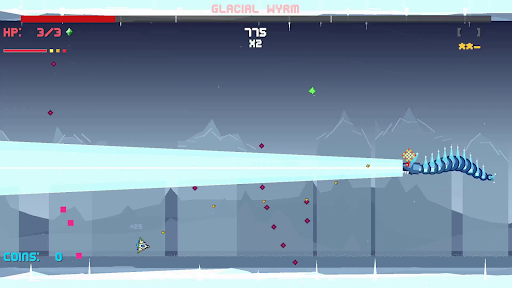
Each world introduces a new challenge. Fight through overgrown forest chaos, icy movement control, volcanic pressure, stormy ruins, and reality-warping cosmic distortion. At the end of every world, face a unique boss battle that tests the skills you learned along the way.
Clear the campaign, unlock permanent Cosmic Gem abilities, chase S ranks, earn crowns, master no-hit clears, and prove you can defeat Lord Zorkannan at the heart of the cosmic rift.
Key Features
- Fast side-scrolling arcade shooting with responsive movement, constant action, and quick replayable stages.
- Five distinct worlds: Forest Planet, Ice World, Volcanic, Storm Ruins, and Cosmic Rift.
- Story-driven progression: defeat each guardian, claim their Cosmic Gem, and gain the power to confront Lord Zorkannan.
- Permanent Cosmic Gem abilities that unlock after boss defeats and can be used once per level.
- Unique world mechanics including ice drift, magma pressure, storm flow, warp distortion, and cosmic convergence.
- Memorable boss battles.
- Score, stars, crowns, and grades for layered mastery and replay goals.
- Combo, graze, dash, and super move systems that reward aggressive, precise play.
- Power weapons including spread shots, lasers, missiles, shields, and bombs.
- Golden ship!
بیشتر نشان بده

1. نصب کننده Memu را دانلود کرده و راه اندازی را تمام کنید

2. Memu را اجرا کنید و سپس گوگل پلی را بر روی دستکتاپ باز کنید

3. Frutz را بر روی گوگل پلی جستجو کنید
Install
4. Frutz را دانلود و نصب کنید
5. پس از اتمام نصب روی آیکون کلیک کنید تا اجرا شود

6. از بازی کردن Frutz بر روی رایانه شخصی با MEmu لذت ببرید
MEmu بهترین نمونه ساز رایگان اندروید است و پیش از این 50 میلیون نفر از تجربه بسیار خوب بازی اندروید در آن لذت برده اند. تکنولوژی مجازی ساز MEmu شما را قادر می سازد هزاران بازی اندرویدی را در کامپیوتر به طور روان اجرا کنید، حتی آنهایی که گرافیک سنگین تری دارند.
صفحه نمایش بزرگتر با گرافیک بهتر؛ زمان طولانی تر، بدون محدودیت باتری یا داده تلفن همراه.
پشتیبانی کامل از Keymapping برای کنترل دقیق صفحه کلید و ماوس یا گیم پد.
چندین حساب بازی یا وظایف در یک رایانه شخصی در یک زمان با مدیریت همزمان همه
Play Frutz on PC by following steps: