Solasta II
تازہ کاری
موجودہ ورژن
پیشکش بذریعہ

Solasta II کھیلنے کے اپنے پورے جنون کے دوران آپ کے ہاتھ آپ کے فون کی ایک چھوٹی سی اسکرین تک محدود نہیں ہونے چاہئیں۔ پرو کی طرح کھیلیں اور کی بورڈ اور ماؤس کے سہارے اپنے گیم پر مکمل کنٹرول حاصل کریں۔ MEmu آپ کو وہ تمام چیزیں پیش کرتا ہے جس کی آپ امید کرتے ہیں۔ پی سی پر Solasta II ڈاؤن لوڈ کریں اور کھیلیں۔ جتنی دیر تک آپ چاہیں کھیلیں، بیٹری، موبائل ڈیٹا کی کوئی حد نہیں ہے اور پریشان کن کالز نہیں ہیں۔ نئے برانڈ کا MEmu 9 پی سی پر Solasta II کھیلنے کا بہترین اختیار ہے۔ ہماری مہارت کی مدد سے تیار کردہ، شاندار پری سیٹ کی میپنگ سسٹم Solasta II کو ایک ریئل پی سی گیم بناتا ہے۔ MEmu کثیر نظیری منیجرایک ہی ڈیوائس پر 2 یا زیادہ اکاؤنٹس پلے کرنا ممکن بناتا ہے۔ اور سب سے اہم بات یہ ہے کہ، ہمارا خصوصی ایمولیشن انجن آپ کے پی سی کی مکمل طاقت ریلیز کرتے ہوئے ہر چیز ہموار بنا سکتا ہے۔
مزید دکھائیں
Download Solasta II on PC with MEmu Android Emulator. Enjoy playing on big screen. From the creators of Solasta: Crown of the Magister, Solasta II offers players an engaging tactical RPG experience filled with rich storytelling and strategic gameplay.
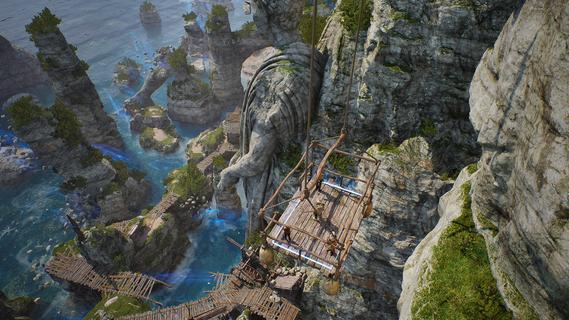
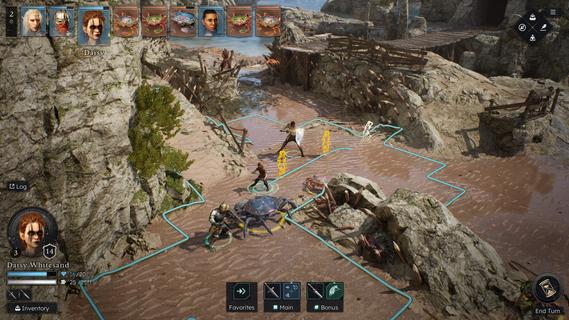
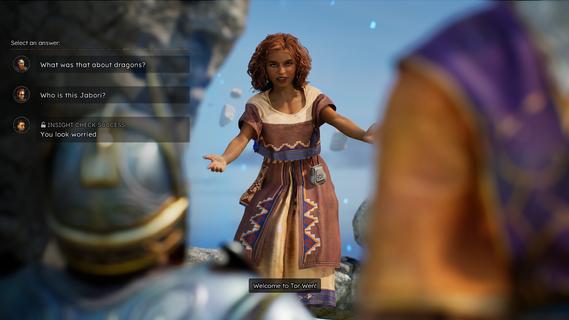
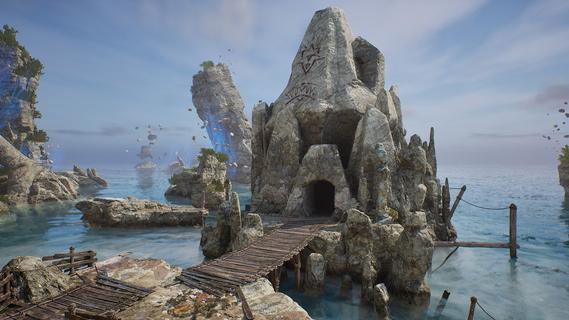
From the creators of Solasta: Crown of the Magister, Solasta II offers players an engaging tactical RPG experience filled with rich storytelling and strategic gameplay. As players guide a new party of four adventurers, they will confront an ancient threat in a sprawling environment while enjoying the nuances of tabletop mechanics. This sequel retains the charm of its predecessor while introducing new elements that enhance exploration and decision-making. Features of Solasta II- Strategic Turn-Based Combat: Combat in Solasta II is deeply tactical, allowing players to prepare spells, execute sneak attacks, and face a variety of enemies. Each decision can lead to victory or defeat, reflecting the unpredictability of dice rolls in tabletop games. Players will appreciate the emphasis on strategy as they carefully maneuver their party through challenging encounters. - Exploration of Neokos: In Solasta II, players have the freedom to explore the vast continent of Neokos at their own pace. Whether sticking to well-known pathways or venturing into uncharted wilderness, every choice affects the unfolding adventure. Exploration is encouraged, rewarding players with hidden treasures and unforeseen challenges. - Faithful TTRPG Experience: Staying true to the rules and spirit of the world's most popular tabletop RPG, Solasta II immerses players in familiar mechanics. The game captures the essence of the tabletop experience, allowing players to engage in spellcasting and tactical play that echoes traditional role-playing sessions. This dedication appeals to both veterans and newcomers alike. - Rich Narrative Choices: As players embark on their quest driven by family legacies, their decisions shape the story and the world around them. The narrative depth encourages players to think critically about the impact of their actions, with each choice leading to different outcomes. This feature enhances replayability, providing multiple paths and endings. - Diverse Party Customization: Players can create and customize their own party of adventurers, selecting from various classes and backgrounds. This personalization allows for unique gameplay experiences, as each character can possess distinct abilities and attributes. The diversity in party composition enhances tactical options during battles and interactions within the game.
مزید دکھائیں

1. MEmu انسٹالر ڈاؤن لوڈ کریں اور سیٹ اپ مکمل کریں

2. MEmu شروع کریں اسکے بعد ڈیسکٹاپ پر Google Play کھولیں

3. Google Play میں Solasta II تلاش کریں
Install
4. Solasta II ڈاؤن لوڈ کریں اور انسٹال کریں
5. انسٹال مکمل ہونے کے بعد سٹارٹ کرنے کے لیے آئیکن پر کلک کریں

6. MEmu کے ساتھ پی سی پر Solasta II کھیلنے کا لطف لیں
MEmu پلے بہترین اینڈرائڈ ایمولیٹر ہے اور 100 ملین لوگ اس کے زبردست اینڈرائڈ گیمنگ تجربہ سے لطف اندوز ہو رہے ہیں۔ MEmu کی ورچولائزیشن ٹیکنالوجی آپ کو اپنے PC پر ہزاروں اینڈرائڈ گیمز یہاں تک کہ انتہائی گرافک والے گیمز باسہولت کھیلنے کی طاقت دیتی ہے۔
بہتر گرافکس کے ساتھ بڑی اسکرین؛ طویل دورانیہ، بیٹری یا لامحدود موبائل ڈیٹا کے بغیر۔
کی بورڈ اور ماؤس یا گیم پیڈ کے عین مطابق کنٹرول کے لیے کی میپنگ کا پورا سپورٹ۔
کثیر مثالی منیجر کے ساتھ بیک وقت ایک پی سی پر متعدد گیم اکاؤنٹس یا ٹاسکس۔
پی سی پر درج ذیل مراحل پر عمل کرتے ہوئے Solasta II کھیلیں: