Solasta II
Mise à jour
Version actuelle
Proposée par

Avec toute la passion que vous avez à jouer Solasta II, vos mains ne sont pas sensées se limiter à l’infime écran de votre téléphone. Jouez comme un pro et ayez le contrôle total de votre jeu à l’aide du clavier et de la souris. MEmu satisfait toutes vos attentes. Téléchargez et jouez Solasta II sur PC. Jouez aussi longtemps que vous souhaitez sans aucune limitation de batterie, de données mobiles et d’appels embêtants. La toute nouvelle version de MEmu 9 est la meilleure option de jouer Solasta II sur PC. Réalisé par nos experts, l’e magnifique système d’affectation de touches prédéfini fait de Solasta II un jeu réaliste sur PC. Le gestionnaire multi-instances de MEmu permet 2 ou plusieurs comptes de jeu sur le même appareil. Et le plus important, le moteur d’émulation exclusif peut libérer le plein potentiel de votre PC, ce qui facilite tout.
Afficher plus
Téléchargez Solasta II avec le simulateur d’Android MEmu sur votre PC. Profitez de jouer sur un grand écran. From the creators of Solasta: Crown of the Magister, Solasta II offers players an engaging tactical RPG experience filled with rich storytelling and strategic gameplay.
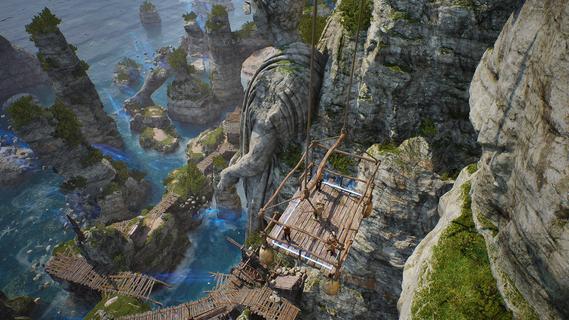
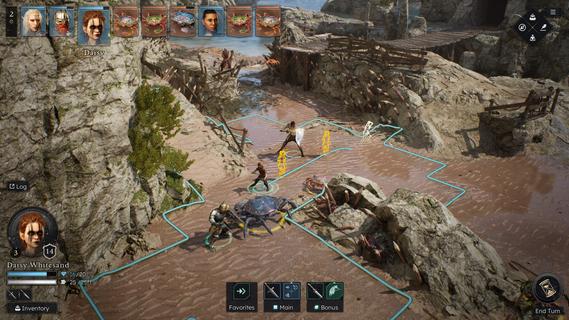
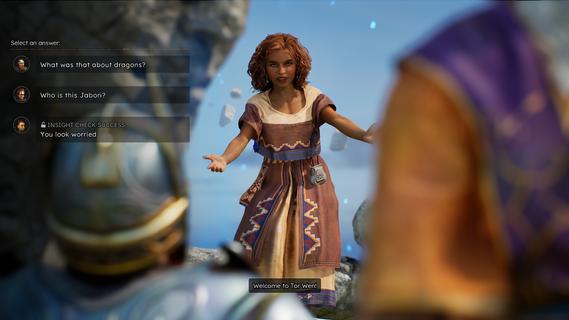
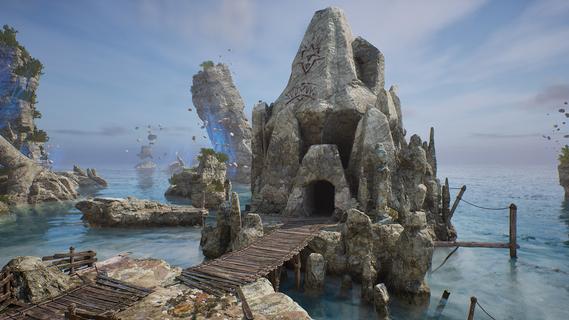
From the creators of Solasta: Crown of the Magister, Solasta II offers players an engaging tactical RPG experience filled with rich storytelling and strategic gameplay. As players guide a new party of four adventurers, they will confront an ancient threat in a sprawling environment while enjoying the nuances of tabletop mechanics. This sequel retains the charm of its predecessor while introducing new elements that enhance exploration and decision-making. Features of Solasta II- Strategic Turn-Based Combat: Combat in Solasta II is deeply tactical, allowing players to prepare spells, execute sneak attacks, and face a variety of enemies. Each decision can lead to victory or defeat, reflecting the unpredictability of dice rolls in tabletop games. Players will appreciate the emphasis on strategy as they carefully maneuver their party through challenging encounters. - Exploration of Neokos: In Solasta II, players have the freedom to explore the vast continent of Neokos at their own pace. Whether sticking to well-known pathways or venturing into uncharted wilderness, every choice affects the unfolding adventure. Exploration is encouraged, rewarding players with hidden treasures and unforeseen challenges. - Faithful TTRPG Experience: Staying true to the rules and spirit of the world's most popular tabletop RPG, Solasta II immerses players in familiar mechanics. The game captures the essence of the tabletop experience, allowing players to engage in spellcasting and tactical play that echoes traditional role-playing sessions. This dedication appeals to both veterans and newcomers alike. - Rich Narrative Choices: As players embark on their quest driven by family legacies, their decisions shape the story and the world around them. The narrative depth encourages players to think critically about the impact of their actions, with each choice leading to different outcomes. This feature enhances replayability, providing multiple paths and endings. - Diverse Party Customization: Players can create and customize their own party of adventurers, selecting from various classes and backgrounds. This personalization allows for unique gameplay experiences, as each character can possess distinct abilities and attributes. The diversity in party composition enhances tactical options during battles and interactions within the game.
Afficher plus

1. Téléchargez l'installateur MEmu et terminez l'installation

2. Démarrez MEmu puis ouvrez Google Play sur la page d'accueil

3. Recherchez Solasta II dans Google Play
Install
4. Téléchargez et installez Solasta II
5. Une fois l'installation terminée, cliquez sur l'icône pour démarrer

6. Profitez de jouer Solasta II sur PC avec MEmu
Le lecteur d'application MEmu est le meilleur émulateur Android gratuit, et 50 millions de personnes profitent déjà de sa fantastique expérience de jeu Android. La technologie de virtualisation MEmu vous donne la possibilité de jouer à des milliers de jeux Android sur votre PC sans aucune difficulté, même aux plus gourmands.
L’écran plus grand avec de meilleurs graphismes; Une longue durée, sans limitation de batterie ou de données mobiles.
Soutien du Keymapping pour un contrôle précis du clavier et de la souris ou de la manette de jeu
Plusieurs comptes de jeu ou tâches sur un seul PC en même temps avec le gestionnaire de multi-instance.
Play Solasta II on PC by following steps: