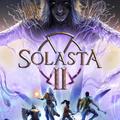
Solasta II
Bijgewerkt
Huidige Versie
Aangeboden door

Met al je passie voor het spelen van Solasta II, zouden je handen niet beperkt moeten zijn tot een klein scherm van je telefoon. Speel als een professional en krijg volledige controle over je spel met toetsenbord en muis. MEmu biedt je alles wat je verwacht. Download en speel Solasta II op PC. Speel zo lang als je wilt, geen beperkingen meer van batterij, mobiele data en storende oproepen. De gloednieuwe MEmu 9 is de beste keuze om Solasta II op PC te spelen. Voorbereid met onze expertise, maakt het uitmuntende vooraf ingestelde keymapping systeem van Solasta II een echt PC-spel. MEmu multi-instance manager maakt het spelen van 2 of meer accounts op hetzelfde apparaat mogelijk. En het belangrijkste, onze exclusieve emulatie-engine kan het volledige potentieel van je PC benutten, waardoor alles soepel verloopt.
Meer tonen
Download Solasta II on PC with MEmu Android Emulator. Enjoy playing on big screen. From the creators of Solasta: Crown of the Magister, Solasta II offers players an engaging tactical RPG experience filled with rich storytelling and strategic gameplay.
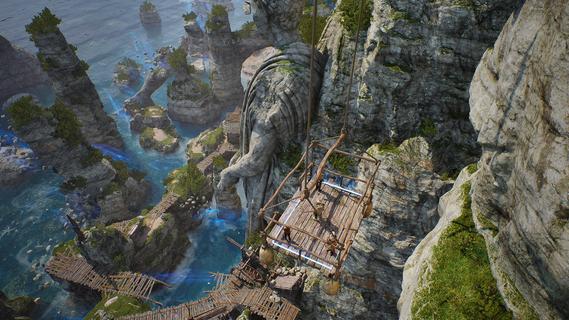
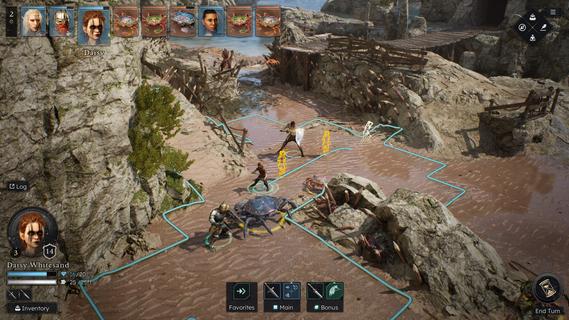
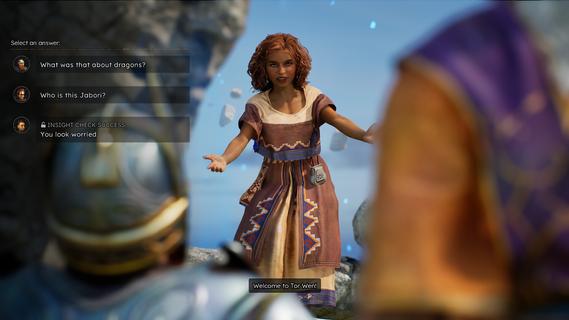
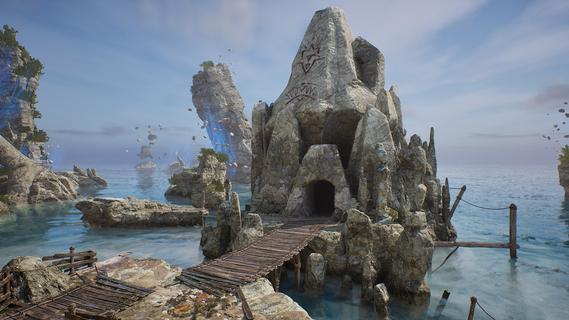
From the creators of Solasta: Crown of the Magister, Solasta II offers players an engaging tactical RPG experience filled with rich storytelling and strategic gameplay. As players guide a new party of four adventurers, they will confront an ancient threat in a sprawling environment while enjoying the nuances of tabletop mechanics. This sequel retains the charm of its predecessor while introducing new elements that enhance exploration and decision-making. Features of Solasta II- Strategic Turn-Based Combat: Combat in Solasta II is deeply tactical, allowing players to prepare spells, execute sneak attacks, and face a variety of enemies. Each decision can lead to victory or defeat, reflecting the unpredictability of dice rolls in tabletop games. Players will appreciate the emphasis on strategy as they carefully maneuver their party through challenging encounters. - Exploration of Neokos: In Solasta II, players have the freedom to explore the vast continent of Neokos at their own pace. Whether sticking to well-known pathways or venturing into uncharted wilderness, every choice affects the unfolding adventure. Exploration is encouraged, rewarding players with hidden treasures and unforeseen challenges. - Faithful TTRPG Experience: Staying true to the rules and spirit of the world's most popular tabletop RPG, Solasta II immerses players in familiar mechanics. The game captures the essence of the tabletop experience, allowing players to engage in spellcasting and tactical play that echoes traditional role-playing sessions. This dedication appeals to both veterans and newcomers alike. - Rich Narrative Choices: As players embark on their quest driven by family legacies, their decisions shape the story and the world around them. The narrative depth encourages players to think critically about the impact of their actions, with each choice leading to different outcomes. This feature enhances replayability, providing multiple paths and endings. - Diverse Party Customization: Players can create and customize their own party of adventurers, selecting from various classes and backgrounds. This personalization allows for unique gameplay experiences, as each character can possess distinct abilities and attributes. The diversity in party composition enhances tactical options during battles and interactions within the game.
Meer tonen

1. Download de MEmu-installatie en voltooi de setup

2. Start MEmu en open vervolgens Google Play op het bureaublad

3. Zoek Solasta II in Google Play
Install
4. Download en installeer Solasta II
5. Klik op het icoon om te starten na het voltooien van de installatie

6. Geniet van het spelen van Solasta II op PC met MEmu
MEmu Play is de beste Android Emulator en 100 miljoen mensen genieten al van de superieure Android-game-ervaring. De virtualisatietechnologie van MEmu stelt je in staat om duizenden Android-spellen soepel op je PC te spelen, zelfs de meest grafisch intensieve.
Groter scherm met betere graphics; Lange duur, zonder beperking van batterij of mobiele data.
Volledige Keymapping-ondersteuning voor nauwkeurige besturing van toetsenbord en muis of gamepad.
Meerdere game-accounts of taken op één PC tegelijk met Multi-Instance manager.
Speel Solasta II op PC door de volgende stappen te volgen: