Solasta II
Aktualisiert
Aktuelle Version
Angeboten von

Bei all Ihrer Leidenschaft für das Spielen von Solasta II sollten Ihre Hände nicht auf einen winzigen Bildschirm Ihres Telefons beschränkt sein. Spielen Sie wie ein Profi und übernehmen Sie die volle Kontrolle über Ihr Spiel mit Tastatur und Maus. MEmu bietet Ihnen all die Dinge, die Sie erwarten. Laden Sie Solasta II herunter und spielen Sie es auf dem PC. Spielen Sie so lange, wie Sie wollen, ohne Grenzwerte für Akku, mobile Daten und störende Anrufe. Das brandneue MEmu 9 ist die beste Wahl, um Solasta II auf dem PC zu spielen. Das exquisite voreingestellte Tastaturbelegungssystem, das mit unserem Fachwissen vorbereitet wurde, macht Solasta II zu einem echten PC-Spiel. Der MEmu Multi-Instanz-Manager ermöglicht das Spielen von 2 oder mehr Konten auf demselben Gerät. Und das Wichtigste: Unsere exklusive Emulations-Engine kann das volle Potenzial Ihres PCs freisetzen und für reibungslose Abläufe sorgen.
Mehr anzeigen
Laden Sie Play Solasta II auf dem PC mit MEmu Android Emulator. Viel Spaß beim Spielen auf großmundieren. From the creators of Solasta: Crown of the Magister, Solasta II offers players an engaging tactical RPG experience filled with rich storytelling and strategic gameplay.
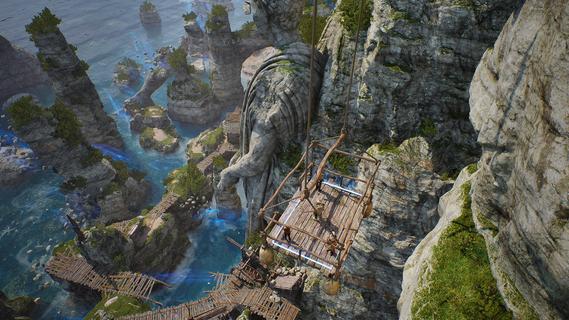
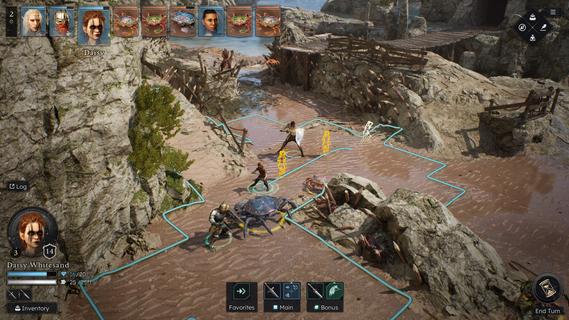
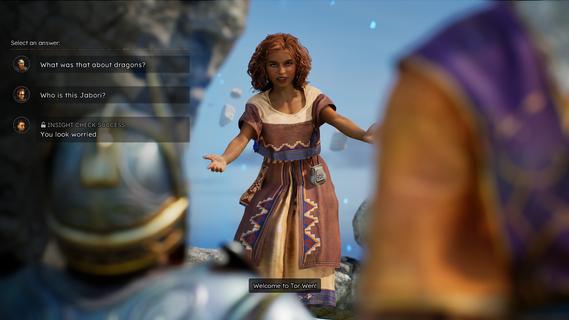
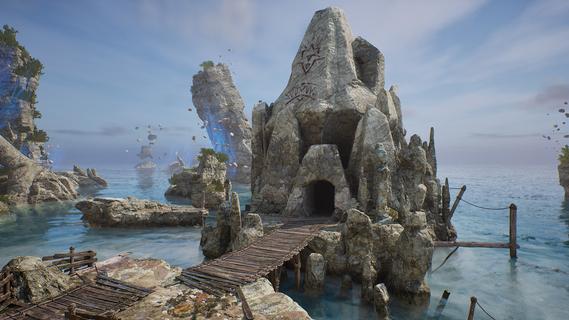
From the creators of Solasta: Crown of the Magister, Solasta II offers players an engaging tactical RPG experience filled with rich storytelling and strategic gameplay. As players guide a new party of four adventurers, they will confront an ancient threat in a sprawling environment while enjoying the nuances of tabletop mechanics. This sequel retains the charm of its predecessor while introducing new elements that enhance exploration and decision-making. Features of Solasta II- Strategic Turn-Based Combat: Combat in Solasta II is deeply tactical, allowing players to prepare spells, execute sneak attacks, and face a variety of enemies. Each decision can lead to victory or defeat, reflecting the unpredictability of dice rolls in tabletop games. Players will appreciate the emphasis on strategy as they carefully maneuver their party through challenging encounters. - Exploration of Neokos: In Solasta II, players have the freedom to explore the vast continent of Neokos at their own pace. Whether sticking to well-known pathways or venturing into uncharted wilderness, every choice affects the unfolding adventure. Exploration is encouraged, rewarding players with hidden treasures and unforeseen challenges. - Faithful TTRPG Experience: Staying true to the rules and spirit of the world's most popular tabletop RPG, Solasta II immerses players in familiar mechanics. The game captures the essence of the tabletop experience, allowing players to engage in spellcasting and tactical play that echoes traditional role-playing sessions. This dedication appeals to both veterans and newcomers alike. - Rich Narrative Choices: As players embark on their quest driven by family legacies, their decisions shape the story and the world around them. The narrative depth encourages players to think critically about the impact of their actions, with each choice leading to different outcomes. This feature enhances replayability, providing multiple paths and endings. - Diverse Party Customization: Players can create and customize their own party of adventurers, selecting from various classes and backgrounds. This personalization allows for unique gameplay experiences, as each character can possess distinct abilities and attributes. The diversity in party composition enhances tactical options during battles and interactions within the game.
Mehr anzeigen

1. Laden das MEmu-Installationsprogramm herunter und beenden die Installation

2. MEmu starten und Google Play auf der Homepage öffnen

3. Suchen Solasta II in Google Play
Install
4. Herunterladen und Installieren Solasta II
5. Klicken nach Abschluss der Installation auf das Symbol, um es zu starten

6. Viel Spaß beim Spielen von Solasta II auf dem PC mit MEmu
MEmu App Player ist der beste kostenlose Android-Emulator und 50 Millionen Menschen genießen bereits seine hervorragende Android-Gaming-Erfahrung. Mit der MEmu-Virtualisierungstechnologie können Sie Tausende von Android-Spielen problemlos auf Ihrem PC spielen, selbst bei grafikintensiven Spielen.
BGrößeres Bild mit besserer Grafik; Keine unterbrechungen, keine sorgen um Akku
Komplette Tastenbelegung unterstützt mit Maus und Tastatur oder Controller
Mit dem „Multi-Instance-Manager“ können Sie mehrere Spielkonten oder Spiele gleichzeitig auf einem PC ausführen.
Play Solasta II on PC by following steps: