Solasta II
Actualizada
Versión actual
Ofrecida por

Con toda tu pasión para jugar Solasta II, no se supone que tus manos estén limitadas en una pequeña pantalla de tu teléfono. Juega como un profesional y obtén el control total de tu juego con el teclado y el mouse. MEmu le ofrece todas las cosas que espera. Descargar y jugar Solasta II en PC. Juega todo el tiempo que quieras, sin más limitaciones de batería, datos móviles y llamadas molestas. El nuevo MEmu 9 es la mejor opción para jugar Solasta II en PC. Preparado con nuestra experiencia, el exquisito sistema de keymapping preestablecido convierte a Solasta II en un verdadero juego de PC. Codificado con nuestra absorción, el administrador de instancias múltiples hace posible jugar 2 o más cuentas en el mismo dispositivo. Y lo más importante, nuestro exclusivo motor de emulación puede liberar todo el potencial de su PC, hacer que todo sea más fluido. Nos importa no solo cómo juegas, sino también todo el proceso de disfrutar de la felicidad de los juegos.
Más detalles
Descargar Solasta II en PC con MEmu Android Emulador. Disfruta jugando en la pentalla grande. From the creators of Solasta: Crown of the Magister, Solasta II offers players an engaging tactical RPG experience filled with rich storytelling and strategic gameplay.
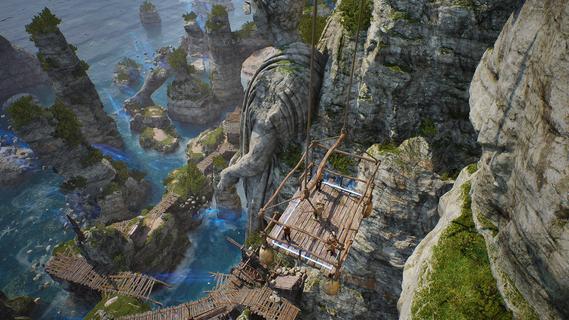
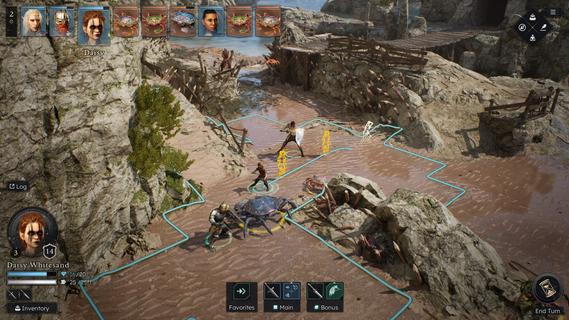
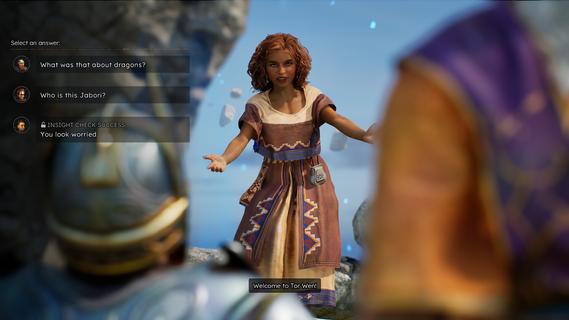
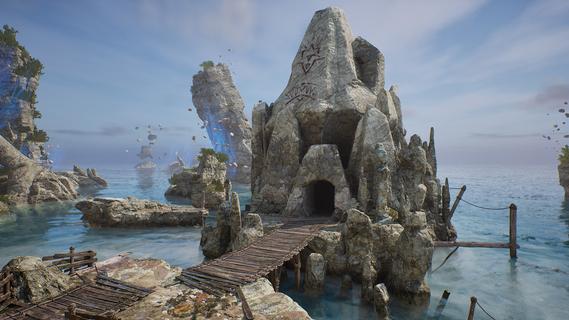
From the creators of Solasta: Crown of the Magister, Solasta II offers players an engaging tactical RPG experience filled with rich storytelling and strategic gameplay. As players guide a new party of four adventurers, they will confront an ancient threat in a sprawling environment while enjoying the nuances of tabletop mechanics. This sequel retains the charm of its predecessor while introducing new elements that enhance exploration and decision-making. Features of Solasta II- Strategic Turn-Based Combat: Combat in Solasta II is deeply tactical, allowing players to prepare spells, execute sneak attacks, and face a variety of enemies. Each decision can lead to victory or defeat, reflecting the unpredictability of dice rolls in tabletop games. Players will appreciate the emphasis on strategy as they carefully maneuver their party through challenging encounters. - Exploration of Neokos: In Solasta II, players have the freedom to explore the vast continent of Neokos at their own pace. Whether sticking to well-known pathways or venturing into uncharted wilderness, every choice affects the unfolding adventure. Exploration is encouraged, rewarding players with hidden treasures and unforeseen challenges. - Faithful TTRPG Experience: Staying true to the rules and spirit of the world's most popular tabletop RPG, Solasta II immerses players in familiar mechanics. The game captures the essence of the tabletop experience, allowing players to engage in spellcasting and tactical play that echoes traditional role-playing sessions. This dedication appeals to both veterans and newcomers alike. - Rich Narrative Choices: As players embark on their quest driven by family legacies, their decisions shape the story and the world around them. The narrative depth encourages players to think critically about the impact of their actions, with each choice leading to different outcomes. This feature enhances replayability, providing multiple paths and endings. - Diverse Party Customization: Players can create and customize their own party of adventurers, selecting from various classes and backgrounds. This personalization allows for unique gameplay experiences, as each character can possess distinct abilities and attributes. The diversity in party composition enhances tactical options during battles and interactions within the game.
Más detalles

1. Descargar el instalador de MEmu y finalice la instalación

2. Iniciar MEmu y abrir Google Play en la página de inicio

3. Buscar Solasta II en Google Play
Install
4. Descargar y instalar Solasta II
5. Hacer click al icono para iniciar

6. Disfruta jugando Solasta II en PC con MEmu
MEmu App Player es el mejor emulador de Android gratuito y 50 millones de personas ya están disfrutando su magnífica experiencia jugando en Android. La tecnología de virtualización de MEmu te permite jugar a miles de juegos Android suavemente en tu PC, incluso los más intensivos gráficamente.
Pantalla más grande con mejores gráficos; Larga duración, sin limitación de batería o datos móviles.
Soporte completo de keymapping para un control preciso del teclado y el mouse o gamepad.
Múltiples cuentas de juegos o tareas en una sola PC a la vez con el administrador de instancias múltiples.
Play Solasta II on PC by following steps: