Clipping剪映-Free edition
تازہ کاری
موجودہ ورژن
1.0.1.50
پیشکش بذریعہ

اپنے موبائل فون پر Clipping剪映-Free edition کا استعمال کرتے وقت زیادہ چارج ہونے کی فکر نہ کریں، خود کو چھوٹی اسکرین سے آزاد کریں اور ایپ کو زیادہ بڑے ڈسپلے پر استعمال کرنے کا لطف اٹھائیں۔ اس کے بعد سے کی بورڈ اور ماؤس کے ساتھ اپنے ایپ کا فل اسکرین کا تجربہ حاصل کریں۔ MEmu آپ کو وہ تمام حیران کن خصوصیات پیش کرتا ہے جن کی آپ کو توقع کرتے ہیں: فوری انسٹال اور آسان سیٹ اپ، وجدانی کنٹرول، مزید بیٹری، موبائل ڈیٹا کی کوئی حد نہیں اور اب مزید پریشان کن کالز نہیں۔ نئے برانڈ کا MEmu 9 آپ کے کمپیوٹر پر Clipping剪映-Free edition استعمال کرنے کے لیے بہترین اختیار ہے۔ MEmu کثیر نظیری منیجر بیک وقت 2 یا اس سے زیادہ اکاؤنٹس کھولنا ممکن بناتا ہے۔ اور سب اہم بات، ہمارا خصوصی ایمولیشن انجن آپ کے پی سی کی پوری طاقت ریلیز کرتے ہوئے ہر چیز ہموار اور قابل تفریح بناتا ہے۔
مزید دکھائیں
Download Clipping剪映-Free edition on PC with MEmu Android Emulator. Enjoy playing on big screen. With Clipping剪映-Freeedition, you can create stunning videos with just a few taps.
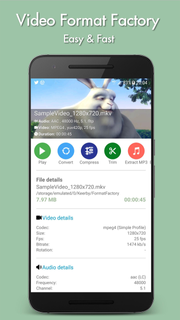
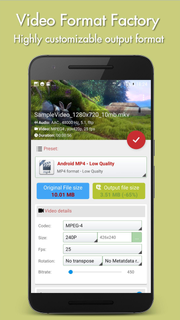
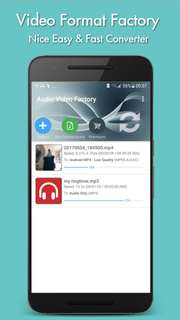
With Clipping剪映-Freeedition, you can create stunning videos with just a few taps. Choose your favorite photos or video clips, and let Clipping show your magic. It only takes a few seconds to find the best moments, add beautiful transitions and special effects, and then synchronize everything with the rhythm of the music. You can add text, music, and more to your personalized story, and then easily share it with friends. Editing videos has never been faster — or so much fun.--- Important functions ---Add your photos + videos+ You can add up to 75 photos or video clips from the gallery or album. Clipping is even compatible with Motion Photo.+ Clipping will take data from your videos (Smile [1], Face [2], Sound, Laughter, Speed, Jump, Water, Panorama, and Stable Movies [3]), and analyze the video to select exciting moments. It can also detect faces and colors and perfectly frame each photo. Adjust the layout and points of interest manually.+ Want to choose your own moment? Mark the best videos.Choose your theme+ 23 themes for you to choose from, each of which provides transitions and picture effects suitable for any scene.+ Adjust fonts, filters and graphics for any video style.Customize your video+ Easily adjust the order of photos and video clips, crop and rotate.+ Personalize your story with text overlays and title slides. You can even add emoticons :)+ Use Clipping to perform magic with Clipping, or use full video clips.+ Speed up or slow down videos.+ Choose from cinema, square or vertical format for easy sharing to Instagram or Snapchat.+ When setting photos or subtitles—Clipping will automatically adjust lens switching and filtering.
مزید دکھائیں

1. MEmu انسٹالر ڈاؤن لوڈ کریں اور سیٹ اپ مکمل کریں

2. MEmu شروع کریں اسکے بعد ڈیسکٹاپ پر Google Play کھولیں

3. Google Play میں Clipping剪映-Free edition تلاش کریں
Install
4. Clipping剪映-Free edition ڈاؤن لوڈ کریں اور انسٹال کریں
5. انسٹال مکمل ہونے کے بعد سٹارٹ کرنے کے لیے آئیکن پر کلک کریں

6. MEmu کے ساتھ پی سی پر Clipping剪映-Free edition کھیلنے کا لطف لیں
MEmu پلے بہترین اینڈرائڈ ایمولیٹر ہے اور 100 ملین لوگ اس کے زبردست اینڈرائڈ گیمنگ تجربہ سے لطف اندوز ہو رہے ہیں۔ MEmu کی ورچولائزیشن ٹیکنالوجی آپ کو اپنے PC پر ہزاروں اینڈرائڈ گیمز یہاں تک کہ انتہائی گرافک والے گیمز باسہولت کھیلنے کی طاقت دیتی ہے۔
بہتر گرافکس کے ساتھ بڑی اسکرین؛ طویل دورانیہ، بیٹری یا لامحدود موبائل ڈیٹا کے بغیر۔
کی بورڈ اور ماؤس یا گیم پیڈ کے عین مطابق کنٹرول کے لیے کی میپنگ کا پورا سپورٹ۔
کثیر مثالی منیجر کے ساتھ بیک وقت ایک پی سی پر متعدد گیم اکاؤنٹس یا ٹاسکس۔
پی سی پر درج ذیل مراحل پر عمل کرتے ہوئے پر Clipping剪映-Free edition استعمال کریں: u003c/p>