Clipping剪映-Free edition
更新日
現在のバージョン
1.0.1.50
提供元

スマートフォンは不要!パソコンと同じようにキーボードとマウスで操作できます。MEmu Playは、あなたが待ち望んでいたすべての楽しみをお届けします。バッテリー残量や小さな画面を気にすることなく、Clipping剪映-Free editionをご利用ください。最新のMEmu 9は、Clipping剪映-Free editionをPCで体験するのに最適です!完璧なキーマッピングシステムにより、PCのようなスムーズな操作性を実現します。マルチインスタンス機能により、複数のアプリケーションを同時に実行できます。独自の仮想化エンジンがPCのパフォーマンスを最大限に引き出します。アプリを使用するだけでなく、高品質な体験を得ることができます。
もっと見る
Clipping剪映-Free editionをPCでダウンロード!大画面でより楽しむ。電源が落ちてしまうとか通信料が足りないとかの問題を心配する必要がなく、PCの大画面でより快適にゲームを楽しましょう! With Clipping剪映-Freeedition, you can create stunning videos with just a few taps.
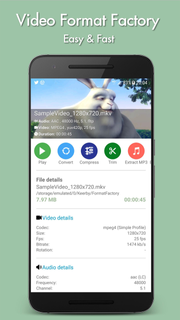
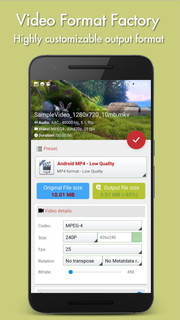
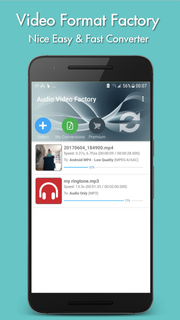
With Clipping剪映-Freeedition, you can create stunning videos with just a few taps. Choose your favorite photos or video clips, and let Clipping show your magic. It only takes a few seconds to find the best moments, add beautiful transitions and special effects, and then synchronize everything with the rhythm of the music. You can add text, music, and more to your personalized story, and then easily share it with friends. Editing videos has never been faster — or so much fun.--- Important functions ---Add your photos + videos+ You can add up to 75 photos or video clips from the gallery or album. Clipping is even compatible with Motion Photo.+ Clipping will take data from your videos (Smile [1], Face [2], Sound, Laughter, Speed, Jump, Water, Panorama, and Stable Movies [3]), and analyze the video to select exciting moments. It can also detect faces and colors and perfectly frame each photo. Adjust the layout and points of interest manually.+ Want to choose your own moment? Mark the best videos.Choose your theme+ 23 themes for you to choose from, each of which provides transitions and picture effects suitable for any scene.+ Adjust fonts, filters and graphics for any video style.Customize your video+ Easily adjust the order of photos and video clips, crop and rotate.+ Personalize your story with text overlays and title slides. You can even add emoticons :)+ Use Clipping to perform magic with Clipping, or use full video clips.+ Speed up or slow down videos.+ Choose from cinema, square or vertical format for easy sharing to Instagram or Snapchat.+ When setting photos or subtitles—Clipping will automatically adjust lens switching and filtering.
もっと見る

1. MEmuインストーラーをダウンロードしてセットアップを完了する

2. MEmuを起動し、デスクトップでのPlayストアを開く

3. PlayストアでClipping剪映-Free editionを検索する
Install
4. Clipping剪映-Free editionをダウンロードしてインストールする
5. インストールが完了したら、アイコンをクリックしてスタート

6. MEmuを使ってパソコンでClipping剪映-Free editionを体験する
MEmu Playは現在、最高の無料Androidエミュレーターであり、5,000万人のユーザーが優れたAndroidアプリ体験を楽しんでいます。MEmuの仮想化テクノロジーにより、数千ものAndroidアプリをコンピューターでスムーズに実行できます。
大画面でより精細;無限の待機、電池とドラフィックの極限を超え
キーボード・マウス・コントローラーを全力でサポート、より快適
マルチインスタンスで複数のゲームを同時に実行
Use Clipping剪映-Free edition on PC by following steps: