
Clipping剪映-Free edition
Güncellendi
Mevcut Sürüm
1.0.1.50
Sunan

Cep telefonunda Clipping剪映-Free edition kullanırken fazla şarjlardan endişelenme, kendini küçük ekrandan kurtar ve uygulamayı çok daha büyük bir ekranda kullanmanın tadını çıkar. Şu andan itibaren, klavye ve fare ile uygulamayı tam ekran da kullanmayı dene. MEmu, beklediğin tüm şaşırtıcı özellikleri sunar: hızlı ve kolay kurulum, sezgisel kontroller, bunun dışında pil sınırı, mobil veri ve rahatsız edici aramalar artık yok. Yepyeni MEmu 9, bilgisayarında Clipping剪映-Free edition kullanmanın en iyi seçimidir. Emilimimizle kodlanan çok örnekli yönetici, aynı anda 2 veya daha fazla hesap açmayı mümkün kılar. Ve en önemlisi, özel emülasyon motorumuz PC'nin tüm potansiyelini serbest bırakabilir, her şeyi pürüzsüz ve eğlenceli hale getirebilir.
Daha fazla göster
Clipping剪映-Free edition’i MEmu Android Emülatör ile PC’ye indirin. Büyük ekranda oynamanın keyfini çıkarın. With Clipping剪映-Freeedition, you can create stunning videos with just a few taps.
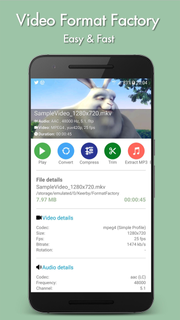
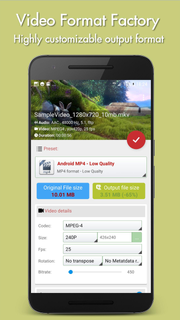
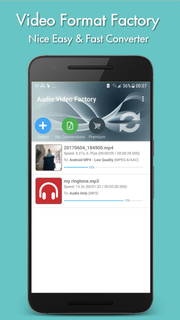
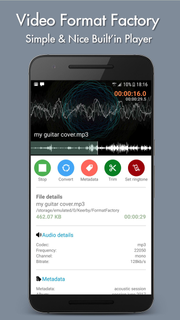
With Clipping剪映-Freeedition, you can create stunning videos with just a few taps. Choose your favorite photos or video clips, and let Clipping show your magic. It only takes a few seconds to find the best moments, add beautiful transitions and special effects, and then synchronize everything with the rhythm of the music. You can add text, music, and more to your personalized story, and then easily share it with friends. Editing videos has never been faster — or so much fun.--- Important functions ---Add your photos + videos+ You can add up to 75 photos or video clips from the gallery or album. Clipping is even compatible with Motion Photo.+ Clipping will take data from your videos (Smile [1], Face [2], Sound, Laughter, Speed, Jump, Water, Panorama, and Stable Movies [3]), and analyze the video to select exciting moments. It can also detect faces and colors and perfectly frame each photo. Adjust the layout and points of interest manually.+ Want to choose your own moment? Mark the best videos.Choose your theme+ 23 themes for you to choose from, each of which provides transitions and picture effects suitable for any scene.+ Adjust fonts, filters and graphics for any video style.Customize your video+ Easily adjust the order of photos and video clips, crop and rotate.+ Personalize your story with text overlays and title slides. You can even add emoticons :)+ Use Clipping to perform magic with Clipping, or use full video clips.+ Speed up or slow down videos.+ Choose from cinema, square or vertical format for easy sharing to Instagram or Snapchat.+ When setting photos or subtitles—Clipping will automatically adjust lens switching and filtering.
Daha fazla göster

1. MEmu yükleyicisini indirin ve kurulumu tamamlayın

2. MEmu'yu başlatın ve ana sayfada Google Play'i açın

3. Google Play'de Clipping剪映-Free edition arayın
Install
4. Clipping剪映-Free edition indirin ve yükleyin
5. Kurulum tamamlandığında başlamak için simgeye tıklayın

6. Clipping剪映-Free edition'i PC'de için MEmu'yu kullanın
MEmu Play, 50 milyon kullanıcısıyla en iyi ücretsiz Android emülatörüdür ve en üst düzey Android uygulama deneyiminin keyfini çıkarır. MEmu'nun sanallaştırma teknolojisi, en zorlu uygulamalar da dahil olmak üzere binlerce uygulamayı bilgisayarınızda sorunsuz bir şekilde çalıştırmanızı sağlar.
Daha büyük ekranla daha iyi grafiklere sahip; Pil veya mobil veri sınırlaması olmaksızın uzun süre.
Keymapping klavye ve fare veya gamepad'in hassas kontrolü için destek verir.
Multi-Instance yöneticisi ile tek bir bilgisayarda aynı anda birden fazla oyun hesabı veya görev gerçekleşilebilir.
Use Clipping剪映-Free edition on PC by following steps: