
Clipping剪映-Free edition
Обновлено
Текущая версия
1.0.1.50
Продавец

Перестаньте беспокоиться о быстром разряде батареи при использовании Clipping剪映-Free edition на вашем телефоне. Освободитесь от крошечного экрана и наслаждайтесь приложением на гораздо большем экране. Теперь вы можете работать с приложением в полноэкранном режиме с удобством клавиатуры и мыши. MEmu предлагает вам все ожидаемые удивительные функции: быструю установку и простую настройку, интуитивно понятное управление и больше никаких забот о времени автономной работы, мобильном трафике или неожиданных звонках. Совершенно новый MEmu 9 — идеальный выбор для использования Clipping剪映-Free edition на вашем компьютере. С помощью менеджера нескольких экземпляров MEmu вы можете одновременно использовать два или более аккаунтов. И самое главное, наш эксклюзивный движок эмуляции раскрывает весь потенциал вашего ПК, обеспечивая плавную и приятную работу.
Показать больше
Скачайте Clipping剪映-Free edition на ПК с помощью Андроид эмулятора MEmu. Наслаждайтесь на большом экране. With Clipping剪映-Freeedition, you can create stunning videos with just a few taps.
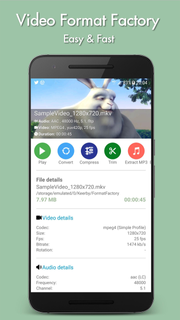
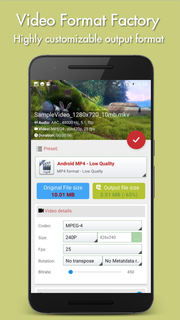
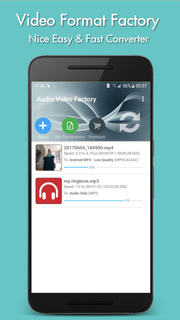
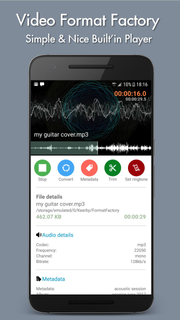
With Clipping剪映-Freeedition, you can create stunning videos with just a few taps. Choose your favorite photos or video clips, and let Clipping show your magic. It only takes a few seconds to find the best moments, add beautiful transitions and special effects, and then synchronize everything with the rhythm of the music. You can add text, music, and more to your personalized story, and then easily share it with friends. Editing videos has never been faster — or so much fun.--- Important functions ---Add your photos + videos+ You can add up to 75 photos or video clips from the gallery or album. Clipping is even compatible with Motion Photo.+ Clipping will take data from your videos (Smile [1], Face [2], Sound, Laughter, Speed, Jump, Water, Panorama, and Stable Movies [3]), and analyze the video to select exciting moments. It can also detect faces and colors and perfectly frame each photo. Adjust the layout and points of interest manually.+ Want to choose your own moment? Mark the best videos.Choose your theme+ 23 themes for you to choose from, each of which provides transitions and picture effects suitable for any scene.+ Adjust fonts, filters and graphics for any video style.Customize your video+ Easily adjust the order of photos and video clips, crop and rotate.+ Personalize your story with text overlays and title slides. You can even add emoticons :)+ Use Clipping to perform magic with Clipping, or use full video clips.+ Speed up or slow down videos.+ Choose from cinema, square or vertical format for easy sharing to Instagram or Snapchat.+ When setting photos or subtitles—Clipping will automatically adjust lens switching and filtering.
Показать больше

1. Скачать инсталлятор MEmu и завершайте установку

2. Запускайте MEmu, затем откройте Google Play на главной странице

3. Ищите Clipping剪映-Free edition в Google Play
Install
4. Скачайте и установите Clipping剪映-Free edition
5. При завершении установки, нажмите на значок для старта

6. Наслаждайтесь Clipping剪映-Free edition на своем компьютере с помощью MEmu.
MEmu Play — лучший бесплатный эмулятор Android, превосходный опыт работы с которым оценили 50 миллионов пользователей. Технология виртуализации MEmu позволяет без проблем запускать тысячи Android-приложений на вашем компьютере, даже самые требовательные.
Большой экран с лучшей графикой; Большая продолжительность, без ограничения батареи или мобильных данных.
Полная поддержка установки клавиш для точного управления клавиатурой и мышью или геймпадом.
Несколько игровых учетных записей или задач на одном компьютере одновременно с менеджером нескольких экземпляров.
Use Clipping剪映-Free edition on PC by following steps: