Clipping剪映-Free edition
अपडेट किया गया
वर्तमान वर्शन
1.0.1.50
संसाधन

Clipping剪映-Free edition पर अपनी मोबाइल डेटा सीमा पार करने को अलविदा कहें और छोटी स्क्रीन की सीमाओं से मुक्त होकर बड़े डिस्प्ले के लाभों का अनुभव करें। अब, आप अपने कीबोर्ड और माउस का उपयोग करके फुल-स्क्रीन मोड में टॉपर्स क्लैन की शक्ति का अनुभव कर सकते हैं। MEmu Play में वे सभी बेहतरीन सुविधाएँ हैं जिनकी आप अपेक्षा करते हैं: त्वरित इंस्टॉलेशन और आसान सेटअप, सहज नियंत्रण, बैटरी की आवश्यकता नहीं, और कोई डेटा या कॉल समय सीमा नहीं। नया MEmu 9 आपके कंप्यूटर पर Clipping剪映-Free edition का उपयोग करने के लिए सबसे अच्छा विकल्प है। हमारा मालिकाना मल्टी-इंस्टेंस मैनेजर एक साथ दो या अधिक खातों को चलाने का समर्थन करता है। इससे भी महत्वपूर्ण बात यह है कि हमारा अनूठा इम्यूलेशन इंजन आपके कंप्यूटर के प्रदर्शन का पूरा उपयोग करता है, जिससे एक सहज और निर्बाध अनुभव मिलता है।
और दिखाएं
डाउनलोड करें Clipping剪映-Free edition पीसी पर MEmu एंड्रॉयड एमुलेटर के साथ बड़े पर्दे पर खेलने का आनंद लें। With Clipping剪映-Freeedition, you can create stunning videos with just a few taps.
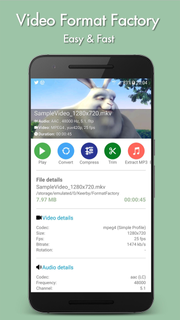
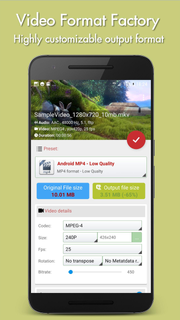
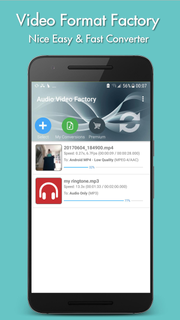
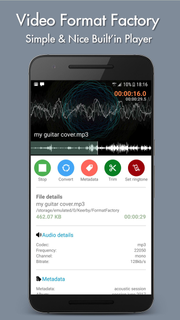
With Clipping剪映-Freeedition, you can create stunning videos with just a few taps. Choose your favorite photos or video clips, and let Clipping show your magic. It only takes a few seconds to find the best moments, add beautiful transitions and special effects, and then synchronize everything with the rhythm of the music. You can add text, music, and more to your personalized story, and then easily share it with friends. Editing videos has never been faster — or so much fun.--- Important functions ---Add your photos + videos+ You can add up to 75 photos or video clips from the gallery or album. Clipping is even compatible with Motion Photo.+ Clipping will take data from your videos (Smile [1], Face [2], Sound, Laughter, Speed, Jump, Water, Panorama, and Stable Movies [3]), and analyze the video to select exciting moments. It can also detect faces and colors and perfectly frame each photo. Adjust the layout and points of interest manually.+ Want to choose your own moment? Mark the best videos.Choose your theme+ 23 themes for you to choose from, each of which provides transitions and picture effects suitable for any scene.+ Adjust fonts, filters and graphics for any video style.Customize your video+ Easily adjust the order of photos and video clips, crop and rotate.+ Personalize your story with text overlays and title slides. You can even add emoticons :)+ Use Clipping to perform magic with Clipping, or use full video clips.+ Speed up or slow down videos.+ Choose from cinema, square or vertical format for easy sharing to Instagram or Snapchat.+ When setting photos or subtitles—Clipping will automatically adjust lens switching and filtering.
और दिखाएं

1. MEmu इंस्टॉलर को डाउनलोड करें और इंस्टॉलेशन को पूरा करें

2. MEmu शुरू करें फिर होमपेज पर Google Play खोलें

3. Google Play में Clipping剪映-Free edition खोजें
Install
4. Clipping剪映-Free edition डाउनलोड कर इंस्टॉल करें
5. इंस्टॉल पूरा होने पर आइकन दबाएं

6. MEmu का उपयोग करके अपने कंप्यूटर पर Clipping剪映-Free edition का अनुभव करें
MEmu Play सबसे बेहतरीन मुफ़्त Android एमुलेटर है और 5 करोड़ लोग पहले ही इसके शानदार Android ऐप अनुभव का आनंद ले चुके हैं। MEmu 9 वर्चुअलाइज़ेशन तकनीक आपको अपने PC पर हज़ारों Android ऐप्स, यहाँ तक कि सबसे ज़्यादा ग्राफ़िक्स वाले ऐप्स भी, आसानी से चलाने की सुविधा देती है।
असीमित बैटरी या मोबाइल डेटा के साथ बेहतर ग्राफिक्स के साथ बड़ी स्क्रीन; लंबी अवधि।
कीबोर्ड और माउस या गेमपैड के उत्तम नियंत्रण के लिए संपूर्ण कीमैपिंग का समर्थन करता हैं।
एक ही पीसी पर मल्टी-इंस्टेंस मैनेजर के साथ एक समय में कई गेम खाते या कार्य कर सकते हैं।
Use Clipping剪映-Free edition on PC by following steps: