Skins
تازہ کاری
موجودہ ورژن
2.0
پیشکش بذریعہ

اپنے موبائل فون پر Skins کا استعمال کرتے وقت زیادہ چارج ہونے کی فکر نہ کریں، خود کو چھوٹی اسکرین سے آزاد کریں اور ایپ کو زیادہ بڑے ڈسپلے پر استعمال کرنے کا لطف اٹھائیں۔ اس کے بعد سے کی بورڈ اور ماؤس کے ساتھ اپنے ایپ کا فل اسکرین کا تجربہ حاصل کریں۔ MEmu آپ کو وہ تمام حیران کن خصوصیات پیش کرتا ہے جن کی آپ کو توقع کرتے ہیں: فوری انسٹال اور آسان سیٹ اپ، وجدانی کنٹرول، مزید بیٹری، موبائل ڈیٹا کی کوئی حد نہیں اور اب مزید پریشان کن کالز نہیں۔ نئے برانڈ کا MEmu 9 آپ کے کمپیوٹر پر Skins استعمال کرنے کے لیے بہترین اختیار ہے۔ MEmu کثیر نظیری منیجر بیک وقت 2 یا اس سے زیادہ اکاؤنٹس کھولنا ممکن بناتا ہے۔ اور سب اہم بات، ہمارا خصوصی ایمولیشن انجن آپ کے پی سی کی پوری طاقت ریلیز کرتے ہوئے ہر چیز ہموار اور قابل تفریح بناتا ہے۔
مزید دکھائیں
Download Skins on PC with MEmu Android Emulator. Enjoy playing on big screen. A great set with selected looks, in which everyone will find something for themselves!
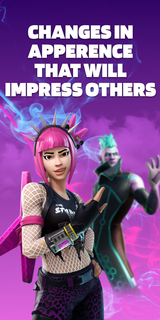

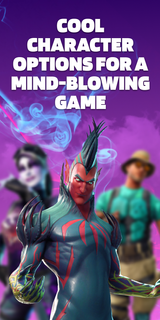
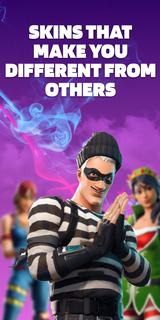
A great set with selected looks, in which everyone will find something for themselves! This pack contains skins for 3 game modes: Save The World, Battle Royale, Creative. They are all bright and varied. By choosing one of them, you will definitely stand out among other players! Aesthetic looks will give you unforgettable emotions. Remember that the atmosphere in the virtual world depends on the correct character!The supplement will conquer everyone, without exception! Here you will find images for both girls and boys. Kids will love the varied and colorful outfits! You can play in any convenient mode: online or offline. Have fun with your friends on the server and amaze them with your style! The personality of the skins will amaze even the most creative players. Feel your new role and live an unforgettable gaming life! Download the app and plunge headlong into the virtual universe!Skins DISCLAIMER: This app is unofficial and not endorsed, Epic Games or any of its partners. All credit goes to the developers and designers. This app is not licensed. We will help you choose an interesting image for the game and show you where it can be purchased in the original. All rights reserved.Subscription informationThe subscription renews automatically:* Free trial period for 3 days, which starts after confirmation of payment. The fee is not charged during this time. Subscription automatically renews for a week for $ 29.99 after the trial period expires.* The subscription to the application is automatically renewed after the end of the trial period* Payment is charged to your Google account upon confirmation of purchase* You can deactivate the app yourself and manage your subscriptions in your account settings after making purchases.* Any unused portion of the free period will be forfeited when purchasing a premium subscription during the trial period.All personal data is processed in accordance with the terms of the policy. More detailed information can be found here:Privacy policy: https://docs.google.com/document/d/1gk7PL0BcYqVT-foSVJPmRT0tB4jNTJco14a_KGqUuaI/edit?usp=sharingTerms of Use:https://docs.google.com/document/d/1lv-0f4UUH77tEH6tEMrBW5tSAv7NCncI_tgdcTZIHag/edit?usp=sharing
مزید دکھائیں

1. MEmu انسٹالر ڈاؤن لوڈ کریں اور سیٹ اپ مکمل کریں

2. MEmu شروع کریں اسکے بعد ڈیسکٹاپ پر Google Play کھولیں

3. Google Play میں Skins تلاش کریں
Install
4. Skins ڈاؤن لوڈ کریں اور انسٹال کریں
5. انسٹال مکمل ہونے کے بعد سٹارٹ کرنے کے لیے آئیکن پر کلک کریں

6. MEmu کے ساتھ پی سی پر Skins کھیلنے کا لطف لیں
MEmu پلے بہترین اینڈرائڈ ایمولیٹر ہے اور 100 ملین لوگ اس کے زبردست اینڈرائڈ گیمنگ تجربہ سے لطف اندوز ہو رہے ہیں۔ MEmu کی ورچولائزیشن ٹیکنالوجی آپ کو اپنے PC پر ہزاروں اینڈرائڈ گیمز یہاں تک کہ انتہائی گرافک والے گیمز باسہولت کھیلنے کی طاقت دیتی ہے۔
بہتر گرافکس کے ساتھ بڑی اسکرین؛ طویل دورانیہ، بیٹری یا لامحدود موبائل ڈیٹا کے بغیر۔
کی بورڈ اور ماؤس یا گیم پیڈ کے عین مطابق کنٹرول کے لیے کی میپنگ کا پورا سپورٹ۔
کثیر مثالی منیجر کے ساتھ بیک وقت ایک پی سی پر متعدد گیم اکاؤنٹس یا ٹاسکس۔
پی سی پر درج ذیل مراحل پر عمل کرتے ہوئے پر Skins استعمال کریں: u003c/p>