Skins
อัปเดตเมื่อ
เวอร์ชันปัจจุบัน
2.0
ให้บริการโดย

เมื่อใช้ Skins บนโทรศัพท์ของคุณไม่ต้องกังวลกับการชาร์จไฟมากเกินไปปลดปล่อยตัวคุณเองจากหน้าจอขนาดเล็กและสนุกกับการใช้แอพนี้บนหน้าจอขนาดใหญ่ จากนี้ไปรับประสบการณ์เต็มหน้าจอของแอปพลิเคชันของคุณด้วยคีย์บอร์ดและเมาส์ MEmu มีคุณสมบัติที่น่าแปลกใจที่คุณคาดหวัง: การติดตั้งที่รวดเร็วและการตั้งค่าที่ง่ายควบคุมได้ง่ายไม่ จำกัด แบตเตอรี่ข้อมูลมือถือและการโทรที่รบกวน MEmu 9 ใหม่ล่าสุดเป็นตัวเลือกที่ดีที่สุดสำหรับการใช้ Meitu – โปรแกรมแก้ไขภาพแนวธรรมชาติ บนคอมพิวเตอร์ของคุณ ด้วยรหัสการดูดซึมของเราผู้จัดการหลายอินสแตนซ์ทำให้สามารถเปิดบัญชี 2 บัญชีขึ้นไปในเวลาเดียวกันได้ และที่สำคัญที่สุดเอ็นจิ้นจำลองพิเศษของเราสามารถปลดปล่อยศักยภาพของPCของคุณและทำให้ทุกอย่างราบรื่นและสนุกสนาน
แสดงเพิ่มเติม
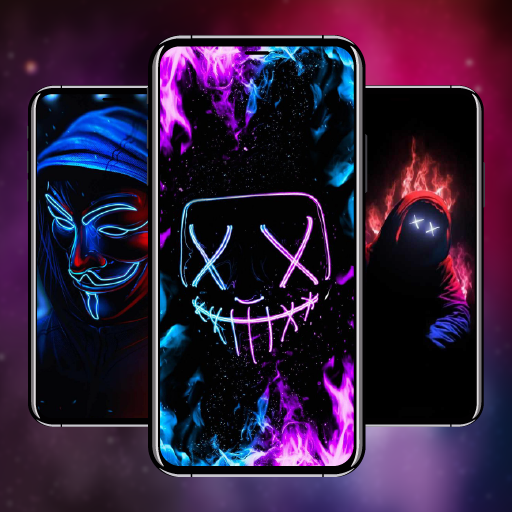
ดาวน์โหลด Skins บน PC ด้วย MEmu Android Emulator สนุกกับการเล่นบนหน้าจอขนาดใหญ่ A great set with selected looks, in which everyone will find something for themselves!
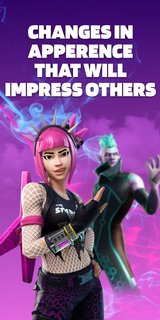

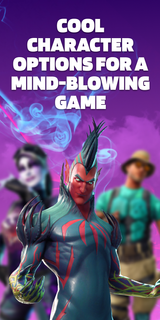
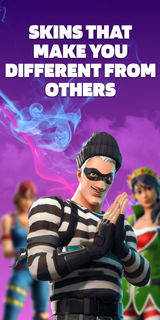
A great set with selected looks, in which everyone will find something for themselves! This pack contains skins for 3 game modes: Save The World, Battle Royale, Creative. They are all bright and varied. By choosing one of them, you will definitely stand out among other players! Aesthetic looks will give you unforgettable emotions. Remember that the atmosphere in the virtual world depends on the correct character!The supplement will conquer everyone, without exception! Here you will find images for both girls and boys. Kids will love the varied and colorful outfits! You can play in any convenient mode: online or offline. Have fun with your friends on the server and amaze them with your style! The personality of the skins will amaze even the most creative players. Feel your new role and live an unforgettable gaming life! Download the app and plunge headlong into the virtual universe!Skins DISCLAIMER: This app is unofficial and not endorsed, Epic Games or any of its partners. All credit goes to the developers and designers. This app is not licensed. We will help you choose an interesting image for the game and show you where it can be purchased in the original. All rights reserved.Subscription informationThe subscription renews automatically:* Free trial period for 3 days, which starts after confirmation of payment. The fee is not charged during this time. Subscription automatically renews for a week for $ 29.99 after the trial period expires.* The subscription to the application is automatically renewed after the end of the trial period* Payment is charged to your Google account upon confirmation of purchase* You can deactivate the app yourself and manage your subscriptions in your account settings after making purchases.* Any unused portion of the free period will be forfeited when purchasing a premium subscription during the trial period.All personal data is processed in accordance with the terms of the policy. More detailed information can be found here:Privacy policy: https://docs.google.com/document/d/1gk7PL0BcYqVT-foSVJPmRT0tB4jNTJco14a_KGqUuaI/edit?usp=sharingTerms of Use:https://docs.google.com/document/d/1lv-0f4UUH77tEH6tEMrBW5tSAv7NCncI_tgdcTZIHag/edit?usp=sharing
แสดงเพิ่มเติม

1. ดาวน์โหลดตัวติดตั้ง MEmu และสิ้นสุดการติดตั้ง

2. เริ่ม MEmu จากนั้นเปิด Google Play บนหน้าแรก

3. ค้นหา Skins ใน Google Play
Install
4. ดาวน์โหลดและติดตั้ง Skins
5. เมื่อติดตั้งเสร็จให้คลิกที่ไอคอนเพื่อเริ่มใช้งาน

6. ใช้ MEmu เพื่อสัมผัสประสบการณ์ Skins บนคอมพิวเตอร์ของคุณ
MEmu Play คือโปรแกรมจำลอง Android ที่ดีที่สุด มีผู้ใช้มากกว่า 50 ล้านคน มอบประสบการณ์การใช้งานแอป Android ขั้นสุดยอดให้กับคุณ เทคโนโลยีจำลองเสมือนของ MEmu ช่วยให้คุณรันแอป Android หลายพันแอปบนคอมพิวเตอร์ได้อย่างราบรื่น แม้แอปที่กินทรัพยากรเครื่องสูงที่สุด
จอใหญ่และกราฟฟิกสวยกว่า; เล่นได้นาน, ไม่ต้องใช้แบตเตอรี่โทรศัพท์หรือเน็ตโทรศัพท์.
ระบบปรับแต่งปุ่มคีย์บอร์ดและเม้าส์ตามที่คุณเลือก
เล่นมากกว่าหนึ่งเกมบน PC ในเวลาเดียวกันด้วยระบบหลายจอหรือ Multi-Instance manager.
Use Skins on PC by following steps: