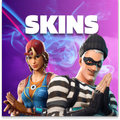
Skins
Aktualisiert
Aktuelle Version
2.0
Angeboten von

Machen Sie sich keine Sorgen mehr über überhöhte Gebühren, wenn Sie Skins auf Ihrem Mobiltelefon verwenden, befreien Sie sich von dem winzigen Bildschirm und genießen Sie die Nutzung der App auf einem viel größeren Display. Von nun an können Sie Ihre App mit Tastatur und Maus im Vollbildmodus nutzen. MEmu bietet Ihnen all die überraschenden Funktionen, die Sie erwartet haben: schnelle Installation und einfache Einrichtung, intuitive Steuerung, keine Einschränkungen mehr durch Batterie, mobile Daten und störende Anrufe. Der brandneue MEmu 9 ist die beste Wahl für die Nutzung von Skins auf Ihrem Computer. Mit unserer Absorption kodiert, ermöglicht der Multi-Instanz-Manager die Eröffnung von 2 oder mehr Konten zur gleichen Zeit. Und das Wichtigste, unsere exklusive Emulations-Engine kann das volle Potenzial Ihres PCs freisetzen und alles reibungslos und angenehm gestalten.
Mehr anzeigen
Laden Sie Play Skins auf dem PC mit MEmu Android Emulator. Viel Spaß beim Spielen auf großmundieren. A great set with selected looks, in which everyone will find something for themselves!
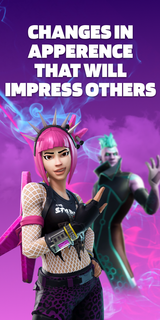

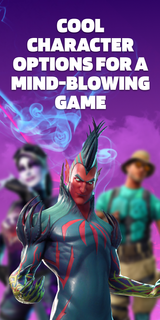
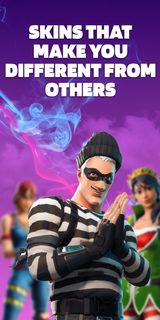
A great set with selected looks, in which everyone will find something for themselves! This pack contains skins for 3 game modes: Save The World, Battle Royale, Creative. They are all bright and varied. By choosing one of them, you will definitely stand out among other players! Aesthetic looks will give you unforgettable emotions. Remember that the atmosphere in the virtual world depends on the correct character!The supplement will conquer everyone, without exception! Here you will find images for both girls and boys. Kids will love the varied and colorful outfits! You can play in any convenient mode: online or offline. Have fun with your friends on the server and amaze them with your style! The personality of the skins will amaze even the most creative players. Feel your new role and live an unforgettable gaming life! Download the app and plunge headlong into the virtual universe!Skins DISCLAIMER: This app is unofficial and not endorsed, Epic Games or any of its partners. All credit goes to the developers and designers. This app is not licensed. We will help you choose an interesting image for the game and show you where it can be purchased in the original. All rights reserved.Subscription informationThe subscription renews automatically:* Free trial period for 3 days, which starts after confirmation of payment. The fee is not charged during this time. Subscription automatically renews for a week for $ 29.99 after the trial period expires.* The subscription to the application is automatically renewed after the end of the trial period* Payment is charged to your Google account upon confirmation of purchase* You can deactivate the app yourself and manage your subscriptions in your account settings after making purchases.* Any unused portion of the free period will be forfeited when purchasing a premium subscription during the trial period.All personal data is processed in accordance with the terms of the policy. More detailed information can be found here:Privacy policy: https://docs.google.com/document/d/1gk7PL0BcYqVT-foSVJPmRT0tB4jNTJco14a_KGqUuaI/edit?usp=sharingTerms of Use:https://docs.google.com/document/d/1lv-0f4UUH77tEH6tEMrBW5tSAv7NCncI_tgdcTZIHag/edit?usp=sharing
Mehr anzeigen

1. Laden das MEmu-Installationsprogramm herunter und beenden die Installation

2. MEmu starten und Google Play auf der Homepage öffnen

3. Suchen Skins in Google Play
Install
4. Herunterladen und Installieren Skins
5. Klicken nach Abschluss der Installation auf das Symbol, um es zu starten

6. Verwenden Sie MEmu, um Skins auf Ihrem PC zu nutzen
MEmu Play ist aktuell der beste kostenlose Android-Emulator und bietet 50 Millionen Nutzern ein überragendes Android-App-Erlebnis. Dank der Virtualisierungstechnologie von MEmu können Sie Tausende von Android-Apps problemlos auf Ihrem Computer nutzen, selbst solche mit hohen Grafikanforderungen.
BGrößeres Bild mit besserer Grafik; Keine unterbrechungen, keine sorgen um Akku
Komplette Tastenbelegung unterstützt mit Maus und Tastatur oder Controller
Mit dem „Multi-Instance-Manager“ können Sie mehrere Spielkonten oder Spiele gleichzeitig auf einem PC ausführen.
Use Skins on PC by following steps: