Skins
Bijgewerkt
Huidige Versie
2.0
Aangeboden door

Maak je geen zorgen meer over extra kosten bij het gebruik van Skins op je mobiele telefoon, bevrijd jezelf van het kleine scherm en geniet van het gebruik van de app op een veel groter display. Vanaf nu, krijg een volledige schermervaring van je app met toetsenbord en muis. MEmu biedt je alle verrassende functies die je verwachtte: snelle installatie en eenvoudige configuratie, intuïtieve besturing, geen beperkingen meer van batterij, mobiele data en storende oproepen. De gloednieuwe MEmu 9 is de beste keuze voor het gebruik van Skins op je computer. MEmu multi-instance manager maakt het mogelijk om tegelijkertijd 2 of meer accounts te openen. En het belangrijkste, onze exclusieve emulatiemotor kan het volledige potentieel van je PC benutten, waardoor alles soepel en plezierig wordt.
Meer tonen
Download Skins on PC with MEmu Android Emulator. Enjoy playing on big screen. A great set with selected looks, in which everyone will find something for themselves!
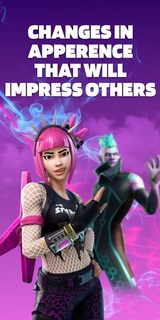



A great set with selected looks, in which everyone will find something for themselves! This pack contains skins for 3 game modes: Save The World, Battle Royale, Creative. They are all bright and varied. By choosing one of them, you will definitely stand out among other players! Aesthetic looks will give you unforgettable emotions. Remember that the atmosphere in the virtual world depends on the correct character!The supplement will conquer everyone, without exception! Here you will find images for both girls and boys. Kids will love the varied and colorful outfits! You can play in any convenient mode: online or offline. Have fun with your friends on the server and amaze them with your style! The personality of the skins will amaze even the most creative players. Feel your new role and live an unforgettable gaming life! Download the app and plunge headlong into the virtual universe!Skins DISCLAIMER: This app is unofficial and not endorsed, Epic Games or any of its partners. All credit goes to the developers and designers. This app is not licensed. We will help you choose an interesting image for the game and show you where it can be purchased in the original. All rights reserved.Subscription informationThe subscription renews automatically:* Free trial period for 3 days, which starts after confirmation of payment. The fee is not charged during this time. Subscription automatically renews for a week for $ 29.99 after the trial period expires.* The subscription to the application is automatically renewed after the end of the trial period* Payment is charged to your Google account upon confirmation of purchase* You can deactivate the app yourself and manage your subscriptions in your account settings after making purchases.* Any unused portion of the free period will be forfeited when purchasing a premium subscription during the trial period.All personal data is processed in accordance with the terms of the policy. More detailed information can be found here:Privacy policy: https://docs.google.com/document/d/1gk7PL0BcYqVT-foSVJPmRT0tB4jNTJco14a_KGqUuaI/edit?usp=sharingTerms of Use:https://docs.google.com/document/d/1lv-0f4UUH77tEH6tEMrBW5tSAv7NCncI_tgdcTZIHag/edit?usp=sharing
Meer tonen

1. Download de MEmu-installatie en voltooi de setup

2. Start MEmu en open vervolgens Google Play op het bureaublad

3. Zoek Skins in Google Play
Install
4. Download en installeer Skins
5. Klik op het icoon om te starten na het voltooien van de installatie

6. Ervaar Skins op pc met MEmu
MEmu Play is de beste Android-emulator, met meer dan 100 miljoen gebruikers die genieten van de superieure Android-app-ervaring. Dankzij de virtualisatietechnologie van MEmu kun je duizenden Android-apps soepel op je computer draaien, zelfs de meest veeleisende.
Groter scherm met betere graphics; Lange duur, zonder beperking van batterij of mobiele data.
Volledige Keymapping-ondersteuning voor nauwkeurige besturing van toetsenbord en muis of gamepad.
Meerdere game-accounts of taken op één PC tegelijk met Multi-Instance manager.
Gebruik Skins op PC door de volgende stappen te volgen: