Skins
Обновлено
Текущая версия
2.0
Продавец

Перестаньте беспокоиться о быстром разряде батареи при использовании Skins на вашем телефоне. Освободитесь от крошечного экрана и наслаждайтесь приложением на гораздо большем экране. Теперь вы можете работать с приложением в полноэкранном режиме с удобством клавиатуры и мыши. MEmu предлагает вам все ожидаемые удивительные функции: быструю установку и простую настройку, интуитивно понятное управление и больше никаких забот о времени автономной работы, мобильном трафике или неожиданных звонках. Совершенно новый MEmu 9 — идеальный выбор для использования Skins на вашем компьютере. С помощью менеджера нескольких экземпляров MEmu вы можете одновременно использовать два или более аккаунтов. И самое главное, наш эксклюзивный движок эмуляции раскрывает весь потенциал вашего ПК, обеспечивая плавную и приятную работу.
Показать больше
Скачайте Skins на ПК с помощью Андроид эмулятора MEmu. Наслаждайтесь на большом экране. A great set with selected looks, in which everyone will find something for themselves!
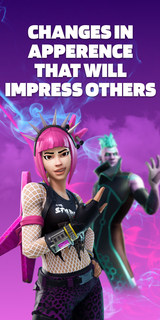

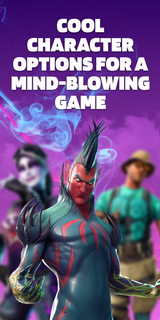
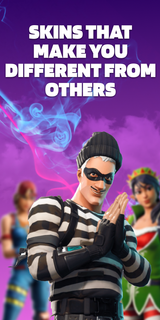
A great set with selected looks, in which everyone will find something for themselves! This pack contains skins for 3 game modes: Save The World, Battle Royale, Creative. They are all bright and varied. By choosing one of them, you will definitely stand out among other players! Aesthetic looks will give you unforgettable emotions. Remember that the atmosphere in the virtual world depends on the correct character!The supplement will conquer everyone, without exception! Here you will find images for both girls and boys. Kids will love the varied and colorful outfits! You can play in any convenient mode: online or offline. Have fun with your friends on the server and amaze them with your style! The personality of the skins will amaze even the most creative players. Feel your new role and live an unforgettable gaming life! Download the app and plunge headlong into the virtual universe!Skins DISCLAIMER: This app is unofficial and not endorsed, Epic Games or any of its partners. All credit goes to the developers and designers. This app is not licensed. We will help you choose an interesting image for the game and show you where it can be purchased in the original. All rights reserved.Subscription informationThe subscription renews automatically:* Free trial period for 3 days, which starts after confirmation of payment. The fee is not charged during this time. Subscription automatically renews for a week for $ 29.99 after the trial period expires.* The subscription to the application is automatically renewed after the end of the trial period* Payment is charged to your Google account upon confirmation of purchase* You can deactivate the app yourself and manage your subscriptions in your account settings after making purchases.* Any unused portion of the free period will be forfeited when purchasing a premium subscription during the trial period.All personal data is processed in accordance with the terms of the policy. More detailed information can be found here:Privacy policy: https://docs.google.com/document/d/1gk7PL0BcYqVT-foSVJPmRT0tB4jNTJco14a_KGqUuaI/edit?usp=sharingTerms of Use:https://docs.google.com/document/d/1lv-0f4UUH77tEH6tEMrBW5tSAv7NCncI_tgdcTZIHag/edit?usp=sharing
Показать больше

1. Скачать инсталлятор MEmu и завершайте установку

2. Запускайте MEmu, затем откройте Google Play на главной странице

3. Ищите Skins в Google Play
Install
4. Скачайте и установите Skins
5. При завершении установки, нажмите на значок для старта

6. Наслаждайтесь Skins на своем компьютере с помощью MEmu.
MEmu Play — лучший бесплатный эмулятор Android, превосходный опыт работы с которым оценили 50 миллионов пользователей. Технология виртуализации MEmu позволяет без проблем запускать тысячи Android-приложений на вашем компьютере, даже самые требовательные.
Большой экран с лучшей графикой; Большая продолжительность, без ограничения батареи или мобильных данных.
Полная поддержка установки клавиш для точного управления клавиатурой и мышью или геймпадом.
Несколько игровых учетных записей или задач на одном компьютере одновременно с менеджером нескольких экземпляров.
Use Skins on PC by following steps: