Vidix-AI Photo Video Generator
Đã cập nhật
Phiên bản hiện tại
1.3.0
Cung cấp bởi

Bạn không cần phải lo lắng về việc sạc quá mức khi sử dụng Vidix-AI Photo Video Generator trên điện thoại của bạn, không phải sử dụng trên màn hình nhỏ bé và tận hưởng ứng dụng trên màn hình lớn hơn rất nhiều. Từ bây giờ, bạn hãy trải nghiệm ứng dụng của bạn toàn màn hình bằng bàn phím và chuột. MEmu cung cấp cho bạn tất cả các tính năng đáng ngạc nhiên mà bạn mong đợi: cài đặt nhanh, cài đặt dễ dàng, điều khiển trực quan, không còn giới hạn về pin, dữ liệu di động và các cuộc gọi làm phiền. MEmu 9 hoàn toàn mới là sự lựa chọn tốt nhất để sử dụng Vidix-AI Photo Video Generator trên máy tính của bạn. Được mã hóa với sự hợp nhất của chúng tôi, trình quản lý multi-instance giúp mở 2 tài khoản trở lên cùng một lúc. Và điều quan trọng nhất là, công cụ mô phỏng độc quyền của chúng tôi có thể tận dụng hết toàn bộ tiềm năng trên PC của bạn, giúp mọi thứ vận hành trơn tru và thú vị.
Nhiều hơn
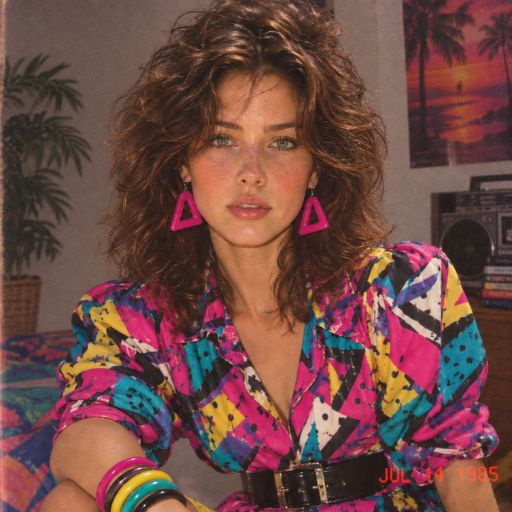
Tận hưởng trải nghiệm tuyệt vời khi sử dụng Vidix-AI Photo Video Generator trên PC với MEmu Play. Đây là trình giả lập Android miễn phí mạnh mẽ, cung cấp cho bạn hàng ngàn ứng dụng Android trên máy tính. Thỏa sức kết nối với bạn bè và hoàn thiện công việc với hiệu suất cao hơn! Vidix is an AI photo-to-video app that helps creators with no editing skills turn photos into AI videos, using automatic AI animation instead of a video editor.
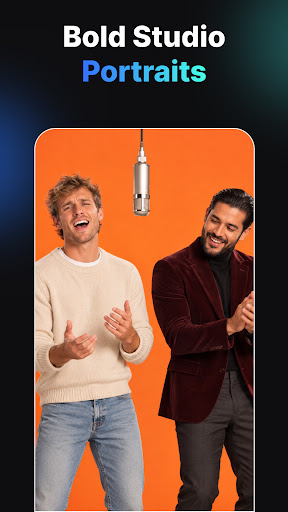
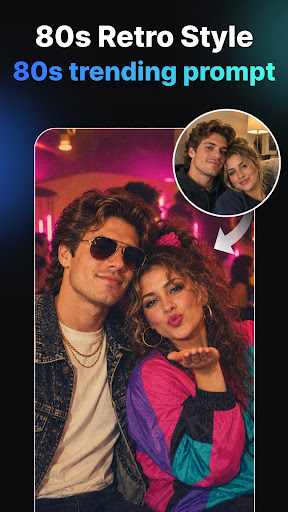
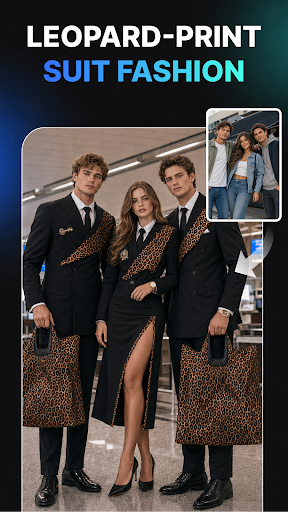
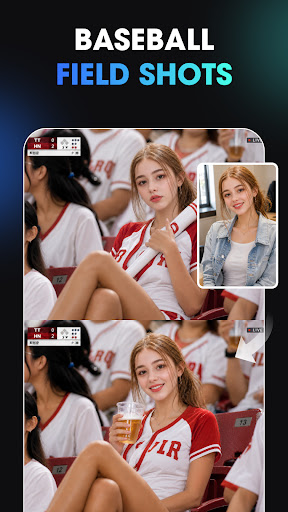
Vidix is an AI photo-to-video app that helps creators with no editing skills turn photos into AI videos, using automatic AI animation instead of a video editor. Vidix also builds 3D avatars, cartoon styles, and story-ready clips from a single picture. Everything runs in a few taps, with no prior design experience needed.
Ai Filters That Fit Any Photo
Vidix works like a photo filter app built for speed: pick a photo, apply a style, and export.
- Browse trending AI filters updated regularly
- Apply cinematic, anime, or artistic styles in one tap
- Change background or outfit with AI driven edits
- Preview the filter before saving
- Export in HD once you are happy with the style
Cartoon Styles From Any Picture
Vidix turns a selfie or photo into cartoon style art without any drawing skill, using AI rendering based on your chosen style.
- Turn a selfie or portrait into a cartoon style image
- Choose from trending anime and artistic cartoon looks
- Apply the same cartoon engine to full photos or portraits
- Combine cartoon styles with animation for a moving cartoon clip
- Save the cartoon result in HD for sharing
Turn Photos Into Moving Ai Videos
This is the core of Vidix: turning pictures into AI videos without a timeline or video editor.
- Upload any photo or selfie and animate it into a short AI video
- Watch expressions and motion appear on a still portrait
- Create portrait in motion clips or story style videos in a few taps
- Turn classic photography or stylized art into a dynamic clip
- Export the finished AI video in HD for any platform
Create Cartoon Animation From A Photo
Vidix combines its cartoon styles with its animation engine, turning a still cartoon image into a moving clip.
- Convert a photo into a cartoon style image first
- Animate that cartoon image into a short moving video
- Pick trending poses and outfits for a 3D cartoon avatar
- Apply artistic or anime styles before animating
- Save the finished cartoon video in HD
Build A Story From Your Photos
Vidix turns a single photo into a story style clip instead of a static post.
- Turn one portrait into a short story style AI video
- Add motion and expression to bring a photo to life
- Use the clip as an IG story or short social post
- Combine filters or cartoon looks with the story clip for a distinct tone
Frequently Asked Questions
Q: Can I apply photo filters before turning a photo into a video?
A: Yes. Pick a filter first, then animate the photo so the video keeps that look.
Q: Does this app work on Android phones?
A: Yes, Vidix runs on Android phones and tablets available through Google Play.
Q: How do I create a cartoon animation video with AI?
A: Apply a cartoon style to your photo, then use the animation step to turn it into a moving clip.
Q: Can I make a 3D avatar instead of a video?
A: Yes, you can generate a 3D AI avatar with chosen poses and outfits without animating it.
Q: Is any editing skill required to use Vidix?
A: No editing skill is required. Each step is guided, from upload to export.
Who It Is For
- Creators with no editing skills who want AI video results fast
- Social media users who want cartoon or filtered photos for posts
- Anyone building story style clips or reels from still photos
- People exploring 3D avatars without design software
When To Choose This App
- You want to turn a photo into an AI video without a timeline editor
- You want cartoon, anime, or filter styles applied in one tap
- You want a 3D avatar or character built from a single photo
- You want a story style clip ready for social platforms
Open Vidix and turn your next photo into an AI video, cartoon, or avatar.
Nhiều hơn

1. Tải trình cài đặt MEmu và hoàn tất cài đặt

2. Khởi động MEmu, sau đó mở Google Play trên trang chủ

3. Tìm kiếm Vidix-AI Photo Video Generator trong Google Play
Install
4. Tải và Cài Đặt Vidix-AI Photo Video Generator
5. Khi cài đặt hoàn tất, nhấp vào biểu tượng để bắt đầu

6. Trải nghiệm Vidix-AI Photo Video Generator trên PC của bạn bằng MEmu
MEmu Play là trình giả lập Android miễn phí tốt nhất, với 50 triệu người dùng trải nghiệm ứng dụng Android tuyệt vời. Công nghệ ảo hóa của MEmu cho phép bạn chạy mượt mà hàng ngàn ứng dụng Android trên máy tính, ngay cả những ứng dụng đòi hỏi cấu hình cao nhất.
Màn hình lớn hơn cùng với đồ hoạ tốt hơn; thời lượng dài, không giới hạn về pin hoặc dữ liệu di động
Hỗ trợ đầy đủ Keymapping cho việc kiểm soát chính xác bàn phím và chuột hoặc gamepad
Nhiều tài khoản trò chơi hoặc tác vụ cùng lúc trên một PC với Quản lý Đa năng
Use Vidix-AI Photo Video Generator on PC by following steps: