
Truecaller: Caller ID & Block
更新日期
当前版本
1788525844
提供者

想体验Truecaller: Caller ID & Block,可是手机屏幕太小,用一会就变烫,怎么办?使用逍遥模拟器,在电脑的大屏幕上畅快体验!在电脑上下载安装Truecaller: Caller ID & Block,不用担心电量问题,想体验多久就多久,顺畅用一天~全新的逍遥模拟器9,绝对是您体验Truecaller: Caller ID & Block电脑版的好选择。完美的按键映射系统让Truecaller: Caller ID & Block如PC端般运行;强大的多开功能可同时使用多个应用;独家虚拟化技术更能彻底发挥电脑效能,保障长时间稳定运作。我们致力于不让设备限制您的体验,用起来轻松高效,畅快无比!
更多
透过逍遥模拟器,在电脑上下载Truecaller: Caller ID & Block,享受大荧屏的畅快体验。 Seramai 500 juta orang meyakini Truecaller untuk keperluan komunikasi mereka, sama ada untuk ID pemanggil atau untuk menyekat panggilan spam dan SMS.
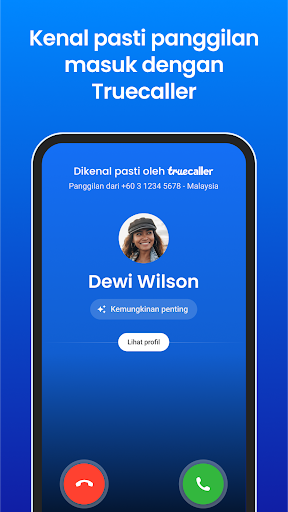
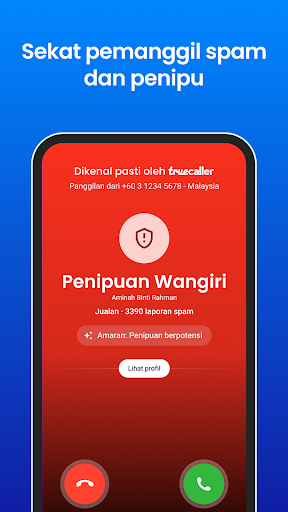
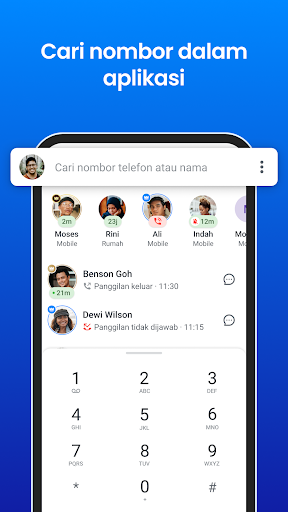
Seramai 500 juta orang meyakini Truecaller untuk keperluan komunikasi mereka, sama ada untuk ID pemanggil atau untuk menyekat panggilan spam dan SMS. Truecaller menapis semua panggilan yang tidak diingini, dan memastikan anda dapat berhubung dengan orang yang penting.
Dengan senarai spam berasaskan komuniti yang dikemas kini oleh berjuta-juta pengguna di seluruh dunia, Truecaller ialah satu-satunya aplikasi yang anda perlukan untuk memastikan komunikasi anda selamat dan cekap.
Pemesejan Pintar:
- Bersembang secara percuma dengan rakan dan keluarga anda di Truecaller
- Kenal pasti setiap SMS yang tidak dikenali secara automatik
- Sekat SMS spam dan telepemasaran secara automatik
- Sekat berdasarkan nama dan siri nombor
Pemanggil Berkuasa:
- ID Pemanggil terbaik di dunia dapat mengenal pasti sesiapa sahaja yang menghubungi anda
- Menyekat spam dan telepemasar
- Melihat nama nombor yang tidak dikenali dalam sejarah panggilan
- Pemesejan Flash - Kongsi lokasi, emoji dan status secara pantas dengan rakan anda
- Menyandarkan sejarah panggilan, kenalan, mesej dan tetapan ke Google Drive
Truecaller Premium – Lebih Daripada Sekadar Asas
- Tiada iklan untuk pengalaman yang lebih bersih
- Tapir panggilan dengan Pembantu Truecaller
- Rakaman Panggilan
- Lihat siapa yang melihat profil anda
- Panggilan Hantu – simulasi panggilan masuk apabila diperlukan
- Umum Panggilan – dengar nama pemanggil tanpa melihat telefon anda
- Mod Inkognito
- Lencana premium dan 30 permintaan kenalan bulanan
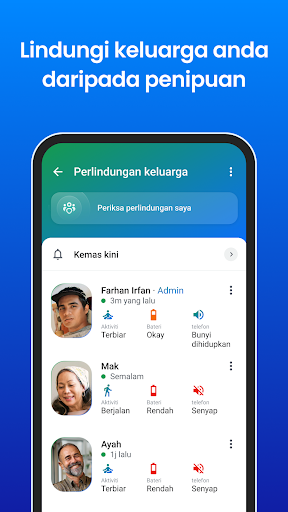
Truecaller Family – Lindungi Orang Tersayang Anda Bantu lindungi ibu bapa dan orang tersayang anda daripada panggilan spam, penipuan, dan fraud.
- Tamatkan panggilan mencurigakan atau fraud dari jauh
- Dapatkan amaran panggilan penipuan dalam masa nyata
- Urus senarai sekat spam untuk keluarga anda
- Aktifkan sekat spam automatik
- Sekat pemanggil mencurigakan untuk ahli keluarga
- Semak tahap bateri dan status aktiviti
- Terima amaran bateri lemah dan laporan keselamatan mingguan
Truecaller mempunyai sokongan penuh dua SIM!
-----------------------
*Truecaller tidak memuat naik buku telefon anda untuk menjadikannya awam atau boleh dicari*
Ada maklum balas? Hantar ke support@truecaller.com atau lawati http://truecaller.com/support
更多

1. 下载逍遥安装器并完成设置

2. 启动逍遥后打开位于桌面上的谷歌商店

3. 在谷歌商店中搜索Truecaller: Caller ID & Block
Install
4. 下载并安装Truecaller: Caller ID & Block
5. 下载完成后点击图标来启动

6. 通过逍遥在电脑上享受Truecaller: Caller ID & Block
逍遥安卓是优秀的安卓模拟器,全球超过5000万用户的优先选择。逍遥安卓以虚拟化技术为核心,为用户打造突破手机配置局限的游戏平台!
大屏精细展示;无限待机,超越电池和流量限制
键鼠、手把操作全面支持,操作更精准
用逍遥多开同时运行多个游戏、应用。
Use Truecaller: Caller ID & Block on PC by following steps: