
Truecaller: Caller ID Blocker
Mise à jour
Version actuelle
1777560956
Proposée par

Ne vous inquiétez plus des surcharges lorsque vous utilisez Truecaller: Caller ID Blocker sur votre téléphone portable, libérez-vous de l'écran minuscule et profitez de l'application sur un écran beaucoup plus grand. Désormais, vous pouvez utiliser votre application en plein écran avec le clavier et la souris. MEmu vous offre toutes les fonctionnalités surprenantes que vous attendiez : installation rapide et configuration facile, commandes intuitives, plus de limitations de batterie, de données mobiles et d'appels dérangeants. Le tout nouveau MEmu 9 est le meilleur choix pour utiliser Truecaller: Caller ID Blocker sur votre ordinateur. Codé avec notre absorption, le gestionnaire multi-instance permet d'ouvrir 2 ou plusieurs comptes en même temps. Et le plus important, notre moteur d'émulation exclusif peut libérer tout le potentiel de votre PC, rendre tout cela fluide et agréable.
Afficher plus
Téléchargez Truecaller: Caller ID Blocker avec le simulateur d’Android MEmu sur votre PC. Profitez de jouer sur un grand écran. India’s most trusted caller ID and spam blocking app helps you identify unknown callers, block spam calls, TRAI fraud calls, and stay protected from scams and fraud.
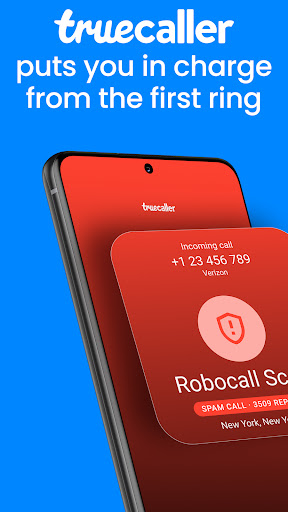

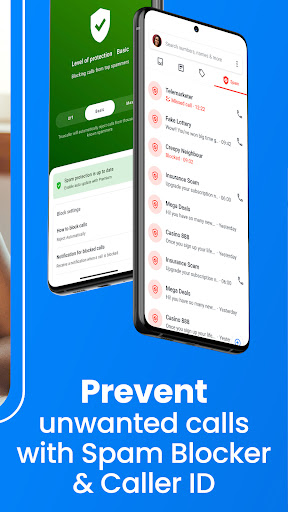

India’s most trusted caller ID and spam blocking app helps you identify unknown callers, block spam calls, TRAI fraud calls, and stay protected from scams and fraud. Scammers often target parents and family members who may not recognize fraud calls in time.
With Truecaller Family, you can protect your parents and loved ones from scams, fraud calls, and suspicious callers. It makes it easier to look out for your family and keep everyone safer from spam and scam calls.
Truecaller helps millions of Indians and their families avoid fraud, telemarketers, and suspicious numbers while keeping their communication safe every day.
Daily Spam & Scam Protection Stay protected from spam callers, scams, and unwanted communication.
- Identify unknown callers instantly
- Get warnings for spam and scam calls
- Block TRAI fraud calls, fake service callers, and identity scams
- Real-time spam detection powered by millions of users
- Block telemarketers and robocalls
- Help protect family members with Truecaller Family
Caller ID – Know Who’s Calling Instantly identify callers, even if they are not saved in your contacts.
- See caller names before answering
- Identify unknown numbers instantly
- Avoid spam calls and suspicious callers
- Community-powered caller identification
Powerful Spam Blocking Take full control over who can contact you.
- Automatically block spam callers
- Block telemarketers and robocalls
- Block hidden or unknown numbers
- Create and manage your personal block list
- Extend protection to loved ones with Truecaller Family
Fraud & Scam Call Detection Recognize fraud before answering the phone.
- Get alerts for numbers reported as scams
- See spam risk indicators before answering
- Detect suspicious callers instantly
- Community-powered fraud reporting
- Help protect your family from financial scams
Truecaller Assistant – Smart Call Screening Screen unknown calls before deciding to answer.
- Automatically handle unknown callers
- Ask callers why they are calling
- Detect spam, robocalls, and fraud calls
- Decide whether to answer or block
Advanced Dialer & Communication Tools Everything you need to manage calls and contacts.
- Instant caller ID for unknown numbers
- Video Caller ID for friends and contacts
- Free voice calling with Truecaller contacts
- Backup and restore contacts, call history, messages, and settings
Call Recorder Record and organize important conversations.
- Record incoming and outgoing calls
- Smart labels to organize recordings
- AI summaries for long calls
- Transcriptions for easy reference
Smart Messaging for SMS Manage your inbox and stop spam messages.
- Identify unknown SMS senders
- Automatically block spam messages
- Organize SMS into Personal, Other, and Spam
- Block unwanted senders easily
Truecaller Premium – Go Beyond the Basics
- No ads for a cleaner experience
- Screen calls with Truecaller Assistant
- Call Recording
- See who viewed your profile
- Ghost Call – simulate an incoming call when needed
- Announce Calls – hear the caller’s name without looking at your phone
- Incognito Mode
- Premium badge and 30 monthly contact requests
Truecaller Family – Protect Your Loved Ones Help protect your parents and loved ones from spam, scams, and fraud calls.
- Remotely end suspicious or fraud calls
- Get real-time scam call alerts
- Manage spam block lists for your family
- Enable automatic spam blocking
- Block suspicious callers for family members
- Check battery level and activity status
- Receive low battery alerts and weekly safety reports
Privacy First Your data stays protected.
Truecaller never uploads your phonebook to make it public or searchable.
Need help?
Visit: truecaller.com/support
Email: support@truecaller.com
Afficher plus

1. Téléchargez l'installateur MEmu et terminez l'installation

2. Démarrez MEmu puis ouvrez Google Play sur la page d'accueil

3. Recherchez Truecaller: Caller ID Blocker dans Google Play
Install
4. Téléchargez et installez Truecaller: Caller ID Blocker
5. Une fois l'installation terminée, cliquez sur l'icône pour démarrer

6. Utiliser MEmu pour utiliser Truecaller: Caller ID Blocker sur votre ordinateur
MEmu Play est actuellement le meilleur émulateur Android gratuit, avec 50 millions d'utilisateurs qui profitent d'une expérience Android exceptionnelle. La technologie de virtualisation de MEmu vous permet de jouer facilement à des milliers d'applications Android sur votre ordinateur, même les plus gourmandes en ressources.
L’écran plus grand avec de meilleurs graphismes; Une longue durée, sans limitation de batterie ou de données mobiles.
Soutien du Keymapping pour un contrôle précis du clavier et de la souris ou de la manette de jeu
Plusieurs comptes de jeu ou tâches sur un seul PC en même temps avec le gestionnaire de multi-instance.
Use Truecaller: Caller ID Blocker on PC by following steps: