AnyDesk Remote Desktop
تم التحديث
الإصدار الحالي
7.2.0
تقديم

لا داعي للقلق بشأن الشحن الزائد عند استخدام AnyDesk Remote Desktop على هاتفك. تحرر من قيود الشاشة الصغيرة واستمتع به على شاشة أكبر باستخدام لوحة المفاتيح والفأرة. يوفر MEmu جميع الميزات الرائعة التي تتوقعها: تثبيت سريع، إعداد سهل، أدوات تحكم بديهية، ودون قيود على عمر البطارية، أو استخدام البيانات، أو المكالمات الواردة. يُعد MEmu 9 الجديد الخيار الأمثل لتجربة AnyDesk Remote Desktop على جهاز الكمبيوتر. بفضل تقنية التشفير الفريدة، يتيح لك مدير الحسابات المتعددة تشغيل حسابين أو أكثر في وقت واحد. والأهم من ذلك، أن محرك المحاكاة الفريد يستغل أداء جهاز الكمبيوتر بالكامل، مما يُحسّن تجربة التطبيق ويجعل كل شيء سلسًا للغاية.
أظهر المزيد
قم بتنزيل AnyDesk Remote Desktop على الكمبيوتر بإستخدام جهاز مقلد أندروز MEmu.استمتع بمتعة اللعب على الشاشة الكبيرة. Powerful Remote Assistance Software.
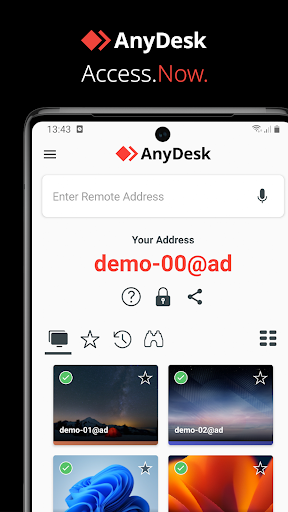
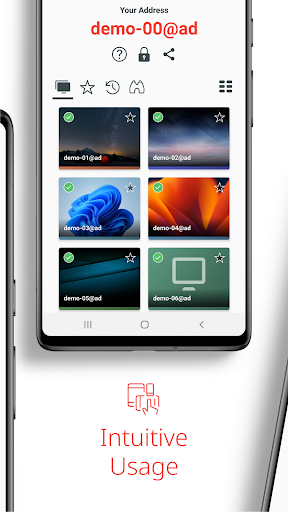
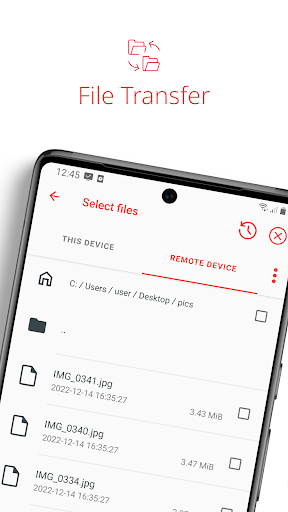
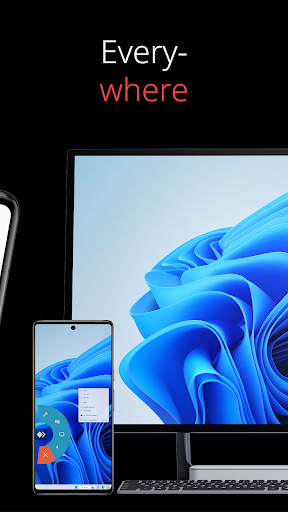
Powerful Remote Assistance Software. Whether you're in the office next door or on the other side of the world, remote access via AnyDesk makes the connection possible. Secure and reliable, for IT professionals as well as private users.
AnyDesk is ad-free and free for personal use. For commercial use visit: https://anydesk.com/en/order
Whether you're in IT support, working from home, or a student studying remotely, AnyDesk's remote desktop software has a solution for you, allowing you to connect to remote devices securely and seamlessly.
AnyDesk offers a wide range of remote desktop functions such as:
• File Transfer
• Remote Printing
• Wake-On-LAN
• Connection via VPN
and much more
The AnyDesk VPN feature allows the creation of a private network between local connecting and remote clients, providing additional security to users. It is important to note that it is not possible to access devices on the remote client's local network or vice versa. Nevertheless, after successfully connected over VPN, the following programs can be used over VPN:
• SSH – Ability to access the Remote Device over SSH
• Gaming – Ability to access a LAN-Multiplayer Game over the Internet.
For an overview of the features, visit: https://anydesk.com/en/features
If you are interested in more information, head to our Help Center by visiting: https://support.anydesk.com/knowledge/features
Why AnyDesk?
• Outstanding performance
• Every operating system, every device
• Banking-standard encryption
• High frame rates, low latency
• In the Cloud or On-Premises
Every operating system, every device. Download the latest AnyDesk version for all platforms here: https://anydesk.com/en/downloads
Quick Start Guide
1. Install and launch AnyDesk on both devices.
2. Enter the AnyDesk-ID that is displayed on the remote device.
3. Confirm the access request on the remote device.
4. Done. You can now control the remote device remotely.
Do you have any questions? Contact us! https://anydesk.com/en/contact
أظهر المزيد

1. قم بتنزيل برنامج MEmu واكمال تثبيته

2. قم بتشغيل برنامج MEmu وفتح Google Play على الصفحة الرئيسية

3. ابح AnyDesk Remote Desktop في Google Play
Install
4. تنزيل وتثبيت AnyDesk Remote Desktop
5. انقر على الرمز للتشغيل بعد اكتمال التثبيت

6. استخدم MEmu لتجربة AnyDesk Remote Desktop على جهاز الكمبيوتر الخاص بك.
تطبيق MEmuهو افضل محاكى اندرويد مجانى وبالفعل 50 مليون شخص يستمتعون حاليا بتجربه اللعب عليه. تمكّنك تقنية MEmu الافتراضية من تشغيل آلاف ألعاب Android بسلاسة على الكمبيوتر الشخصي ، حتى أكثرها استخدامًا للرسومات.
شاشة أكبر وجرافيك افضل ووقت أطول بدون حدود البطارية وباقة التليفون
لوحة مفاتيح كاملة تدعم تحكم كامل عن طريق لوحة المفاتيح و الفأره وجيم باد
عدة العاب وحسابات ومهمات علي جهاز الكمبيوتر في وقت معين عن طريق Memu متعدد النوافذ
Use AnyDesk Remote Desktop on PC by following steps: