Home Design 3D
تم التحديث
الإصدار الحالي
5.3.2
تقديم

لا داعي للقلق بشأن الشحن الزائد عند استخدام Home Design 3D على هاتفك. تحرر من قيود الشاشة الصغيرة واستمتع به على شاشة أكبر باستخدام لوحة المفاتيح والفأرة. يوفر MEmu جميع الميزات الرائعة التي تتوقعها: تثبيت سريع، إعداد سهل، أدوات تحكم بديهية، ودون قيود على عمر البطارية، أو استخدام البيانات، أو المكالمات الواردة. يُعد MEmu 9 الجديد الخيار الأمثل لتجربة Home Design 3D على جهاز الكمبيوتر. بفضل تقنية التشفير الفريدة، يتيح لك مدير الحسابات المتعددة تشغيل حسابين أو أكثر في وقت واحد. والأهم من ذلك، أن محرك المحاكاة الفريد يستغل أداء جهاز الكمبيوتر بالكامل، مما يُحسّن تجربة التطبيق ويجعل كل شيء سلسًا للغاية.
أظهر المزيد
قم بتنزيل Home Design 3D على الكمبيوتر بإستخدام جهاز مقلد أندروز MEmu.استمتع بمتعة اللعب على الشاشة الكبيرة. New Update: Discover dormer windows and over 600 new textures.
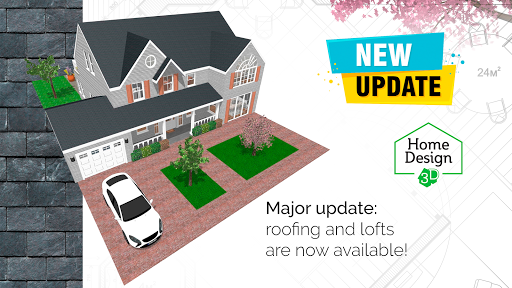
New Update: Discover dormer windows and over 600 new textures.
Visit your Home Design 3D projects in virtual reality through VR export.
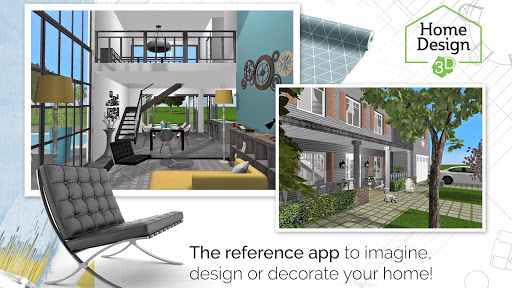
With Home Design 3D, designing and remodeling your house in 3D has never been so quick and intuitive!
Accessible to everyone, Home Design 3D is the reference interior design application for a professional result at your fingertips!
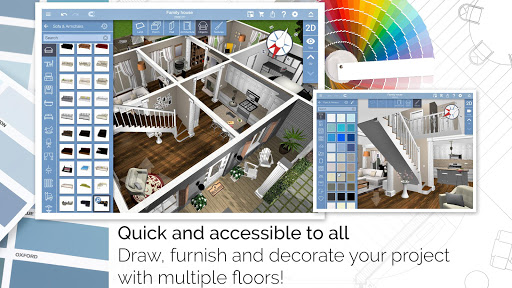
Build your multi-story house now!
Unlimited number of floors with GOLD PLUS version (depends on your device's capacity).
CREATE, DESIGN, FURNISH AND DECORATE EASILY YOUR HOME AND SHARE IT WITH A COMMUNITY OF MORE THAN 90 MILLION OF USERS WORLDWIDE!
Whether you want to decorate, design or create the house of your dreams, Home Design 3D is the perfect app for you:
1.DESIGN YOUR FLOORPLAN
- In 2D and 3D, draw your plot, rooms, dividers
- Change the height or the thickness of the walls, create corners
- Add doors and windows with fully-resizable pieces of joinery
2. FURNISH AND DECORATE
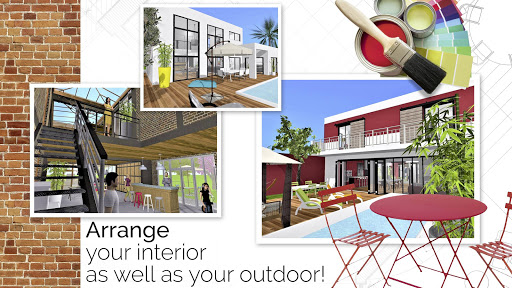
- Design and decorate both the interior and outdoor of your home
- Make your choice from over a thousand of pieces of furniture and accessories, customize your decoration and express your style, from the most classical to the trendiest!
- Edit any object, by changing its size, color, position and altitude on the walls
- Duplicate your favorite items thanks to the copy/paste function
- Use the undo/redo feature at anytime if you want to go back
- Use the eye dropper to find an existing color in the plan
- You can also import picture as texture and apply them everywhere
3. VISUALIZE AND VISIT YOUR CREATION
- Visit your creation in real-time 3D as if you were inside it thanks to our brand new photo-realistic 3D rendering
- Discover your home, your outdoor and even your neighborhood
- Admire the result day and night, the compass function will show you where exactly the light will fall at different times of the day
4. IMPORT/EXPORT AND SHARE
- Import any plan and display it on the background of the project
- Export and continue your projects on your other devices thanks to the cross-platform compatibility
- Share your projects via e-mail, Dropbox, OneDrive and many more file hosting services!
- Share your best creations with the Home Design 3D community on www.homedesign3d.net!
No internet connection required
Illustrated tutorial available
Calling all professionals! We can make it possible to see your products in Home Design 3D, or develop a unique version of the app for your needs. Contact us at pro@anuman-interactive.com
_________________________________________
Follow us on Twitter @homedesign3d
Join us on facebook.com/homedesign3d
Get inspired on our Pinterest boards/homedesign3d/
Follow us on Instagram @homedesign3d_off
أظهر المزيد

1. قم بتنزيل برنامج MEmu واكمال تثبيته

2. قم بتشغيل برنامج MEmu وفتح Google Play على الصفحة الرئيسية

3. ابح Home Design 3D في Google Play
Install
4. تنزيل وتثبيت Home Design 3D
5. انقر على الرمز للتشغيل بعد اكتمال التثبيت

6. استخدم MEmu لتجربة Home Design 3D على جهاز الكمبيوتر الخاص بك.
تطبيق MEmuهو افضل محاكى اندرويد مجانى وبالفعل 50 مليون شخص يستمتعون حاليا بتجربه اللعب عليه. تمكّنك تقنية MEmu الافتراضية من تشغيل آلاف ألعاب Android بسلاسة على الكمبيوتر الشخصي ، حتى أكثرها استخدامًا للرسومات.
شاشة أكبر وجرافيك افضل ووقت أطول بدون حدود البطارية وباقة التليفون
لوحة مفاتيح كاملة تدعم تحكم كامل عن طريق لوحة المفاتيح و الفأره وجيم باد
عدة العاب وحسابات ومهمات علي جهاز الكمبيوتر في وقت معين عن طريق Memu متعدد النوافذ
Use Home Design 3D on PC by following steps: