How to Play Pokémon Champions on PC with MEmu Emulator (Get 120FPS & Free Mega Raichu!)
 |
|
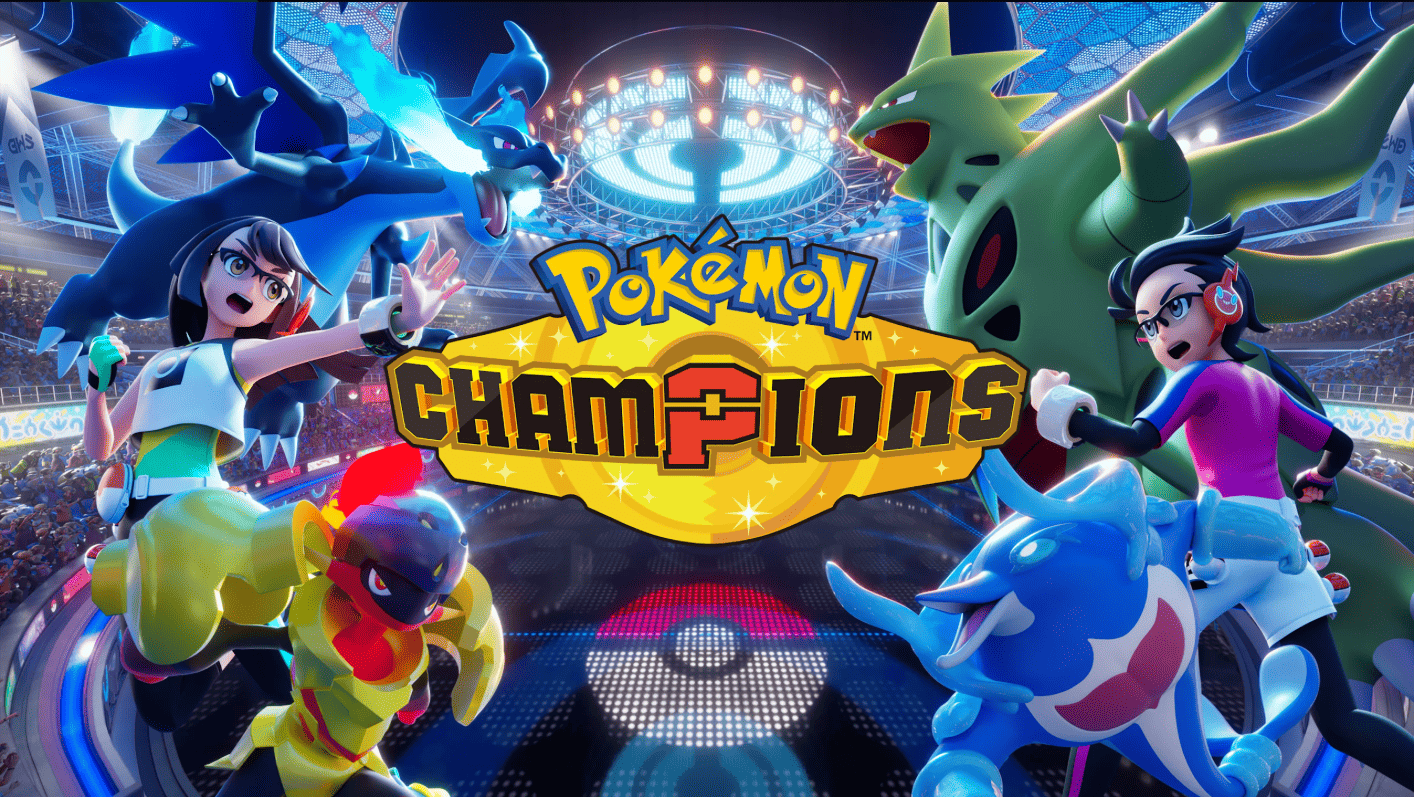

Pokémon Champions
Big news, trainers! The Pokémon Company International just dropped a massive announcement: Pokémon Champions is officially launching on mobile on June 17, 2026! Pre-registration is already live on the Google Play Store. Even better, to celebrate the mobile launch, everyone who logs in between June 17 and September 2, 2026, will get a free Raichu along with its brand-new Mega Stones: Raichunite X and Raichunite Y! Whether you want to dominate the field with Mega Raichu X's Electric Surge or land 100% accurate hits with Mega Raichu Y's No Guard, this is an event you cannot miss.
Contents
While Pokémon Champions features cross-platform play with the Nintendo Switch, you don't need expensive console hardware to get the ultimate competitive edge.
Here is why playing Pokémon Champions on PC with MEmu Play is the best way to become a top-tier champion—even if you are playing on a low-end PC or a budget laptop.
Why Choose MEmu Play for Pokémon Champions?
Pokémon Champions brings deep, complex, strategy-driven battles to your screen. To climb the global ranked ladders, you need a setup that won't lag, overheat, or drop frames during critical turns. MEmu Play is engineered specifically to give you the smoothest experience possible.
1. Zero Lag and Maximum FPS on Low-End PCs
Don't let a old PC or a overheating smartphone ruin your win streak. MEmu Play is famous for being the most lightweight Android emulator on the market. It uses significantly less RAM and CPU than other heavy emulators. If your PC has 2GB or 4GB of RAM, MEmu Play will optimize your system resources to ensure Pokémon Champions runs smoothly without any stuttering.
2. Experience Mega Evolutions in Stunning High Definition
Mega Raichu X and Y look incredible, but mobile screens are too small to appreciate the new battle animations and Electric Terrain visual effects. With MEmu, you can bypass mobile hardware limitations. Upscale your graphics to 1080p or 4K, unlock 120FPS, and watch your Pokémon battles unfold on a massive monitor.
3. Smart Keymapping & Mouse Controls
Competitive Pokémon battles require quick navigation through menus, move selections, and team switches. Instead of fumbling with clumsy touch controls on a small phone screen, MEmu Play lets you map all your commands to your keyboard and mouse. Switch Pokémon, trigger Mega Evolutions, and execute strategies instantly with precise clicks.
4. Flawless Multi-Instance for Rerolling and Multi-Accounting
Want to test out different team compositions or manage multiple Nintendo Accounts simultaneously? MEmu's Multi-Instance Manager allows you to open multiple windows of Pokémon Champions at the exact same time without crashing your computer.
How to Download and Play Pokémon Champions on PC
Pokémon Champions
Getting started takes less than five minutes. Follow these simple steps:
-
Download MEmu Play: Visit the official MEmu website and download the latest, clean version of the emulator.
-
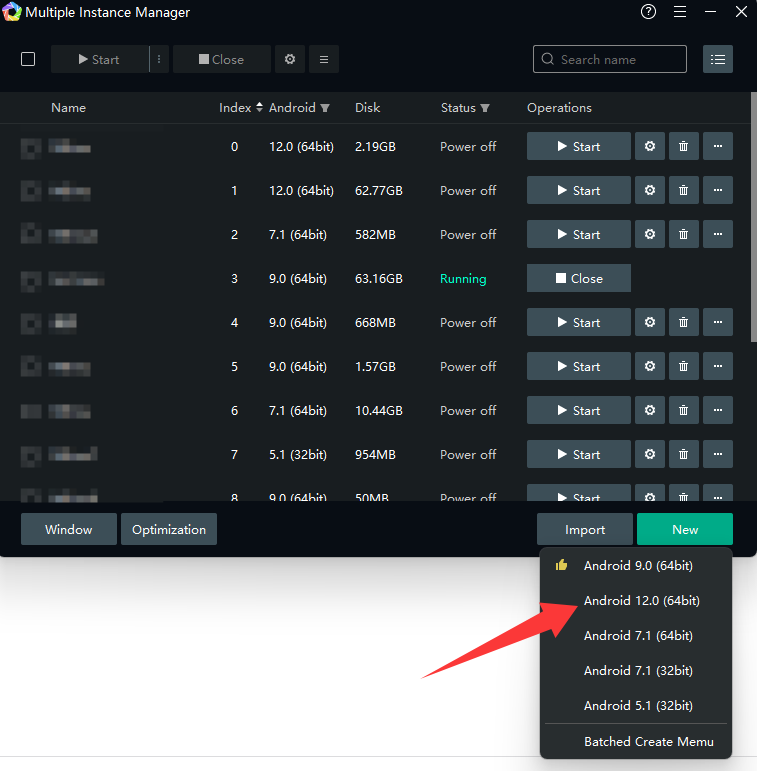
Install & Launch: Run the installer on your Windows PC. Once installed, create Android 12 instance and open.
-
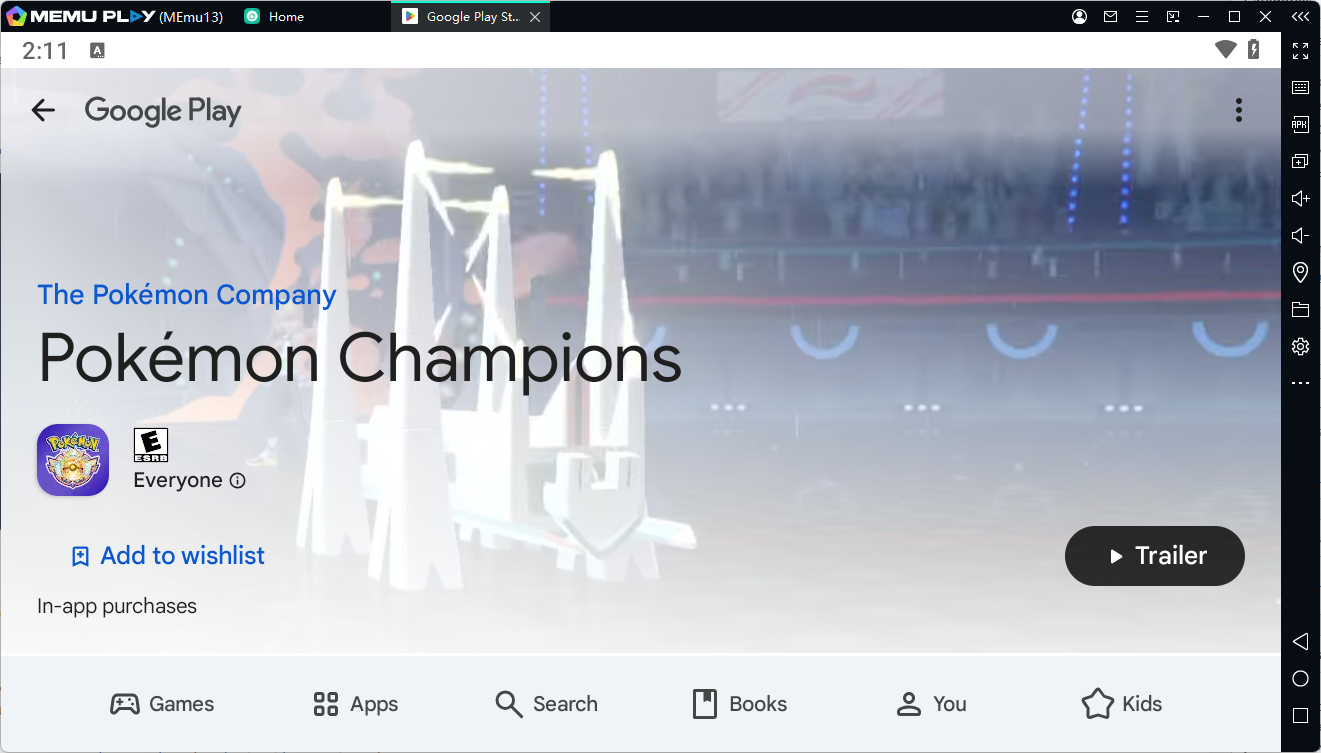
Log into Google Play: Open the Google Play Store inside MEmu and sign in with your Google account.
-
Pre-register / Download: Search for "Pokémon Champions" and click Pre-register (or Download if it is past June 17!).
-
Link Your Nintendo Account: Once the game launches, log in with your Nintendo Account to enable cross-save progression between your PC and other devices.
Don't Miss Out on Mega Raichu X & Y!
The battle for the championship begins on June 17, 2026. Claim your free Raichu, secure your Mega Stones, and start building your ultimate competitive team on the big screen.
⚡ Ready to claim your title? [Click here to download MEmu Play] and pre-register for Pokémon Champions on PC today!