
Pokémon Champions
Updated
Current Version
1.1.4
Offered By

With your passion for Pokémon Champions, you shouldn’t have to limit yourself to the small screen of a phone. Play like a pro and take full control of the game using a keyboard and mouse. MEmu gives you everything you’re looking for. Download and play Pokémon Champions on PC. Play as long as you want — no more worries about battery life, mobile data, or unexpected calls. The all-new MEmu 9 is the best way to play Pokémon Champions on PC. With our expertly designed keymapping system, Pokémon Champions feels just like a real PC game. The MEmu multi-instance manager lets you run two or more accounts on the same device at the same time. Most importantly, our exclusive emulation engine unlocks your PC’s full potential, delivering smooth and seamless performance.
Show more
Download Pokémon Champions on PC with MEmu Android Emulator. Enjoy playing on big screen. Enjoy Pokémon Battles on Mobile Devices!
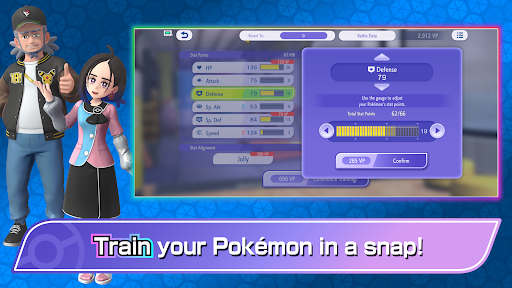
Enjoy Pokémon Battles on Mobile Devices!
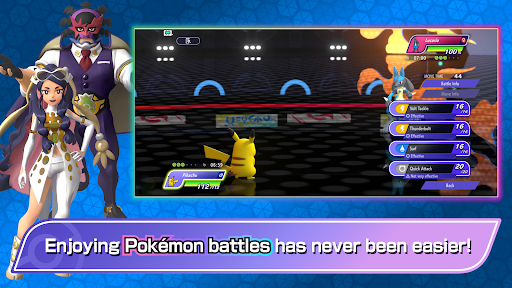
Have fun battling Pokémon with ease on your mobile device!
■ Battle Pokémon with Ease!
In Pokémon Champions, you can enjoy Pokémon battles against Trainers from around the world.
You can play in Ranked Battles, featuring serious matches against players across the globe, or have fun in easygoing Casual Battles.
You can also battle against your family, friends, and other Trainers in Private Battles.
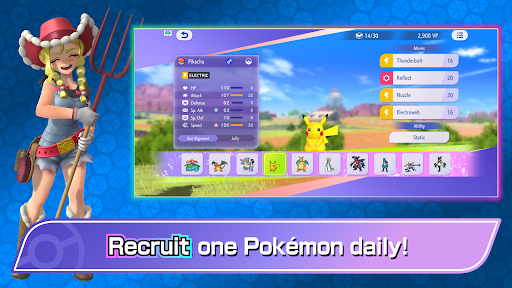
■ Get Pokémon for Your Team!
Even if you haven’t played a Pokémon series game before, you can find Pokémon to battle alongside you in Pokémon Champions. You can also link to Pokémon HOME to team up with certain Pokémon you’ve previously befriended.
Official Webpage: https://champions.pokemon.com/en-us/
Terms of Use: https://web-view.app.pokemonchampions.jp/docs/terms/index.html
Show more

1. Download MEmu installer and finish the setup

2. Start MEmu then open Google Play on the desktop

3. Search Pokémon Champions in Google Play
Install
4. Download and Install Pokémon Champions
5. On install completion click the icon to start

6. Enjoy playing Pokémon Champions on PC with MEmu
MEmu Play is the best Android emulator and 100 million people already enjoy its superb Android gaming experience. The MEmu virtualization technology empowers you to play thousands of Android games smoothly on your PC, even the most graphic-intensive ones.
Bigger screen with better graphics; Long duration, without limitation of battery or mobile data.
Full Keymapping support for precise control of keyboard and mouse or gamepad.
Multiple game accounts or tasks on single PC at one time with Multi-Instance manager.
Pokémon Champions launched on Nintendo Switch, Nintendo Switch 2, iOS, and Android in 2026. The game focuses on competitive Pokémon battles with online multiplayer features.
Pokémon Champions is available on multiple platforms, including mobile devices. Players should check their regional store listings for pricing and availability.
Pokémon Champions can be downloaded through official app stores on supported mobile devices. Avoid unofficial APK files, as they may contain security risks.
The best Pokémon in Pokémon Champions depend on the current battle regulations, team strategy, and opponent matchups. Competitive players usually focus on Pokémon with strong abilities, moves, and team synergy.
The best Pokémon Champions teams combine different roles, including damage dealers, defensive Pokémon, speed control, and strategic support options. Team balance is important for Ranked Battles.
Ranked Battles in Pokémon Champions allow players to compete against Trainers worldwide. Your rank changes based on battle results, and seasons introduce different regulations and rewards.
Pokémon Champions connects with Pokémon HOME, allowing players to bring certain Pokémon from previous Pokémon games into their competitive battles.
The best moves and abilities depend on your Pokémon, team strategy, and battle format. Understanding type advantages, abilities, and move combinations is essential for competitive battles.
To win more battles in Pokémon Champions, learn type matchups, build balanced teams, understand your opponent's strategy, and practice in different battle formats.
The best Pokémon Champions settings depend on your device and personal preference. Adjust controls, display options, and battle settings to create a comfortable competitive experience.