Poppy Playtime Chapter 5 on PC: Download and Play with MEmu
 |
Poppy Playtime Chapter 5, officially titled Poppy Playtime: Chapter 5 – Broken Things, is the latest installment in Mob Entertainment's popular episodic horror adventure series. Released on mobile devices on November 13, 2026, the game takes players deeper into the terrifying world of Playtime Co., where the mysterious Prototype awaits.
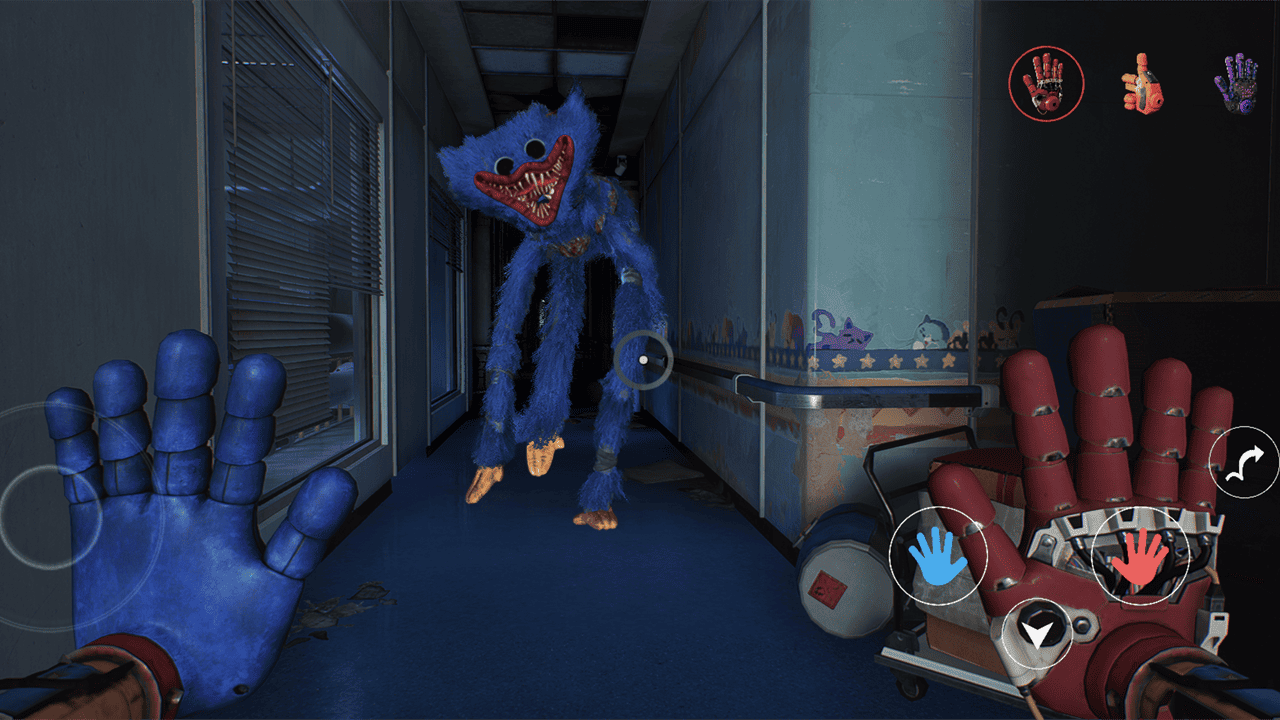
Picking up after the events of Chapter 4, players must venture into the darkest depths of the abandoned factory, survive Huggy Wuggy's relentless pursuit, and uncover the secrets behind the company's horrifying experiments.

Poppy Playtime Chapter 5
With new characters, challenging environmental puzzles, dangerous encounters, and expanded GrabPack abilities, Chapter 5 delivers another intense survival horror experience. You can also play the Android version on your PC using MEmu Android Emulator.
Contents
What Is Poppy Playtime Chapter 5?
Developed by Mob Entertainment, Poppy Playtime Chapter 5 is a first-person horror puzzle adventure that continues the story of the mysterious Playtime Co. toy factory.
After spending four chapters searching for answers, players are finally approaching the heart of the factory's darkest secrets. This time, the journey takes place inside The Prototype's domain, a dangerous underground realm filled with abandoned experiments and terrifying creatures.
Separated from your allies, you must explore this unfamiliar environment alone while avoiding Huggy Wuggy, who is once again hunting you down.
However, Huggy Wuggy isn't the only threat lurking in the darkness. The Prototype's domain is home to other tortured inhabitants, some of whom may offer assistance while others have their own hidden agendas.
Your survival depends on exploring carefully, solving intricate puzzles, mastering new GrabPack tools, and uncovering the truth behind Playtime Co.
Key Features of Poppy Playtime Chapter 5
1. Explore The Prototype's Domain
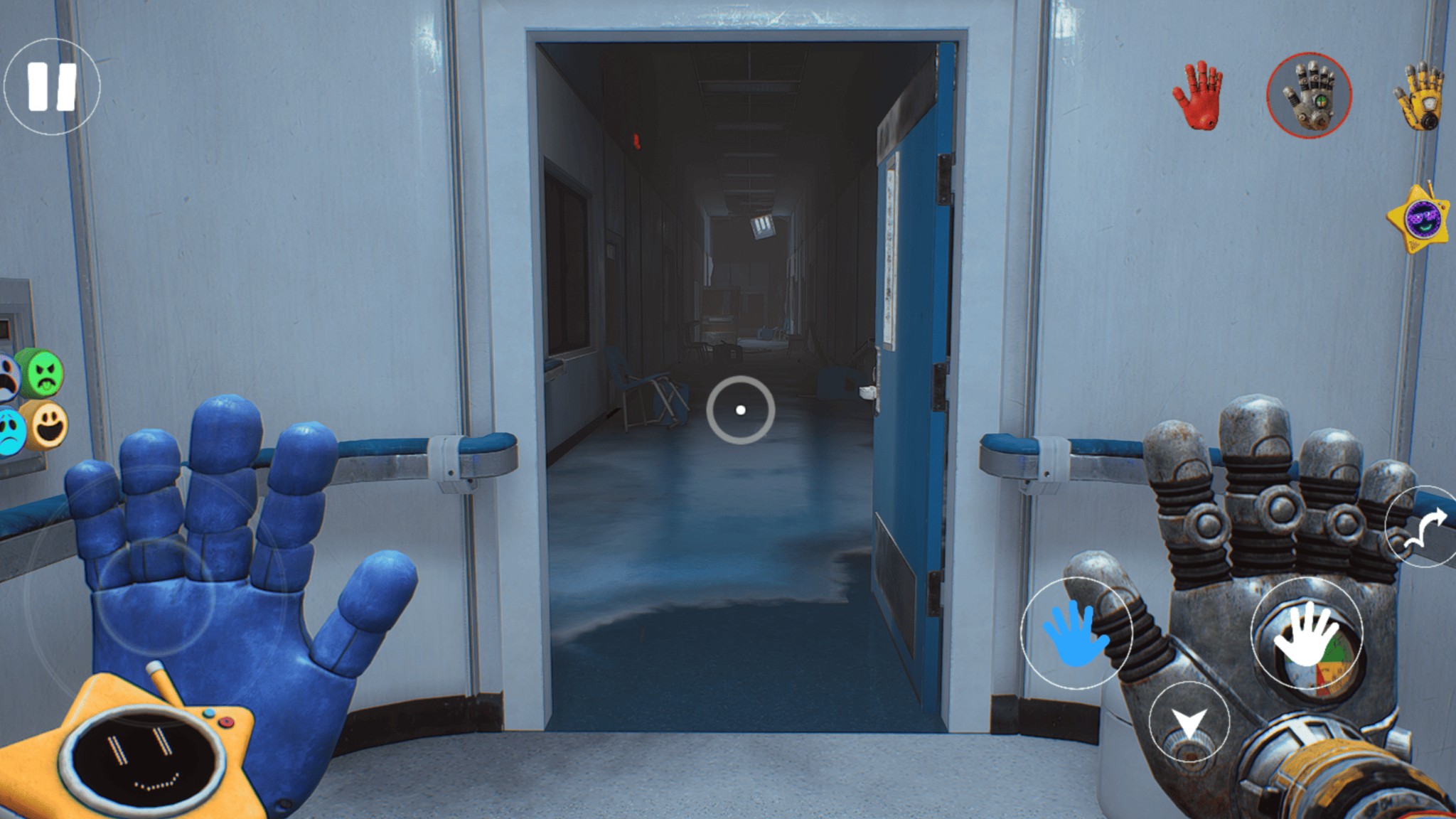
Chapter 5 introduces a terrifying new section of the Playtime Co. factory hidden deep within The Prototype's territory.
Explore forgotten areas, investigate abandoned facilities, and discover clues about the company's horrifying past. Every corner may reveal another piece of the mystery, but danger is never far away.
2. Survive Huggy Wuggy's Relentless Pursuit
The iconic Huggy Wuggy returns as one of the major threats in Chapter 5.
Players must stay alert, navigate dangerous environments, and find ways to escape his pursuit. Along the way, you'll encounter other disturbing creatures that make exploring the factory even more unpredictable.
3. Master New GrabPack Tools and Abilities
The GrabPack remains an essential tool for surviving the factory, but Chapter 5 introduces new tools and expanded functionality.
Use your equipment to interact with environmental objects, overcome obstacles, and solve complicated puzzles. Learning how to use these abilities effectively is essential to progressing through the adventure.
4. Solve Challenging Environmental Puzzles
Puzzle-solving is a major part of the Poppy Playtime experience.
Chapter 5 introduces intricate environmental challenges that require observation, logical thinking, and the creative use of your GrabPack abilities.
You'll need to investigate your surroundings, identify interactive objects, and figure out how different mechanisms work to unlock new paths.
5. Meet New Characters and Uncover Hidden Secrets
The Prototype's domain contains several mysterious inhabitants, each with their own motives.
Some characters may help you survive, while others could become unexpected threats. As you progress, you'll uncover more information about the experiments, twisted history, and dark secrets hidden within Playtime Co.
6. Experience the Darkest Chapter Yet
Chapter 5 pushes the horror atmosphere further with terrifying encounters, dangerous environments, and a deeper exploration of the series' central mystery.
As you approach the rotten heart of Playtime Co., the truth behind the Prototype becomes increasingly difficult to ignore.
Can you survive long enough to uncover everything?
How to Download and Play Poppy Playtime Chapter 5 on PC with MEmu
Want to experience the horrors of Playtime Co. on a bigger screen? MEmu Android Emulator allows you to run the Android version of Poppy Playtime Chapter 5 on your Windows PC.
Follow these steps to get started:
Step 1: Download and Install MEmu
Visit the official MEmu website and download the latest version of MEmu Android Emulator.
Install the emulator on your computer by following the on-screen instructions, then launch it.
Step 2: Open Google Play Store
After starting MEmu, locate and open Google Play Store on the emulator's home screen.
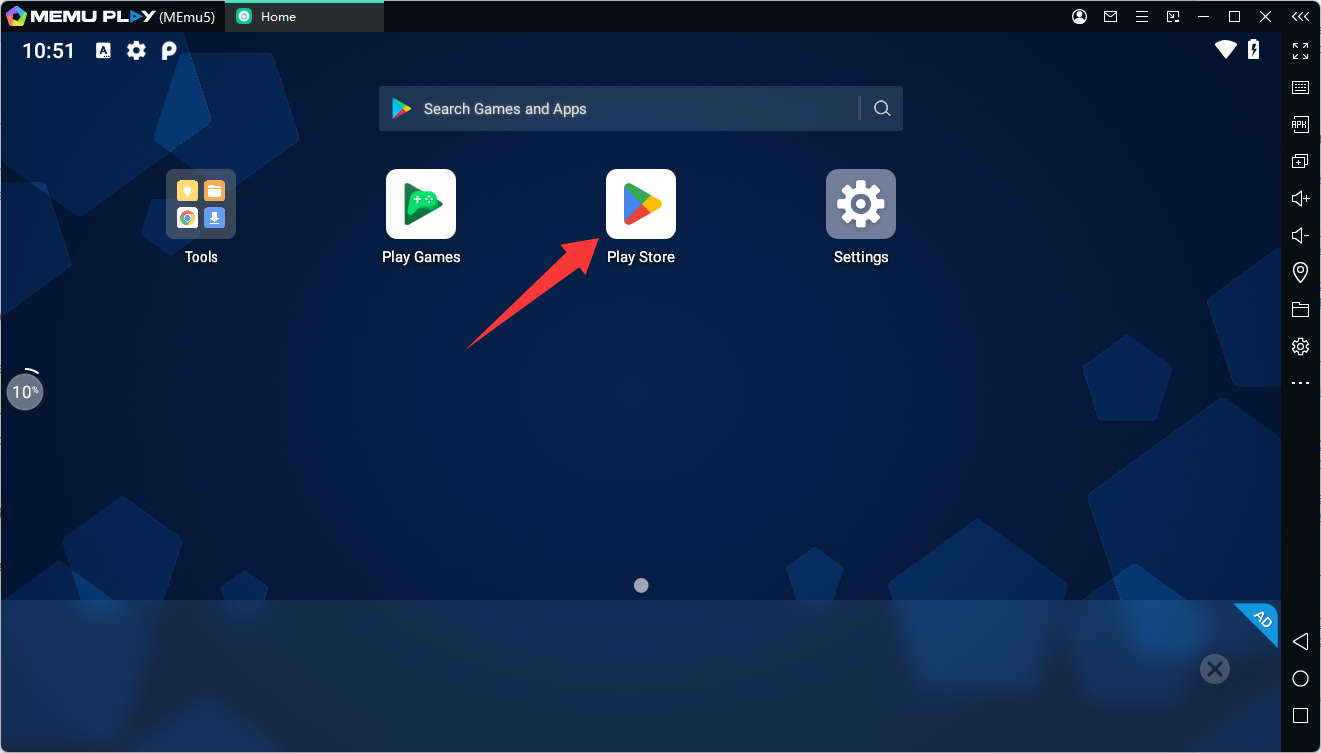
Sign in with your Google account to access the available Android games and applications.
Step 3: Search for Poppy Playtime Chapter 5
Type Poppy Playtime Chapter 5 into the Google Play Store search bar.
Make sure to select the official version published by Mob Entertainment.
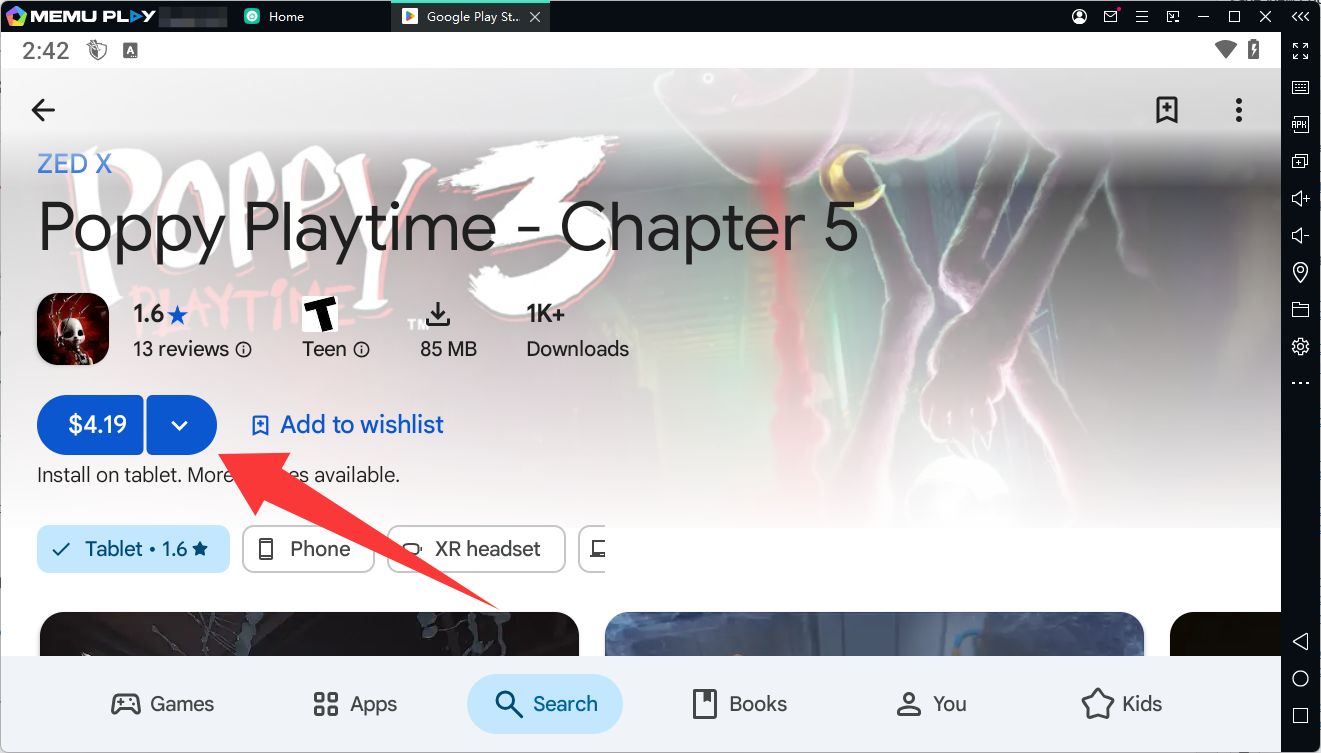
Step 4: Purchase and Install the Game
Open the game's Google Play Store page and complete the purchase if you haven't already.
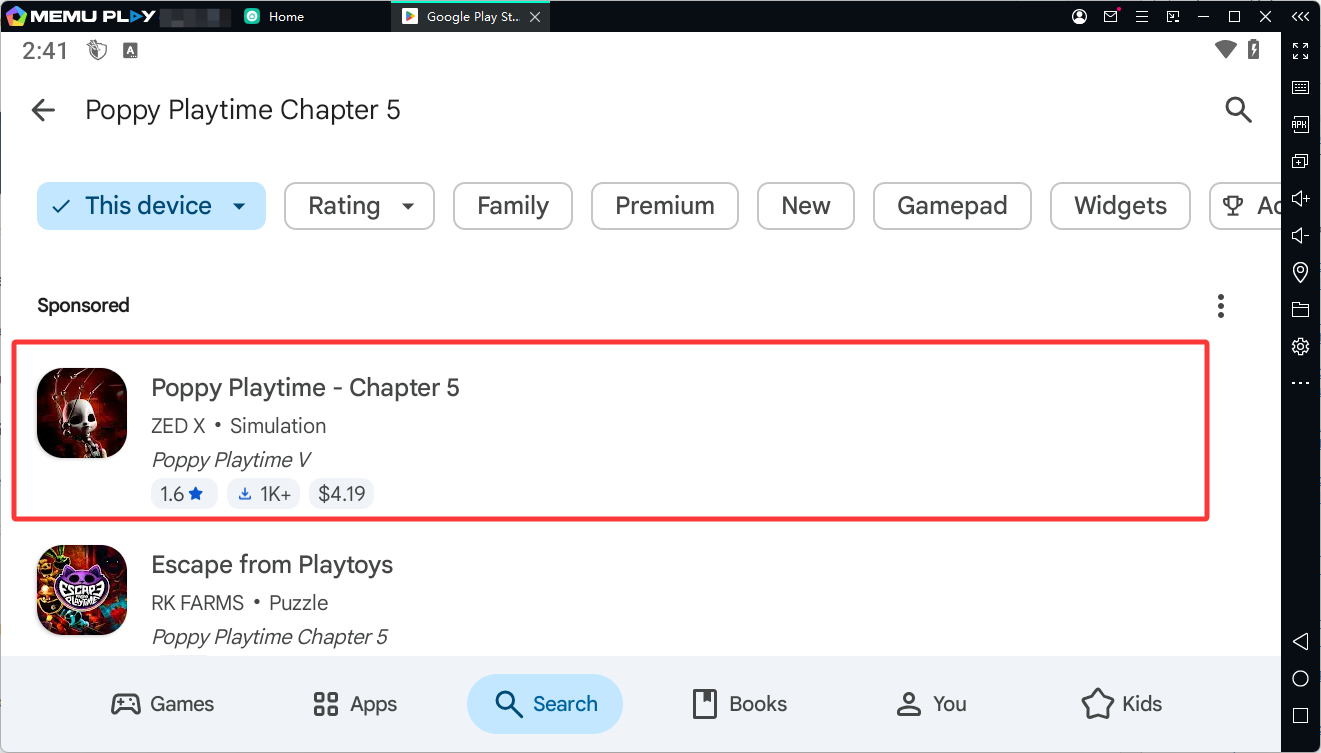
Click the Install button and wait for the game to download and install.
Step 5: Launch and Play on PC
Once installation is complete, return to the MEmu home screen and click the Poppy Playtime Chapter 5 icon.
Launch the game, enter the terrifying world of Playtime Co., and begin your journey into The Prototype's domain!
Why Play Poppy Playtime Chapter 5 on MEmu?
Playing Poppy Playtime Chapter 5 with MEmu brings Android gaming to your Windows desktop. Here are some advantages:
- Bigger Screen: Explore the dark environments and terrifying factory interiors on a larger monitor.
- Keyboard and Mouse Controls: Enjoy convenient navigation and more precise control during exploration and puzzle-solving.
- Performance Options: Configure CPU, memory, resolution, and other emulator settings according to your PC's hardware.
- Multi-Instance Support: Run multiple Android instances for different games and applications.
- Easy Game Installation: Access the official Google Play Store directly through MEmu.
Actual performance depends on your PC hardware, emulator configuration, and game compatibility.
Final Thoughts
Poppy Playtime Chapter 5 takes the horror adventure to a new level by bringing players into The Prototype's domain. With Huggy Wuggy hunting you, mysterious creatures hiding in the shadows, and new GrabPack abilities to master, every step deeper into Playtime Co. presents another challenge.
Whether you're a longtime fan following the story since Chapter 1 or a newcomer interested in atmospheric horror and puzzle-solving, Chapter 5 offers plenty of mysteries to uncover.
Ready to face the Prototype? Download Poppy Playtime Chapter 5 and experience the horror on your PC with MEmu Android Emulator!
Game Information
- Game Name: Poppy Playtime Chapter 5
- Full Title: Poppy Playtime: Chapter 5 – Broken Things
- Developer: Mob Entertainment
- Genre: Horror, Puzzle, Adventure
- Platform: Android, iOS, PC, Console
- Android Package Name: com.mobentertainment.PoppyPlaytimeChapter5
- Google Play: https://play.google.com/store/apps/details?id=com.mobentertainment.PoppyPlaytimeChapter5
Poppy Playtime Chapter 5