Scarlet Skips APK: How to Download and Play on MEmu Emulator
 |
|
Scarlet Skips is a quirky one-button roguelike game developed by Yerk Games, built around a surprisingly simple idea: keep Scarlet jumping over a skipping rope for as long as possible. With easy-to-learn controls, random upgrades, and increasingly challenging runs, the game turns a familiar activity into a fast-paced score-chasing experience.

Scarlet Skips
The game officially launched on PC via Steam on September 3, 2026, if you want to experience the Android version on a larger screen, MEmu Emulator provides a convenient way to install compatible APK files and run Android games on Windows.
Contents
What Is Scarlet Skips?
Scarlet Skips is a casual-looking but challenging one-button roguelike. Instead of using a traditional movement and combat system, the entire game revolves around one input: press, hold, and release.
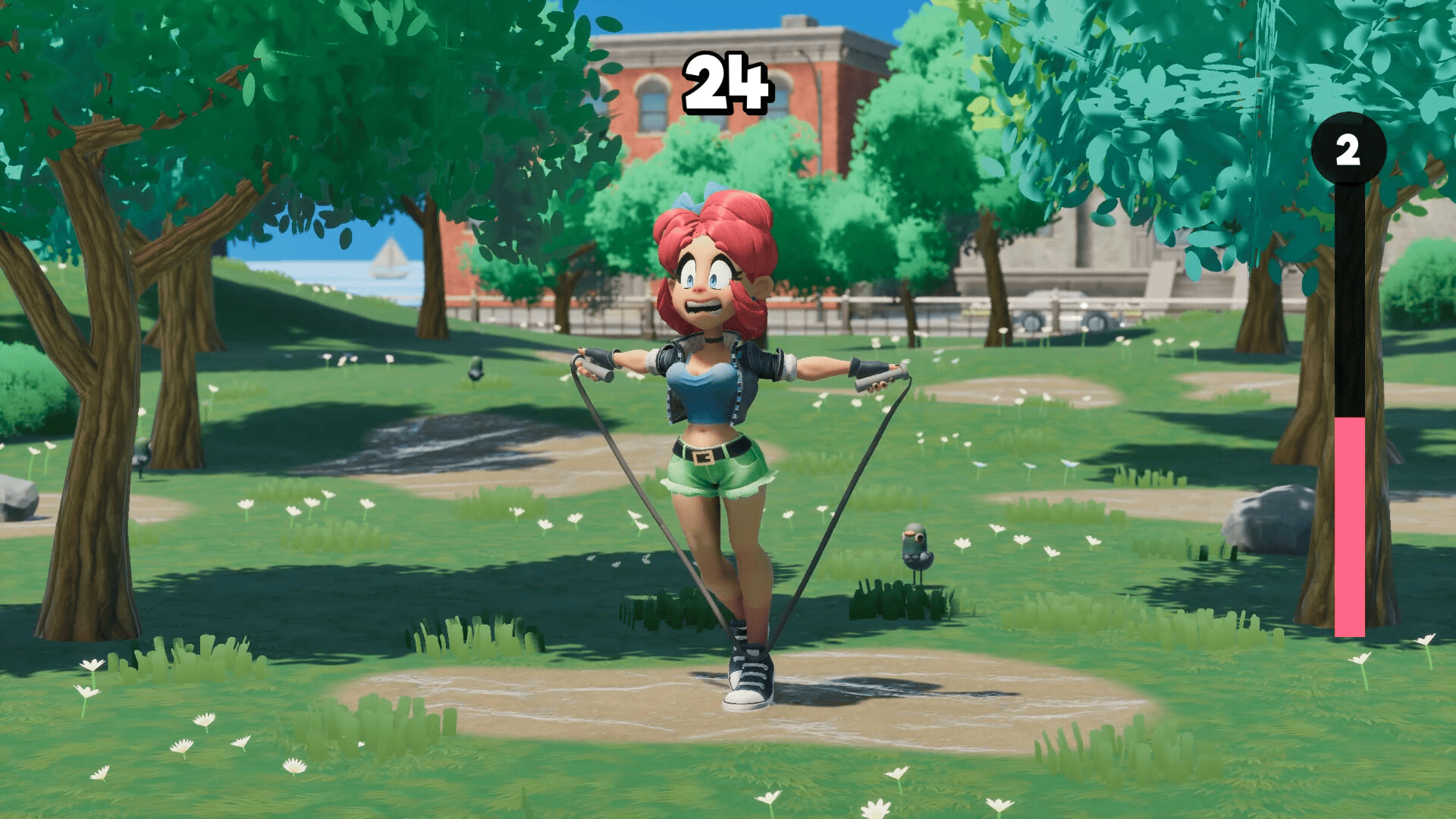
Your goal is simple—help Scarlet keep jumping over the rope, survive as long as possible, and achieve a higher score. The challenge comes from mastering the timing rather than learning complicated controls.
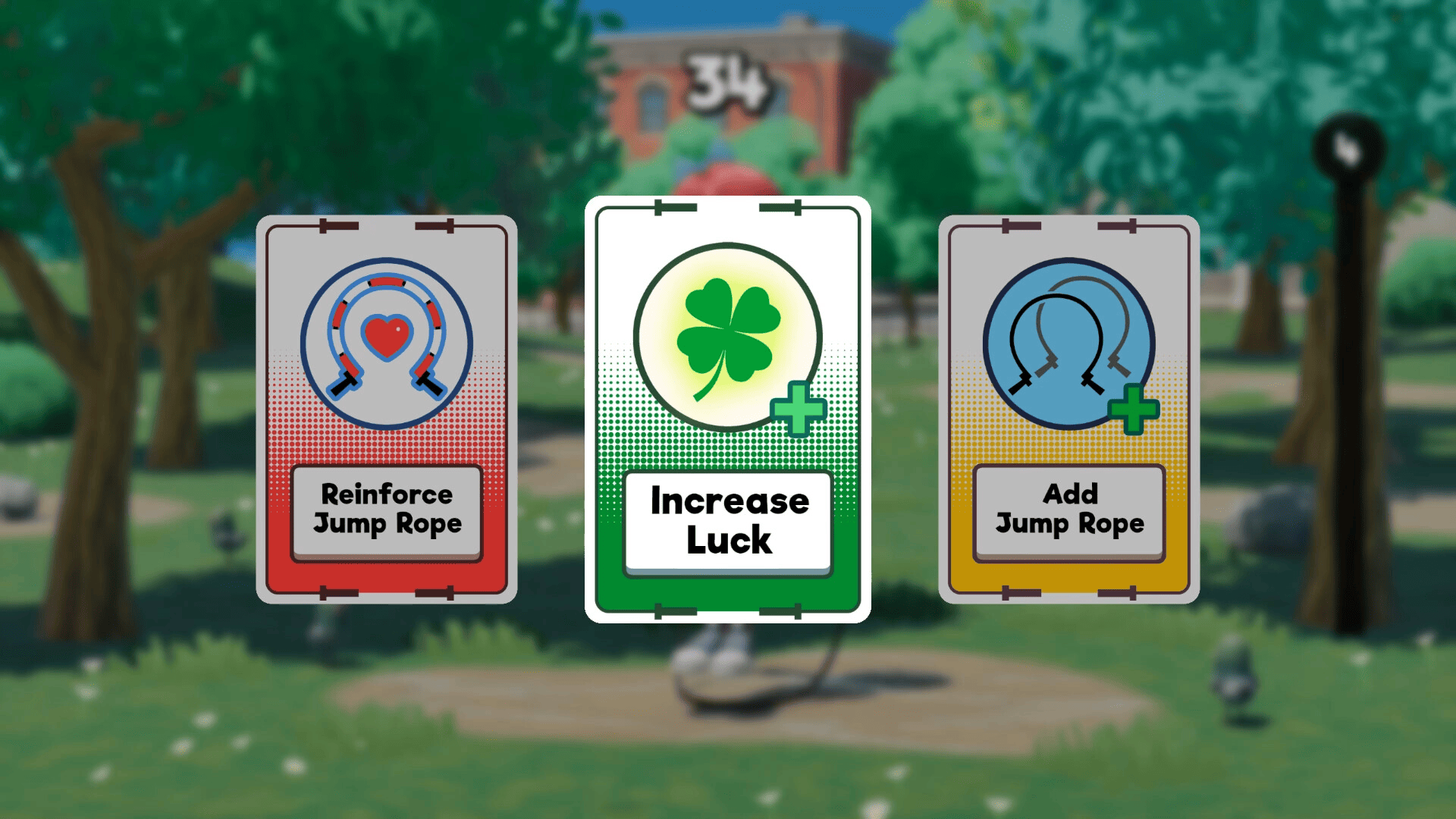
As a run progresses, you can level up and select from three randomly offered power-ups. The game features 10 upgrade cards, allowing players to increase jump height, add additional jump ropes, introduce special effects, and create different upgrade combinations.
Scarlet Skips Gameplay Features
Simple One-Button Controls
Scarlet Skips keeps its controls extremely simple. You only need one button, but the timing of each press, hold, and release determines how effectively Scarlet can jump.
This makes the game easy to pick up while still providing plenty of room to improve your timing and scores.
Random Roguelike Upgrades
Each run can develop differently thanks to the game's random upgrade system. After leveling up, you can choose from three randomly selected power-ups.
Available upgrades can affect things such as jump height, rope mechanics, and special effects. Because upgrades can be stacked and combined, experimenting with different builds is an important part of the experience.
Build Your Own Playstyle
Scarlet Skips encourages players to experiment with different combinations rather than following one fixed upgrade path.
You can focus on making Scarlet jump higher, add additional ropes, or combine different effects to create a build that suits your preferred strategy.
Dynamic 3D Animation
The game also stands out through its expressive animation system. Yerk Games says Scarlet's movements combine numerous animations with procedural movement, allowing her actions to react dynamically to gameplay conditions.
Score-Chasing Gameplay
There is no complicated story progression required to understand the core gameplay. The main challenge is simply to keep going, survive longer, improve your timing, and push your score higher.
This makes Scarlet Skips particularly suitable for short sessions when you want a quick and challenging game.
Scarlet Skips APK Details
For players looking for Scarlet Skips APK, the package associated with the Android listing is:
- Game: Scarlet Skips
- Package Name: com.yerkgames.scarletskips
- Developer: Yerk Games
- Genre: Action / Roguelike / Arcade
- Gameplay: One-button skipping rope
- Platform: Android APK listing / PC
- Official PC Release: September 3, 2026
The official Steam version currently lists Windows as its supported platform.
Note: The Android APK listing may not represent an officially released mobile version yet. APKPure currently lists the same package as available for pre-registration, so users should verify the APK source and release status before installation.
How to Download Scarlet Skips APK on PC
If you have a compatible Scarlet Skips APK file, you can install it on your PC through MEmu.
Step 1: Download and Install MEmu
First, download and install the latest version of MEmu Emulator on your Windows PC.
MEmu is an Android emulator that allows you to run Android games and applications on a Windows computer. The latest MEmu release is 9.5.7 as of September 2026.
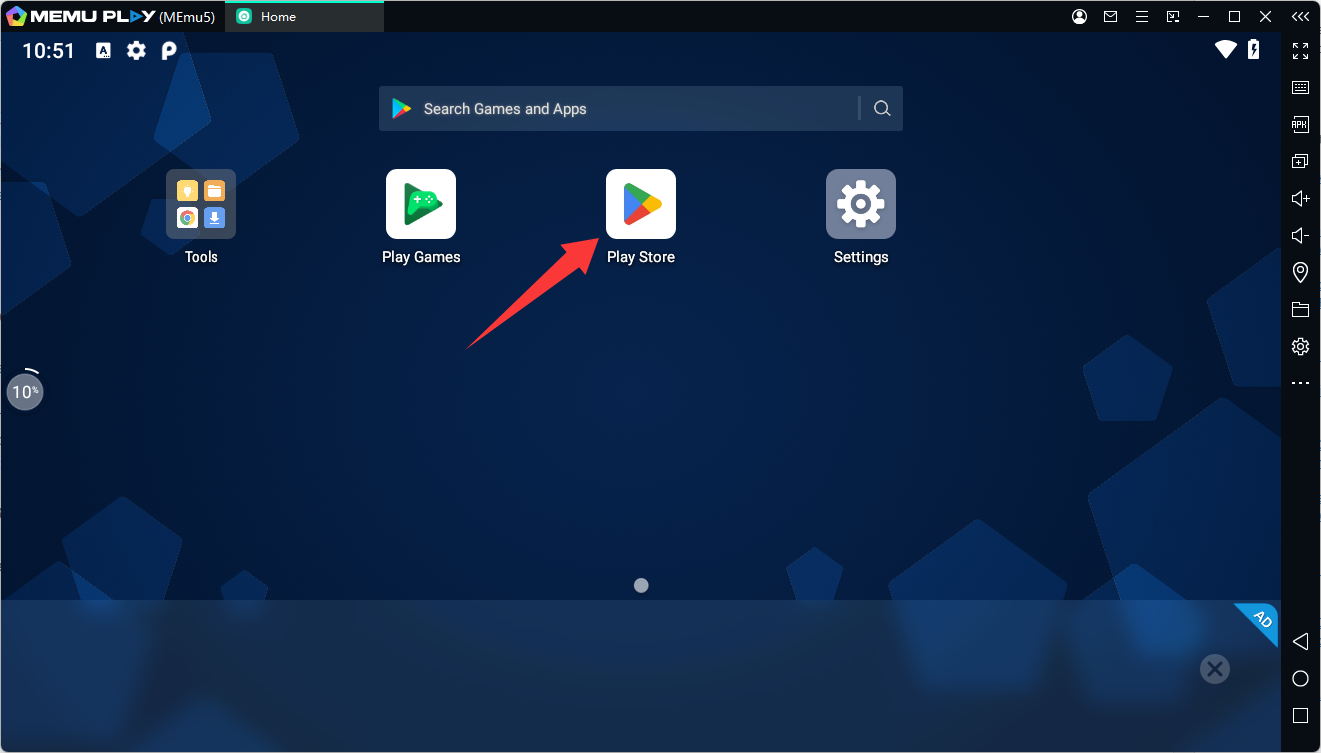
Step 2: Open Google Play
Launch MEmu and open Google Play Store from the emulator's home screen. Sign in with your Google account if required.
Step 3: Search for Scarlet Skips
Type Scarlet Skips into the Google Play search bar. Make sure you select the game with the package ID:
- com.yerkgames.scarletskips
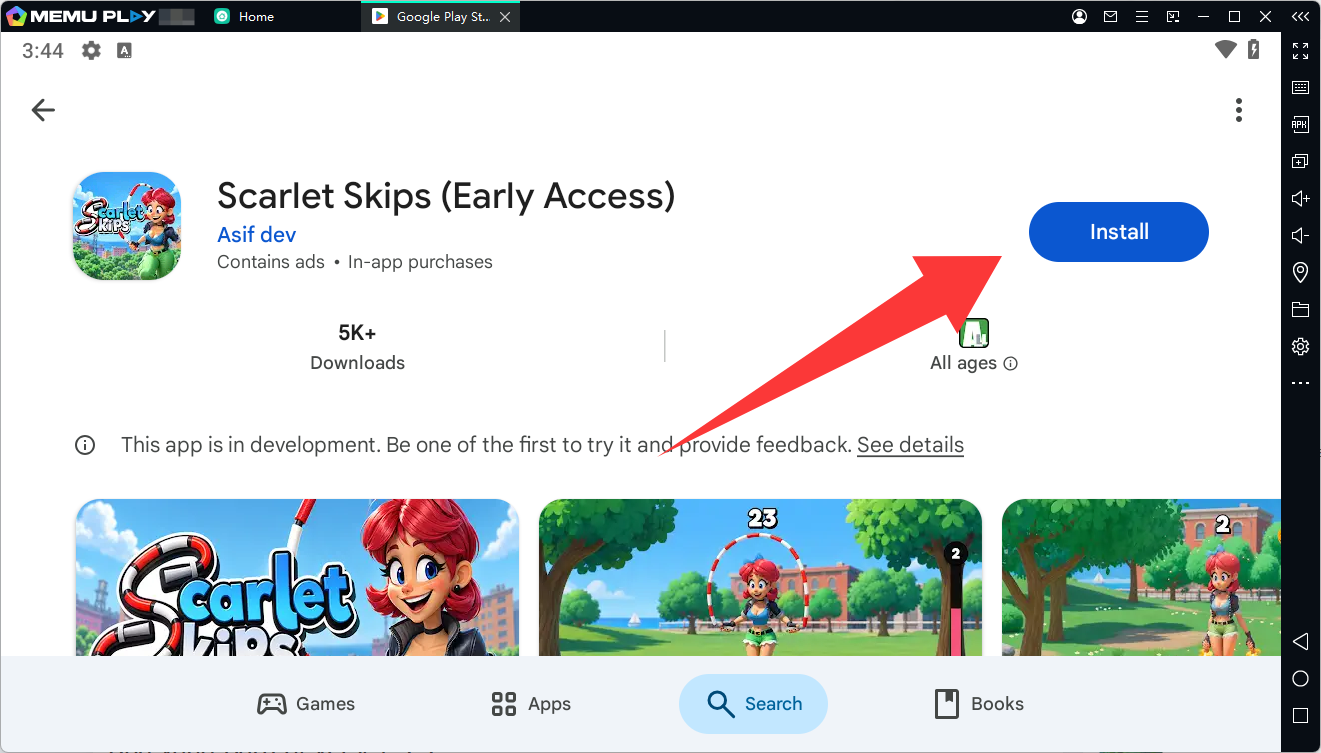
Step 4: Install the Game
Click Install and wait for Scarlet Skips to finish downloading. Once installation is complete, its icon will appear on the MEmu home screen.
Step 5: Launch Scarlet Skips
After installation, the Scarlet Skips icon should appear on the MEmu home screen.
Click the icon to launch the game and start playing.

If the APK requires additional files or a different package format, installation may require an XAPK or additional game data. MEmu also provides support for installing APK/XAPK packages.
Why Play Scarlet Skips on MEmu?
Playing a one-button game like Scarlet Skips on a PC emulator can provide a more convenient experience with a larger display and keyboard controls.
With MEmu, you can:
- Play Android games on a Windows PC
- Use a larger screen
- Configure keyboard controls
- Install APK files directly
- Adjust CPU and RAM settings
- Run multiple Android instances when needed
MEmu also supports keyboard and mouse controls through its built-in keymapping system, making it easier to customize controls for supported Android games.
Scarlet Skips on PC: Final Thoughts
Scarlet Skips takes a very simple concept and turns it into a challenging roguelike experience. Its one-button gameplay, randomized upgrades, stackable power-ups, and score-focused runs make each attempt easy to understand but difficult to master.
Scarlet Skips