War Steel
Aktualizováno
Aktuální verze
Od vývojáře

With all your passion for playing War Steel, you hands are not supposed to be limited on a tiny screen of your phone. Play like a pro and get full control of your game with keyboard and mouse. MEmu offers you all the things that you are expecting. Download and play War Steel on PC. Play as long as you want, no more limitations of battery, mobile data and disturbing calls. The brand new MEmu 9 is the best choice of playing War Steel on PC. Prepared with our expertise, the exquisite preset keymapping system makes War Steel a real PC game. MEmu multi-instance manager makes playing 2 or more accounts on the same device possible. And the most important, our exclusive emulation engine can release full potential of your PC, make everything smooth.
Show more
Vychutnejte si vynikající zážitek z přehrávání War Steel na PC s MEMU App Player. Je to silný bezplatný emulátor pro Android, který vám umožní hrát tisíce her v systému Android. War Steel is a strategy-driven mobile game set in a war-torn world that blends real historical inspiration with an original fictional narrative.
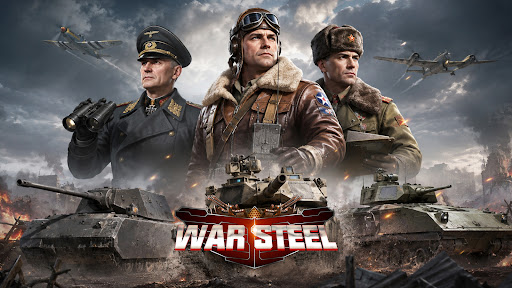
War Steel is a strategy-driven mobile game set in a war-torn world that blends real historical inspiration with an original fictional narrative. Taking place in a reimagined modern warfare era, the game unfolds through an immersive storyline filled with conflict, mystery, and hidden agendas. Players step into the role of a commander, leading forces on the battlefield while uncovering the truth behind the chaos of war. Featuring a realistic military art style with detailed visuals and atmospheric environments, War Steel delivers an intense and immersive combat experience. By combining real-time strategy with tactical command elements, the game offers a dynamic balance between decision-making depth and hands-on control.
[Historical-Inspired World with Fictional Twist]
Experience a unique war universe that merges iconic historical inspirations with original storytelling, creating a familiar yet unpredictable battlefield setting.
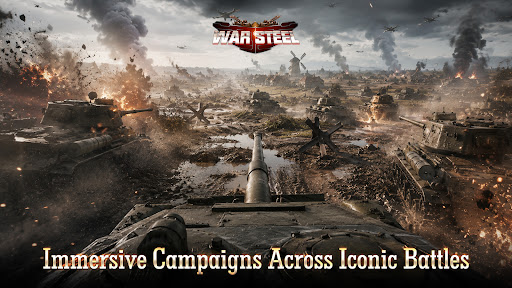
[Immersive Campaigns Across Iconic Battles]
Engage in numerous large-scale war scenarios inspired by classic conflicts, where you take direct command and shape the outcome of each battle.
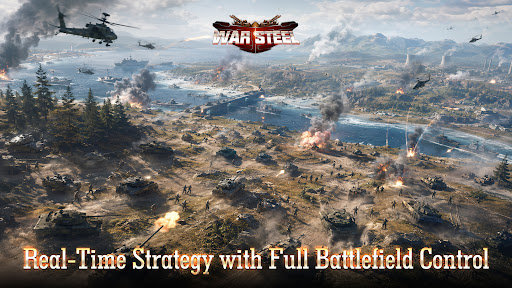
[Real-Time Strategy with Full Battlefield Control]
Take full control in real-time combat, where every decision and action immediately impacts the flow of battle, delivering a highly engaging strategic experience.
[Top-Down Tactical View with Precision Control]
Oversee the entire battlefield from a strategic perspective, allowing precise unit control, positioning, and terrain utilization for deeper tactical gameplay.
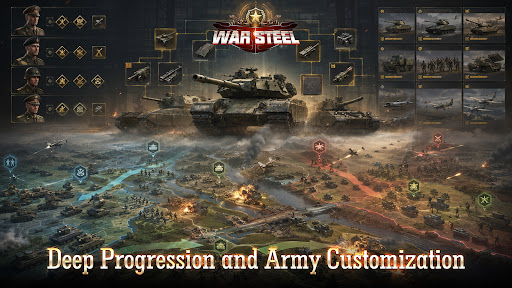
[Deep Progression and Army Customization]
Develop and customize your forces through multiple progression systems, combining units, equipment, and commanders to create powerful strategies.
[Global Competition and Diverse Game Modes]
Compete with players worldwide through various PvP and PvE modes, including global warfare, arenas, and cooperative challenges, for a rich and competitive experience.
Facebook: https://www.facebook.com/gamehollywoodgames
Discord: https://discord.gg/3VFM2eseFq
YouTube: https://www.youtube.com/@WarSteel
Show more

1. Stáhněte si instalační program MEmu a dokončete instalaci

2. Spusťte MEmu a poté otevřete Google Play na ploše

3. Vyhledejte War Steel v Google Play
Install
4. Stáhněte a nainstalujte War Steel
5. Po dokončení instalace klikněte na ikonu pro spuštění

6. Užijte si hraní War Steel na PC s MEmu
MEmu je zdarma a ten nejlepší Android emulátor. 50 milionů lidí si užívá jeho nejlepší herní zážitky. Technologie virtualizace MEmu ti dovolí plynule hrát Android hry na PC a to i ty nejnáročnější.
Větší obrazovka s lepší grafikou; Dlouhá výdrž bez omezení baterie nebo mobilních dat.
Plná podpora mapování kláves pro přesné ovládání klávesnice a myši nebo gamepadu.
Více herních účtů nebo úkolů na jednom počítači najednou s Multi-Instance Managerem.
Play War Steel on PC by following steps: