War Steel
อัปเดตเมื่อ
เวอร์ชันปัจจุบัน
ให้บริการโดย

เวลาคุณเล่น War Steel, คุณอาจรู้สึกว่ามือคุณอาจบังจอแล้วทำให้ไม่ได้เล่นแบบเต็มที่. เล่นแบบไร้ขีดจำกัดด้วยเม้าส์และคีย์บอร์ด. MEmu มีตัวเลือกหลายอย่างให้คุณใช้งานเกมที่คุณเล่นแบบที่คุณต้องการ. ดาวน์โหลดและเล่น War Steel บน PC. เล่นนานแค่ไหนก็ได้, ไม่ต้องชาร์จแบตเตอรี่, หรือเจอคนโทรเข้ามาระหว่างเล่น. MEmu 9 เป็นตัวเลือกสำหรับการเล่น War Steel บน PC. ทางทีมงานเราได้ปรับแต่งเกม, ปรับให้เล่นเกมบางเกมได้เหมือนเล่น War Steel เป็นเกม PC เช่นเล็งด้วยเม้าส์หรือใช้คีย์บอร์ด. ระบบของเรายังทำให้คุณสามารถเปิดเล่นได้มากกว่า 2 เกมพร้อมๆกันในคอมของคุณ. และที่สำคัญที่สุด, ระบบโปรแกรมของเราสามารถทำให้คุณใช้ระบบของ PC ทำให้เกมลื่นเหมือนกับใช้โทรศัพท์รุ่นล่าสุด. เราไม่ได้ดูแลเรื่องการเล่นเกม, แต่เราดูแลถึงความสนุกสนานที่คุณได้จากการเล่นด้วย.
แสดงเพิ่มเติม
ดาวน์โหลด War Steel บน PC ด้วย MEmu Android Emulator สนุกกับการเล่นบนหน้าจอขนาดใหญ่ War Steel is a strategy-driven mobile game set in a war-torn world that blends real historical inspiration with an original fictional narrative.
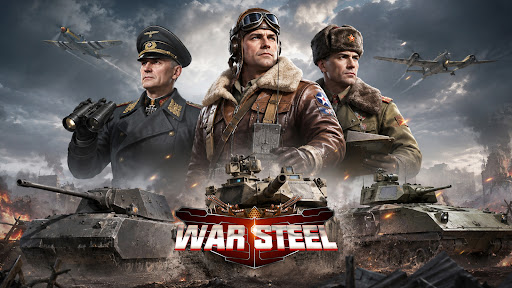
War Steel is a strategy-driven mobile game set in a war-torn world that blends real historical inspiration with an original fictional narrative. Taking place in a reimagined modern warfare era, the game unfolds through an immersive storyline filled with conflict, mystery, and hidden agendas. Players step into the role of a commander, leading forces on the battlefield while uncovering the truth behind the chaos of war. Featuring a realistic military art style with detailed visuals and atmospheric environments, War Steel delivers an intense and immersive combat experience. By combining real-time strategy with tactical command elements, the game offers a dynamic balance between decision-making depth and hands-on control.
[Historical-Inspired World with Fictional Twist]
Experience a unique war universe that merges iconic historical inspirations with original storytelling, creating a familiar yet unpredictable battlefield setting.
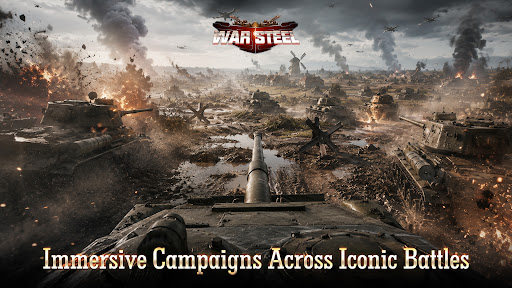
[Immersive Campaigns Across Iconic Battles]
Engage in numerous large-scale war scenarios inspired by classic conflicts, where you take direct command and shape the outcome of each battle.
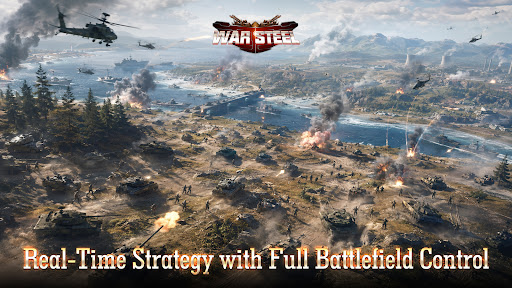
[Real-Time Strategy with Full Battlefield Control]
Take full control in real-time combat, where every decision and action immediately impacts the flow of battle, delivering a highly engaging strategic experience.
[Top-Down Tactical View with Precision Control]
Oversee the entire battlefield from a strategic perspective, allowing precise unit control, positioning, and terrain utilization for deeper tactical gameplay.
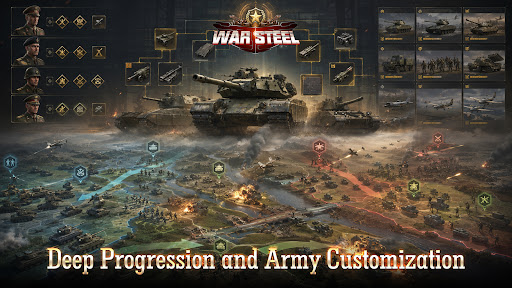
[Deep Progression and Army Customization]
Develop and customize your forces through multiple progression systems, combining units, equipment, and commanders to create powerful strategies.
[Global Competition and Diverse Game Modes]
Compete with players worldwide through various PvP and PvE modes, including global warfare, arenas, and cooperative challenges, for a rich and competitive experience.
Facebook: https://www.facebook.com/gamehollywoodgames
Discord: https://discord.gg/3VFM2eseFq
YouTube: https://www.youtube.com/@WarSteel
แสดงเพิ่มเติม

1. ดาวน์โหลดตัวติดตั้ง MEmu และสิ้นสุดการติดตั้ง

2. เริ่ม MEmu จากนั้นเปิด Google Play บนหน้าแรก

3. ค้นหา War Steel ใน Google Play
Install
4. ดาวน์โหลดและติดตั้ง War Steel
5. เมื่อติดตั้งเสร็จให้คลิกที่ไอคอนเพื่อเริ่มใช้งาน

6. สนุกกับการเล่น War Steel บนพีซีด้วย MEmu
MEmu App Player เป็นอีมูเลเตอร์ Android ที่ดีที่สุดและผู้คนกว่า 50 ล้านคนเพลิดเพลินไปกับประสบการณ์การเล่นเกม Android ที่ยอดเยี่ยม เทคโนโลยีการจำลองเสมือนของ MEmu ช่วยให้คุณเล่นเกม Android หลายพันเกมได้อย่างราบรื่นบนพีซีของคุณแม้แต่เกมที่ต้องใช้กราฟิกมากที่สุด
จอใหญ่และกราฟฟิกสวยกว่า; เล่นได้นาน, ไม่ต้องใช้แบตเตอรี่โทรศัพท์หรือเน็ตโทรศัพท์.
ระบบปรับแต่งปุ่มคีย์บอร์ดและเม้าส์ตามที่คุณเลือก
เล่นมากกว่าหนึ่งเกมบน PC ในเวลาเดียวกันด้วยระบบหลายจอหรือ Multi-Instance manager.
Play War Steel on PC by following steps: