War Steel
Zaktualizowano
Aktualna wersja
Sprzedawca

Przy całej swojej pasji do grania w War Steel, twoje ręce nie powinny być ograniczone na małym ekranie telefonu. Graj jak zawodowiec i uzyskaj pełną kontrolę nad grą za pomocą klawiatury i myszy. MEmu oferuje ci wszystko, czego oczekujesz. Pobierz i graj War Steel na PC. Graj tak długo, jak chcesz, bez ograniczeń baterii, danych komórkowych i niepokojących połączeń. Zupełnie nowy MEmu 9 to najlepszy wybór do grania w War Steel na PC. Przygotowany dzięki naszej wiedzy, znakomity, wstępnie ustawiony system mapowania klawiszy sprawia, że War Steel jest prawdziwą grą na PC. Zakodowany naszą absorpcją, menedżer wielu instancji umożliwia granie na 2 lub więcej kontach na tym samym urządzeniu. A co najważniejsze, nasz emulator może uwolnić pełny potencjał twojego komputera, sprawić, że wszystko będzie płynne. Dbamy nie tylko o to, jak grasz, ale także o cały proces czerpania radości z grania.
Pokaż więcej
Ciesz się wspaniałym doświadczeniem podczas grania w War Steel na komputerze z aplikacją MEMU App Player. Jest to potężny darmowy emulator Androida pozwalający grać w tysiące gier na Androida. War Steel is a strategy-driven mobile game set in a war-torn world that blends real historical inspiration with an original fictional narrative.
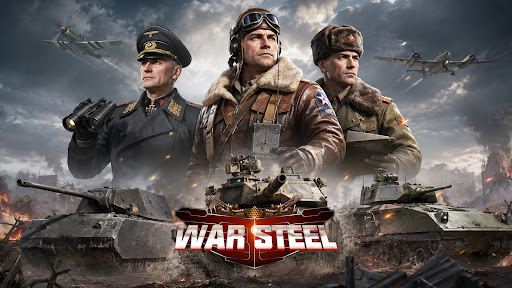
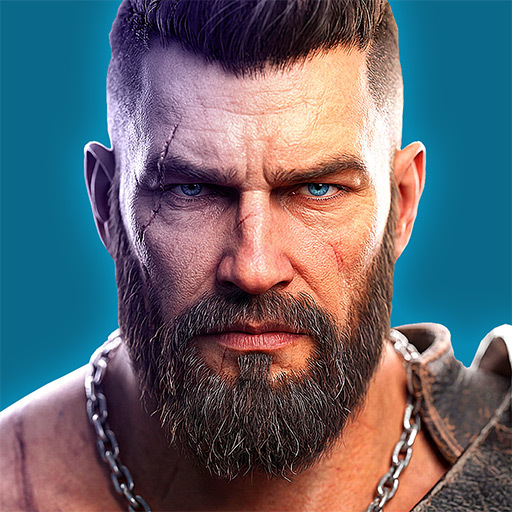
War Steel is a strategy-driven mobile game set in a war-torn world that blends real historical inspiration with an original fictional narrative. Taking place in a reimagined modern warfare era, the game unfolds through an immersive storyline filled with conflict, mystery, and hidden agendas. Players step into the role of a commander, leading forces on the battlefield while uncovering the truth behind the chaos of war. Featuring a realistic military art style with detailed visuals and atmospheric environments, War Steel delivers an intense and immersive combat experience. By combining real-time strategy with tactical command elements, the game offers a dynamic balance between decision-making depth and hands-on control.
[Historical-Inspired World with Fictional Twist]
Experience a unique war universe that merges iconic historical inspirations with original storytelling, creating a familiar yet unpredictable battlefield setting.
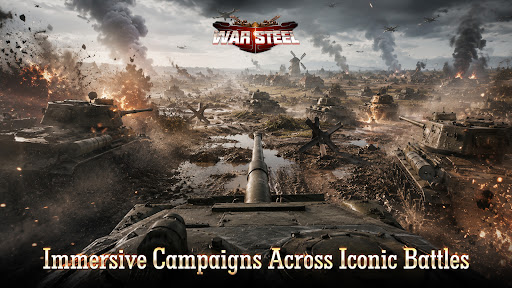
[Immersive Campaigns Across Iconic Battles]
Engage in numerous large-scale war scenarios inspired by classic conflicts, where you take direct command and shape the outcome of each battle.
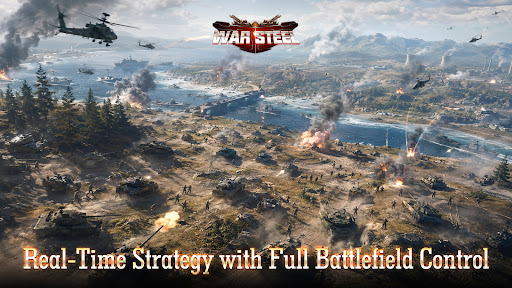
[Real-Time Strategy with Full Battlefield Control]
Take full control in real-time combat, where every decision and action immediately impacts the flow of battle, delivering a highly engaging strategic experience.
[Top-Down Tactical View with Precision Control]
Oversee the entire battlefield from a strategic perspective, allowing precise unit control, positioning, and terrain utilization for deeper tactical gameplay.
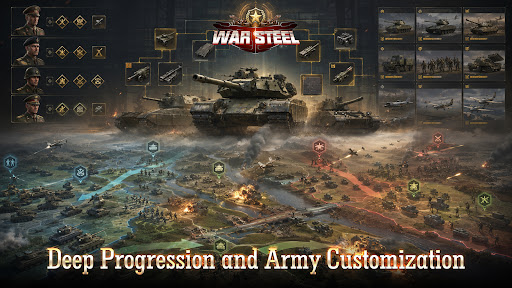
[Deep Progression and Army Customization]
Develop and customize your forces through multiple progression systems, combining units, equipment, and commanders to create powerful strategies.
[Global Competition and Diverse Game Modes]
Compete with players worldwide through various PvP and PvE modes, including global warfare, arenas, and cooperative challenges, for a rich and competitive experience.
Facebook: https://www.facebook.com/gamehollywoodgames
Discord: https://discord.gg/3VFM2eseFq
YouTube: https://www.youtube.com/@WarSteel
Pokaż więcej

1. Pobierz instalator MEmu i zakończ instalację

2. Uruchom MEmu, a następnie otwórz Google Play na pulpicie

3. Wyszukaj War Steel w Google Play
Install
4. Pobierz i zainstaluj War Steel
5. Po zakończeniu instalacji kliknij ikonę, aby rozpocząć

6. Ciesz się grą War Steel na PC z MEmu
MEmu Play to najlepszy emulator Androida, a 100 milionów ludzi już korzysta z jego i dosta doskonałe wrażenia z gier na Androida. Technologia wirtualizacji MEmu umożliwia płynne granie w tysiące gier Androida na komputerze, nawet tych najbardziej wymagających grafiki.
Większy ekran z lepszą grafiką; Długi czas, bez ograniczeń baterii lub danych mobilnych.
Pełna obsługa mapowania klawiszy dla precyzyjnego sterowania klawiaturą i myszą lub gamepadem.
Wiele kont gier lub zadań na jednym komputerze jednocześnie z menedżerem wielu instancji.
Play War Steel on PC by following steps: