FORTBLOX: Mobile Fortress GO!
Aktualisiert
Aktuelle Version
Angeboten von

Bei all Ihrer Leidenschaft für das Spielen von FORTBLOX: Mobile Fortress GO! sollten Ihre Hände nicht auf einen winzigen Bildschirm Ihres Telefons beschränkt sein. Spielen Sie wie ein Profi und übernehmen Sie die volle Kontrolle über Ihr Spiel mit Tastatur und Maus. MEmu bietet Ihnen all die Dinge, die Sie erwarten. Laden Sie FORTBLOX: Mobile Fortress GO! herunter und spielen Sie es auf dem PC. Spielen Sie so lange, wie Sie wollen, ohne Grenzwerte für Akku, mobile Daten und störende Anrufe. Das brandneue MEmu 9 ist die beste Wahl, um FORTBLOX: Mobile Fortress GO! auf dem PC zu spielen. Das exquisite voreingestellte Tastaturbelegungssystem, das mit unserem Fachwissen vorbereitet wurde, macht FORTBLOX: Mobile Fortress GO! zu einem echten PC-Spiel. Der MEmu Multi-Instanz-Manager ermöglicht das Spielen von 2 oder mehr Konten auf demselben Gerät. Und das Wichtigste: Unsere exklusive Emulations-Engine kann das volle Potenzial Ihres PCs freisetzen und für reibungslose Abläufe sorgen.
Mehr anzeigen
Laden Sie Play FORTBLOX: Mobile Fortress GO! auf dem PC mit MEmu Android Emulator. Viel Spaß beim Spielen auf großmundieren. ■ The World Has Ended.
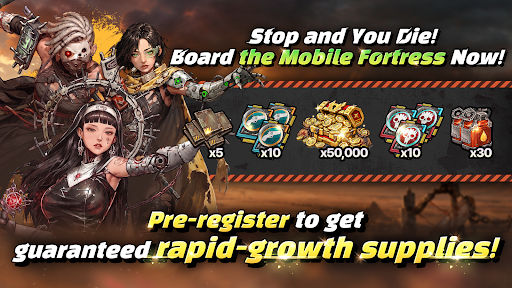
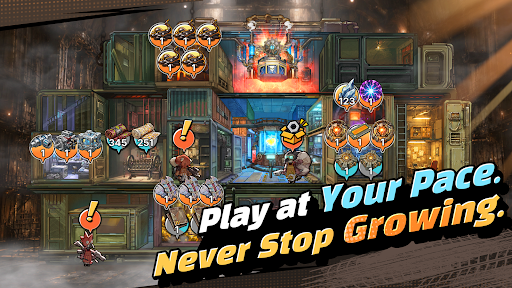
■ The World Has Ended. Your Mobile Fortress Rolls On.
Civilization has fallen, leaving nothing but an endless wasteland. Now, your very own mobile fortress begins its journey across the ruins.
■ Your Fortress, Built to Move
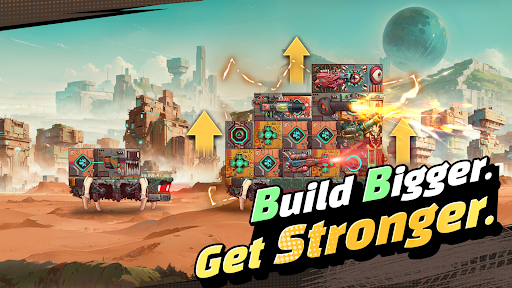
Forget static bases. Build your mobile fortress from the ground up and watch it evolve with every step of your journey. Experience the thrill of transforming a pile of scrap into a massive steel fortress.
■ Deckbuilding and Docking Synergy. Deeper Strategy.
Connect blocks with different attributes to activate powerful Docking Synergies! Even with the same blocks, how you stack and connect them can completely change the way each run plays out.
■ Get Stronger at Your Own Pace
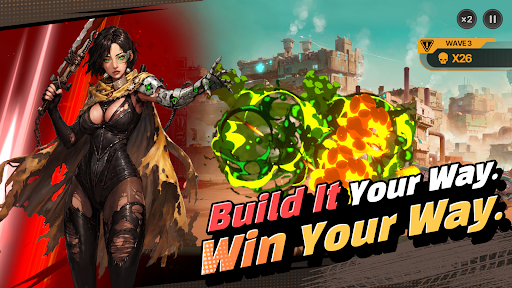
Gather resources, manage what you have, and plan your next move. It's not about progressing faster than everyone else; it's about pushing farther than you did yesterday. Even while you're away, your fortress keeps growing. Come back stronger and take another shot at the enemies that stopped you before.
■ FORTBLOX Is for You If You…
· Love wastelands and post-apocalyptic worlds
· Enjoy deckbuilding and strategic defense games
· Are tired of the constant competition in large-scale strategy games
· Want something different from the same repetitive idle RPG grind
Your Wasteland Awaits. FORTBLOX
[FORTBLOX: Mobile Fortress GO! Official Channel]
· Discord: https://discord.gg/vMUx8EbGS8
[Permission Management]
· Android 6.0 or higher - Go to Settings > Applications, select the app and toggle permissions
※ The app may not ask for individual permissions, in which case you can allow or block them manually following the steps explained above.
Mehr anzeigen

1. Laden das MEmu-Installationsprogramm herunter und beenden die Installation

2. MEmu starten und Google Play auf der Homepage öffnen

3. Suchen FORTBLOX: Mobile Fortress GO! in Google Play
Install
4. Herunterladen und Installieren FORTBLOX: Mobile Fortress GO!
5. Klicken nach Abschluss der Installation auf das Symbol, um es zu starten

6. Viel Spaß beim Spielen von FORTBLOX: Mobile Fortress GO! auf dem PC mit MEmu
MEmu App Player ist der beste kostenlose Android-Emulator und 50 Millionen Menschen genießen bereits seine hervorragende Android-Gaming-Erfahrung. Mit der MEmu-Virtualisierungstechnologie können Sie Tausende von Android-Spielen problemlos auf Ihrem PC spielen, selbst bei grafikintensiven Spielen.
BGrößeres Bild mit besserer Grafik; Keine unterbrechungen, keine sorgen um Akku
Komplette Tastenbelegung unterstützt mit Maus und Tastatur oder Controller
Mit dem „Multi-Instance-Manager“ können Sie mehrere Spielkonten oder Spiele gleichzeitig auf einem PC ausführen.
Play FORTBLOX: Mobile Fortress GO! on PC by following steps: